settings
How do I set the background image in my invoice template?
To change the background image in your invoice template, follow the instructions below:
Navigate to Settings > Templates.
Click Edit on an existing template or create a new one.
Click Choose from Desktop under Background Image in Template Properties.
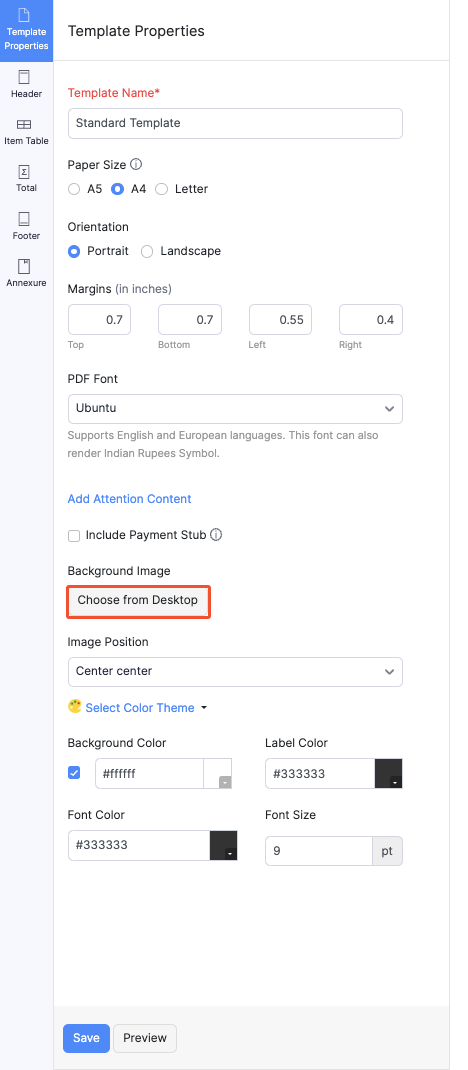
Upload a file from your device.
Note:
- The supported file formats are: GIF, PNG, JPEG, JPG, and BMP.
- The maximum file size allowed is 1 MB.
Click Save.
Insight: You can remove the background image by clicking Remove below the image under the Template Properties section.
 Yes No
 Thank you for your feedback!