


PAYG Withholding Tax

When you pay your contractors and certain vendors in Australia, you must withhold a portion of the payment as tax and remit it to the Australian Taxation Office (ATO). PAYG withholding tax applies to specific payment types, and you must remit the withheld amount to the ATO by the required deadline to ensure compliance. With Zoho Books, you can enable PAYG withholding tax for your vendors and record it directly while creating purchase transactions.
Enable PAYG Withholding Tax
To enable PAYG withholding tax in your Zoho Books organisation:
- Go to Settings.
- Under Organization Settings, select PAYG Withholding under Taxes & Compliance.
- Enable the toggle next to Do you want to enable PAYG Withholding?
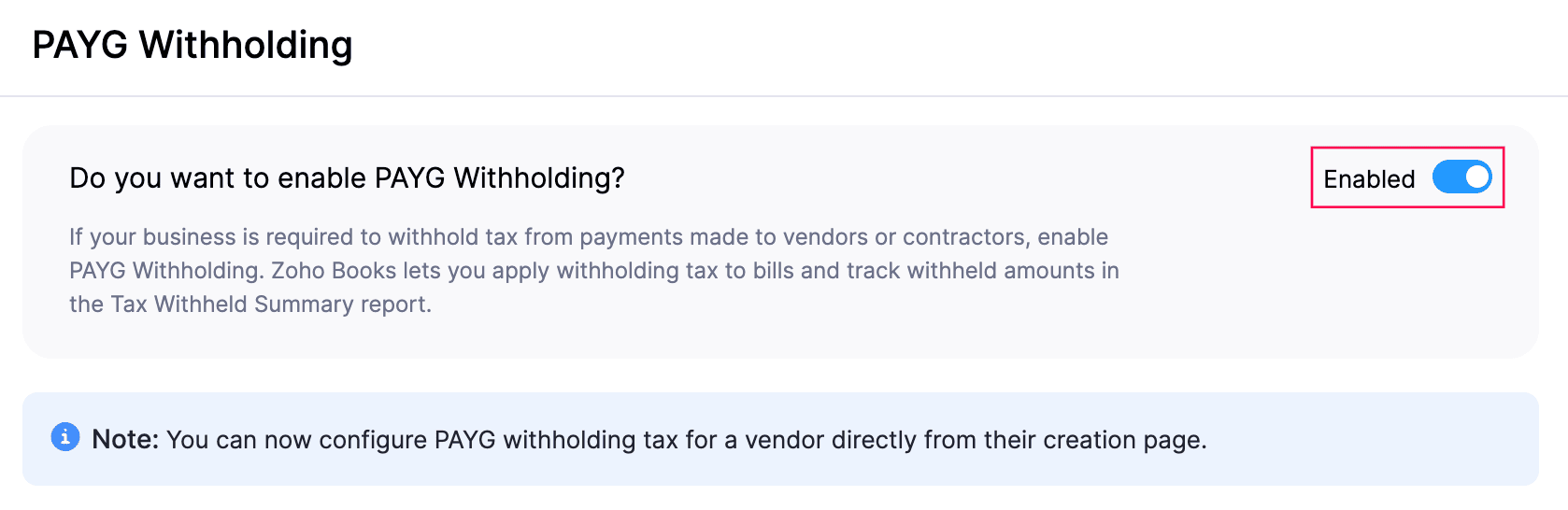
- Click Save.
PAYG withholding tax will be enabled for your organisation.
Enable PAYG Withholding Tax for Vendors
To enable PAYG withholding tax for your vendors:
- Go to Purchases on the left sidebar and select Vendors.
- Select the vendor for whom you want to enable PAYG withholding tax, and click Edit in the vendor’s details page.
- To create a new vendor and enable PAYG withholding tax for them, click + New in the top right corner.
- In the next page, under Other Details, check the Apply PAYG Withholding to this vendor.
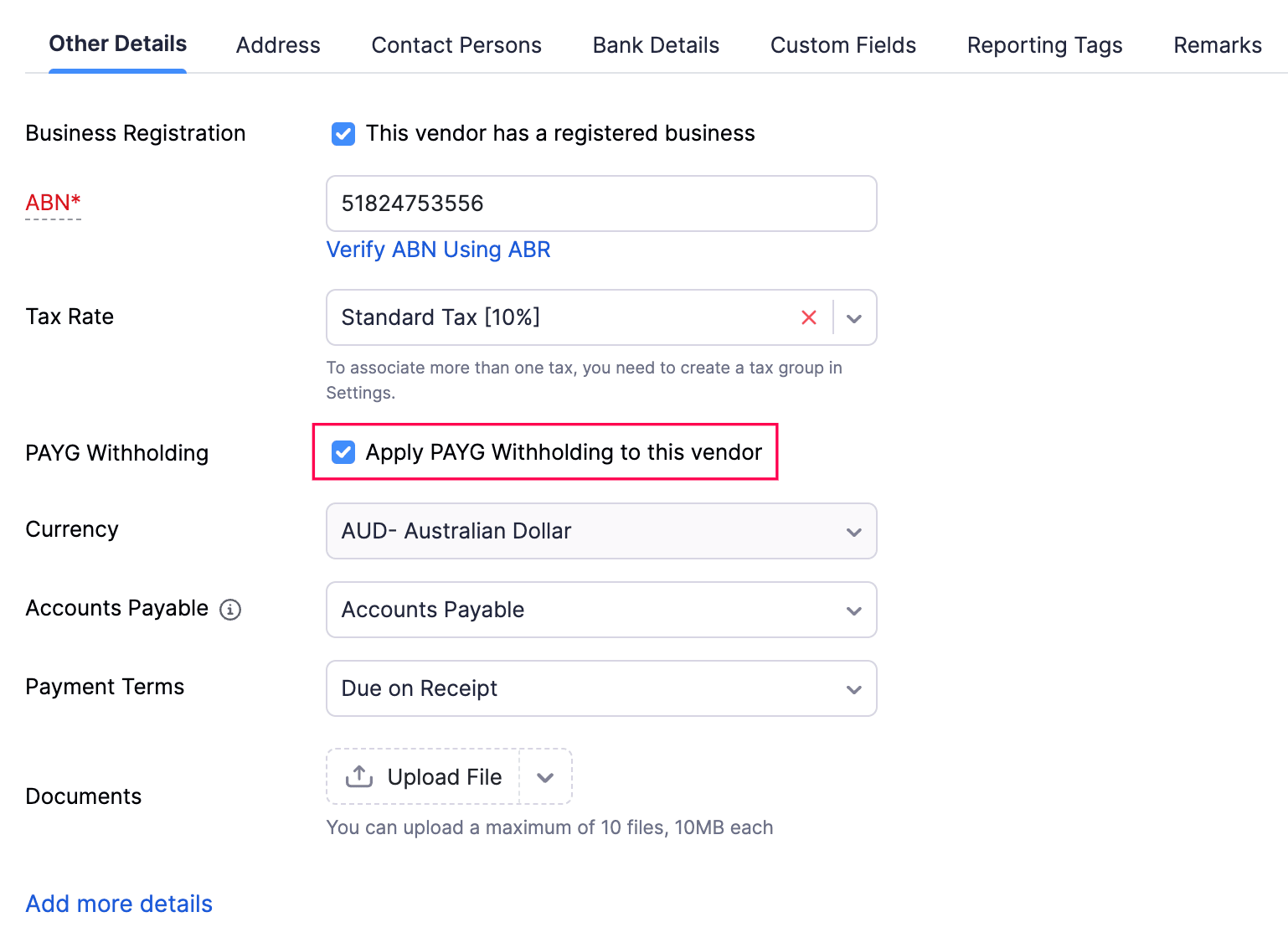
- Click Save.
PAYG withholding will be enabled for the selected vendor.
Withhold Taxes in Transactions
When you create a bill for vendor for whom you’ve enabled PAYG withholding, and record payment for the same, you’ll have an option to deduct PAYG withholding from the bill payment. Here’s how:
- Go to Purchases on the left sidebar and select Bills.
- Select the bill for which you want to deduct PAYG withholding.
- In the bill’s details page, click Record Payment.
- In the payment page, enable Deduct PAYG Withholding.
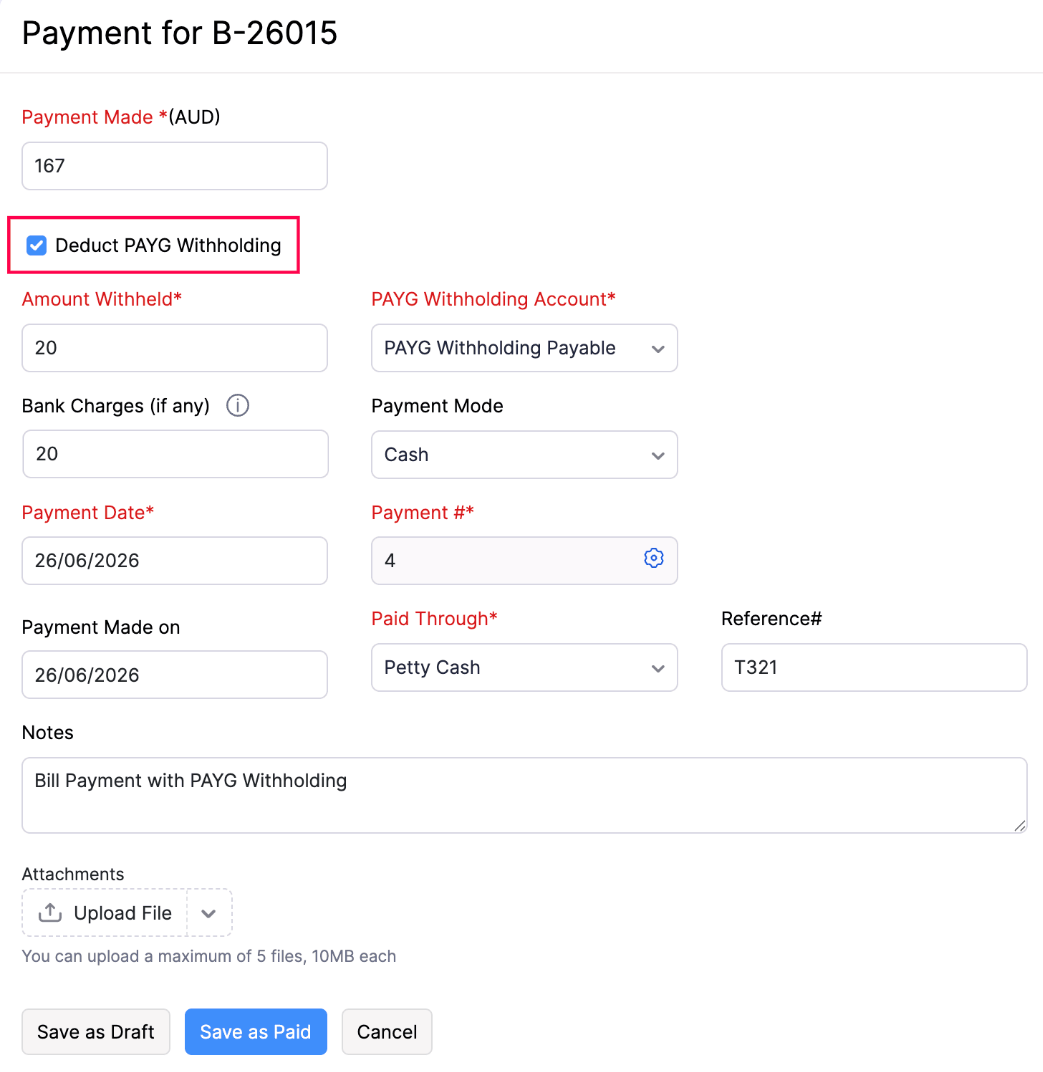
- Fill in the other required details.
- Click Save as Paid or Save as Draft and mark it as paid later.
The payment will be recorded.
PAYG Withholding - Reports
Once you’ve recorded a bill and deducted the PAYG Withholding amount from the same, you can track it in PAYG Withholding Summary report. Here’s how:
- Go to Reports on the left sidebar.
- Scroll down to Taxes and select PAYG Withheld Summary.
The list of transactions for which the PAYG withholding was deducted will be displayed.
 Yes
Yes