Remote Support and Endpoint Management for Smart IT teams
Instantly track every endpoint, detect IT issues before they disrupt operations, and maintain seamless productivity across your entire business with centralized control.
Sign up for free



Why proactive insights matter for modern work environments
Modern businesses face constant challenges with device management. Here's how predictive insights help you stay ahead.
Prevent unexpected failures:
Devices can stop working without any warning signs. Early detection and continuous monitoring can help avoid downtime that would have otherwise impacted employees.
Stop firefighting:
Instead of constantly fixing recurring problems, use smart insights to pinpoint the main causes and get back to work on growth driven initiatives.
Support remote teams:
With employees working from anywhere, device problems are harder to notice. Real-time visibility helps identify risks before they escalate.
See the bigger picture:
When you review systems in isolation, it's easier to overlook patterns. Use data-driven analysis to spot trends that signal organization-wide concerns.
Detect vulnerabilities:
Without continuous visibility, security gaps can go unnoticed. Ongoing monitoring helps uncover suspicious activities before breaches occur.
Monitor devices in real time and avoid unexpected downtime
Gain complete visibility into:
Network connectivity issues
Detect disconnections, slow speeds, and access issues that disrupt productivity for both in-office and remote workers. Monitor WiFi signal strength to identify and resolve connectivity problems before they impact performance.

Security threat detection
Detect suspicious behavior, unauthorized access attempts, and potential malware infections right on the spot.

System update status
See which devices have pending patches, failed updates, or outdated software versions immediately.
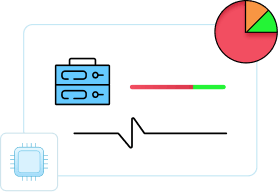
Device health status
Track CPU usage, memory, disk space, and battery life across all endpoints.
Application performance
Keep an eye on programs that are slowing down, crashing, or consuming more resources on the device. Detect application crashes that disrupt workflow and monitor overall CPU usage to maintain device performance.
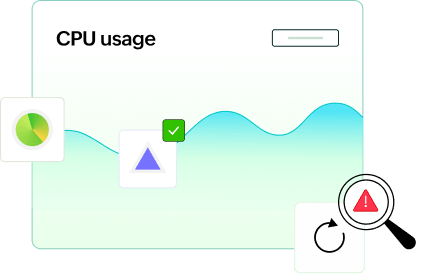

User experience scores
Understand how employees actually experience their technology through real-time performance data and feedback.
Simplify device management with cloud-based control
Automated patch management
Schedule and deploy patches for operating systems and applications across your entire network without manual intervention on each endpoint.
Vulnerability assessment and prioritization
Identify and prioritize critical vulnerabilities based on severity scores to give your team clear direction on what needs immediate remediation.
Streamlined software deployment
Install applications across multiple endpoints simultaneously using preconfigured deployment templates that eliminate repetitive setup work.
Remote OS provisioning
Set up new devices or refresh existing ones without physical access using zero-touch deployment capabilities that reduce errors.
Centralized encryption management
Control BitLocker and disk encryption policies across all endpoints from one console to ensure data protection meets compliance standards.
Mobile device management (MDM)
Extend your security and management capabilities to iOS and Android devices, protecting corporate data on every device type.
Peripheral device control
Monitor and restrict USB drives, external storage, and other peripheral devices to prevent unauthorized data transfers and security breaches.
Browser security enforcement
Set security standards for web browsers across your organization, blocking malicious sites and enforcing safe browsing policies consistently.
Remote troubleshooting and support
Connect to any endpoint instantly via remote desktop for troubleshooting. This helps eliminate delays and restore employee productivity faster.
Comprehensive asset inventory
Maintain real-time inventory of every device, application, and license across your organization for better IT planning and budget management.
Unified policy enforcement
Push configuration settings and security policies to all endpoints simultaneously for consistent protection and compliance organization-wide.
Analytics and reporting dashboard
Access detailed reports and analytics that reveal usage patterns, security incidents, and system health across your entire endpoint fleet.
Low-code workflow automation
Create intelligent detection-to-remediation workflows that run continuously. Identify and fix endpoint issues before they impact users—no coding required.
Application-level control
Manage application security with blocklisting, allowlisting, and privilege management to ensure only authorized software runs with appropriate permissions on endpoints.
Measurable business impact with smart device management
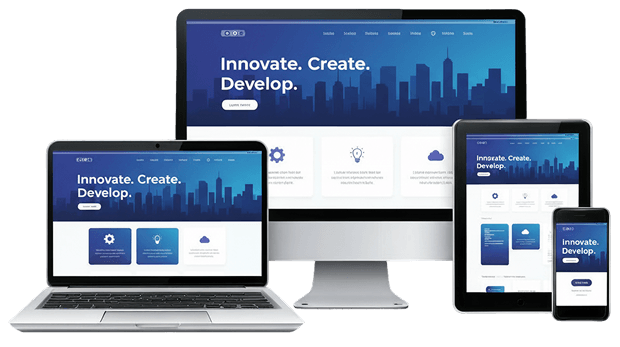
Centralize control over all desktops, laptops, and mobile devices to gain visibility into your entire IT infrastructure. Zoho Assist's comprehensive approach reduces downtime through proactive monitoring, cuts costs by eliminating manual processes, and strengthens security with consistent policy enforcement. With Zoho Assist, you can achieve:
Reduced operational costs through automated processes and workflows
Faster incident resolution with centralized visibility and real-time response
Better compliance through automated regulatory controls
Enhanced employee productivity with fewer disruptions and seamless operations
Scalable operations without additional IT resources
Improved security posture across all endpoints with consistent policy enforcement
Automating IT responses to eliminate repetitive tasks
Routine IT tasks and remote issues shouldn't consume your organization's time. Zoho Assist automates common fixes and enables instant remote support for complex problems, reducing help desk tickets and freeing IT teams for higher-priority work.
Automated remediation workflows
Regulatory compliance automation
Zero-touch provisioning
System performance optimization
Continuous system monitoring
Enhanced business continuity
Real-time incident responses
Improved remote access

Try Zoho Assist with your free trial and transform the way your business manages IT.
TRY IT TODAYFrequently asked questions
Zoho Assist takes the complexity out of endpoint management by giving your IT team a single place to monitor device health, roll out patches, and fix issues remotely without ever needing hands-on access to the device.
From cutting down repetitive IT tasks to keeping your endpoints secure and compliant, Zoho Assist helps your team work smarter. The result is faster resolutions, reduced costs, and an IT operation that scales as your business grows.