Manage Subscription
Note: Only Super Admins can manage subscription settings.
How to view subscription details?
To view your current subscription details in Zoho Assist:
Sign in to your Zoho Assist account.
Go to Settings > Organization > Subscription.
Note: Only Super Admins can view subscription details.
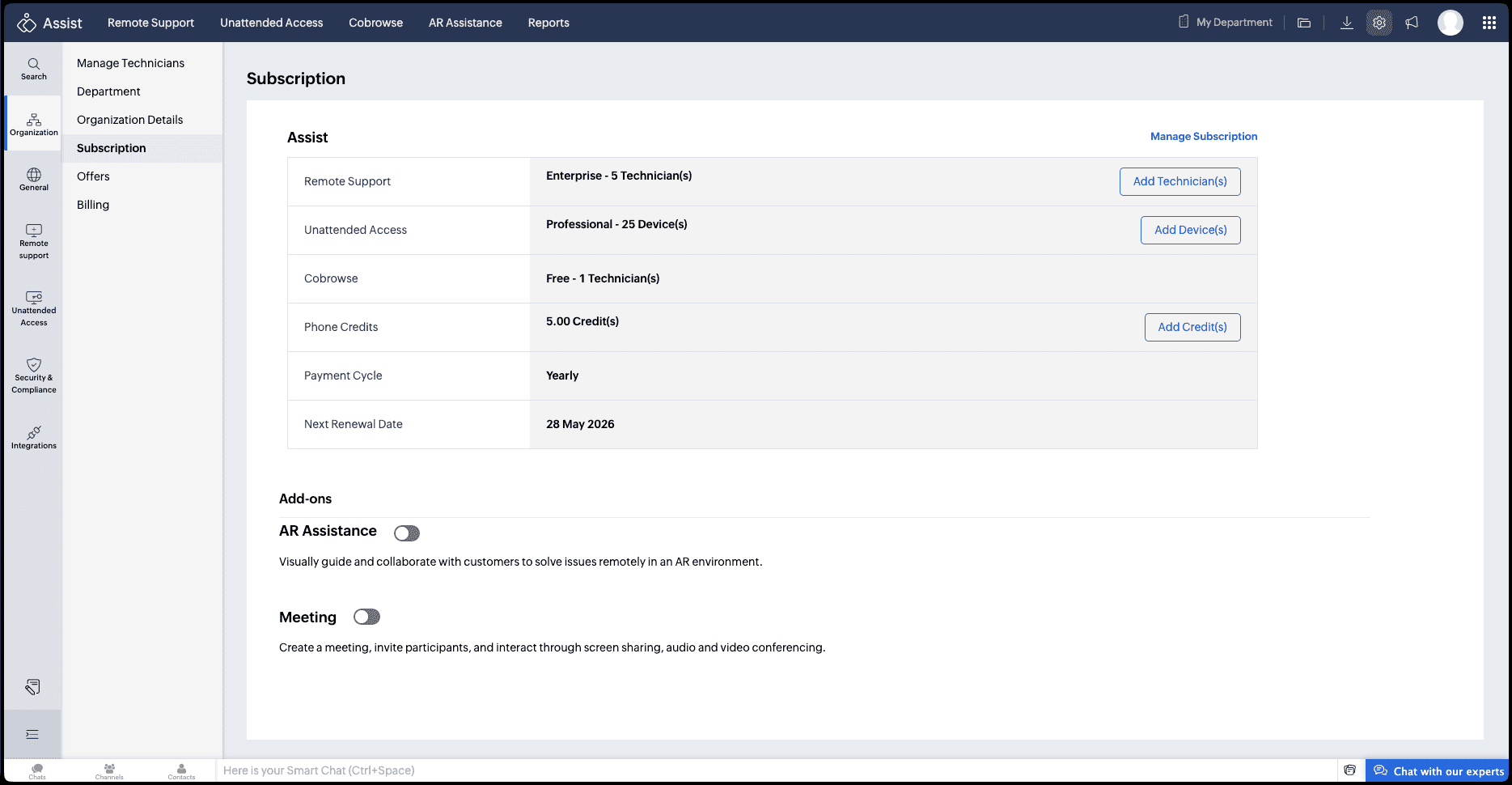
From this page, you can view your active plan, license count, and other subscription information.
To make changes, click Manage Subscription. You’ll be redirected to Zoho Store, where you can update your plan, billing address, and payment method.
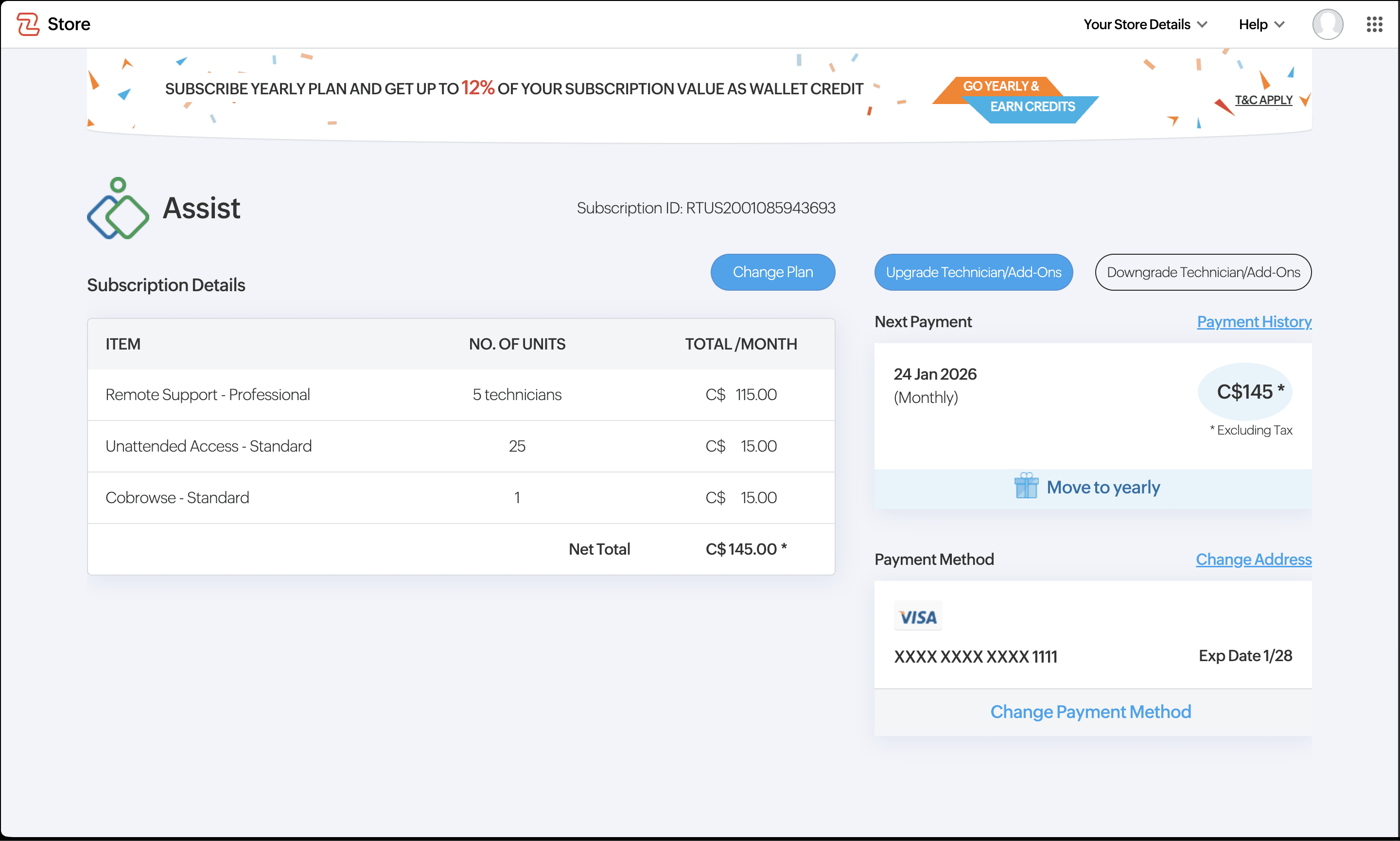
How to change your Plan?
You can upgrade or downgrade your Zoho Assist license through the Manage Subscription option.
Go to Settings > Organization > Subscription.
Click Manage Subscription. You’ll be redirected to Zoho Store.
Under Subscription Details, click Change Plan.
Select the required edition to proceed.
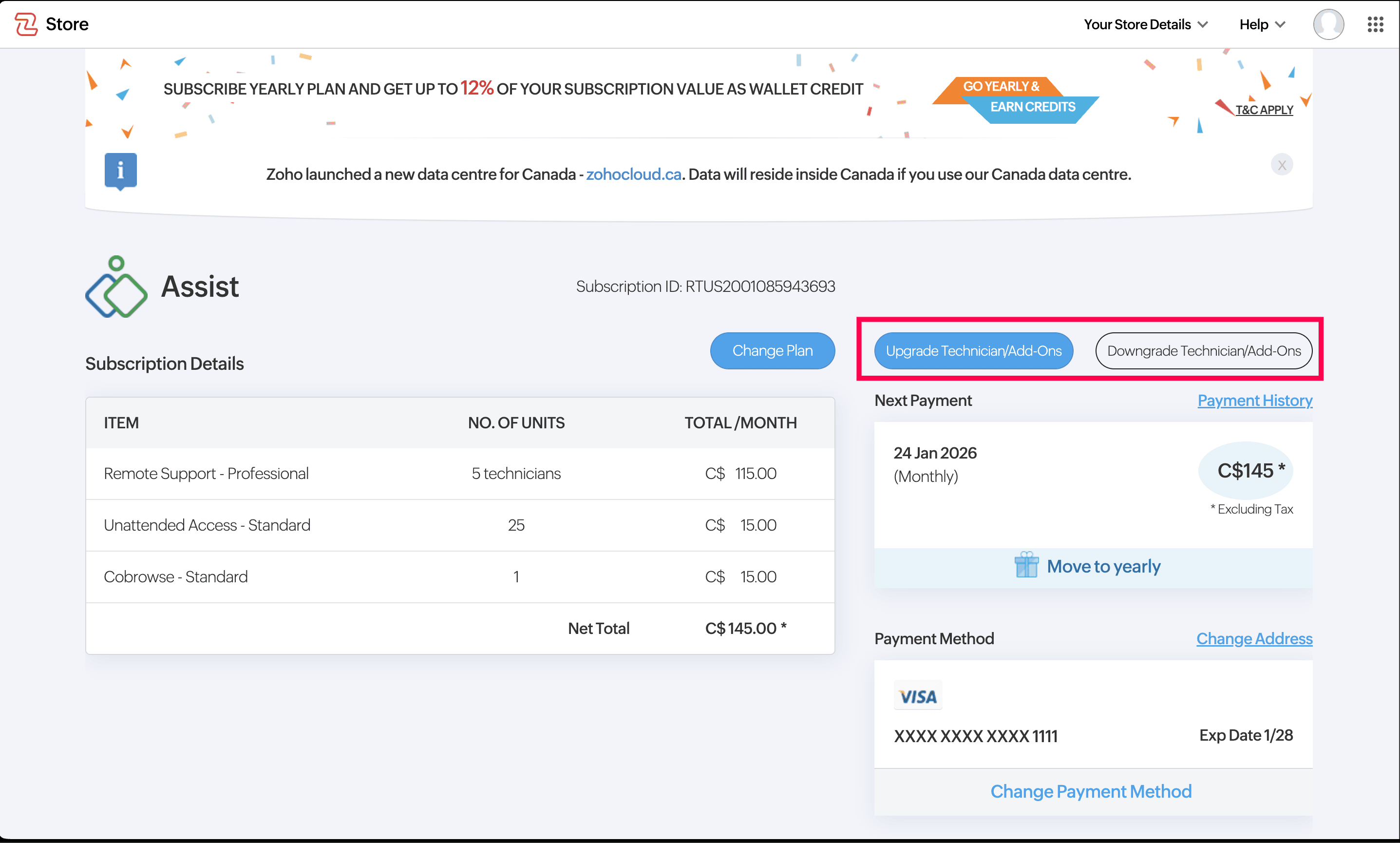
You can also upgrade or downgrade technicians/add-ons by clicking the respective option as shown below.
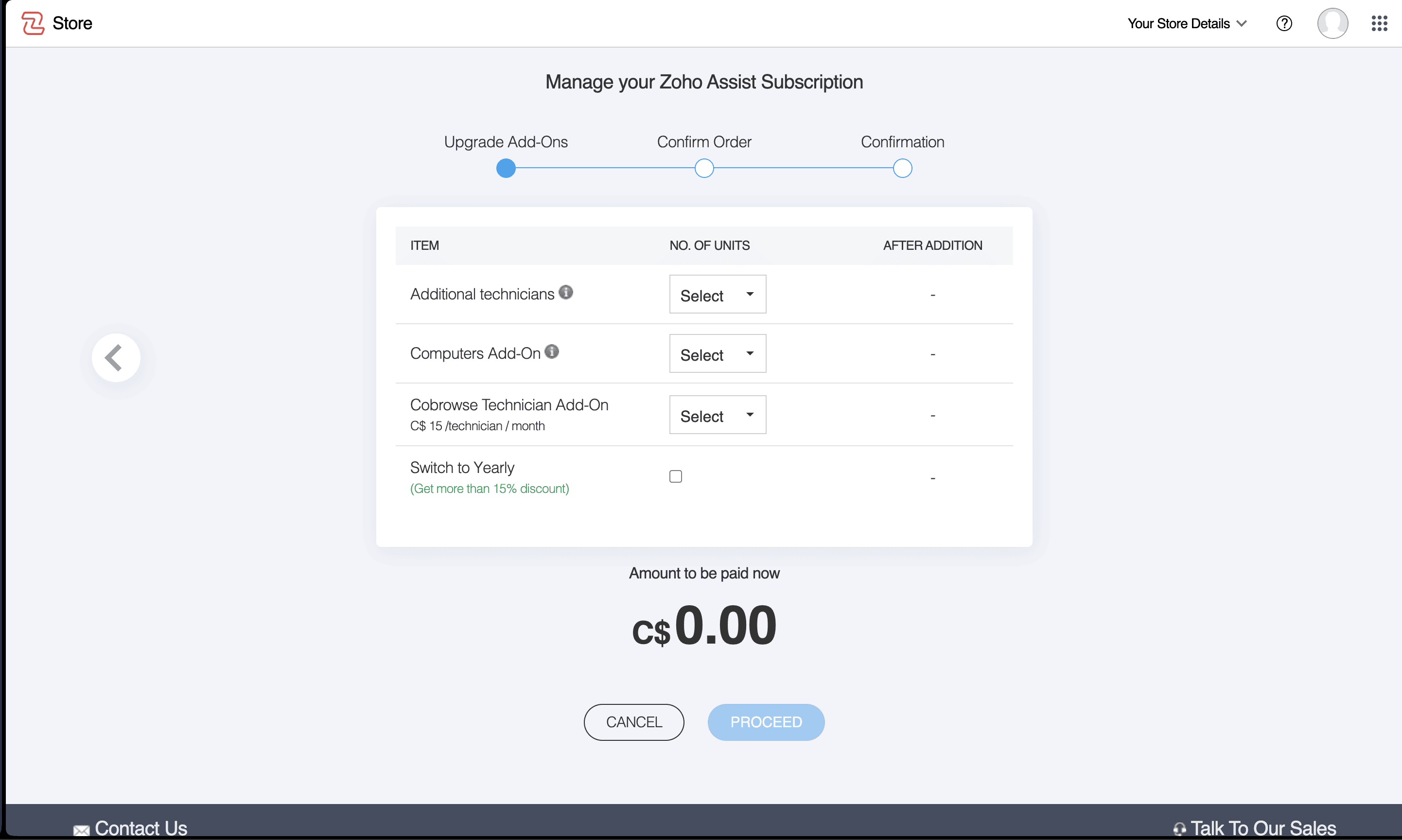
You can specify the additional numbers under Additional Technician, Computer Add ons, Cobrowse Technician
You can also opt to move to yearly by enabling the checkbox
Click Proceed and enter your payment details and click make payment.
Your Zoho Assist account will be updated immediately after successful payment.
How to enable or disable auto-renewal?
You can manage auto-renewal for online accounts from Manage Subscription. You’ll be redirected to the Zoho Store page, where you can update your renewal preferences.
To enable auto-renewal, select Recurring while choosing a plan. With this option, your saved payment method will be automatically charged based on the selected billing cycle (monthly or yearly). You can also enable auto-renewal at any time by clicking Change Payment Method and selecting Recurring.
To disable auto-renewal, click Change Payment Method and choose Non-recurring. Once selected, you’ll receive an email notification as your plan approaches its expiration, prompting you to renew if needed.
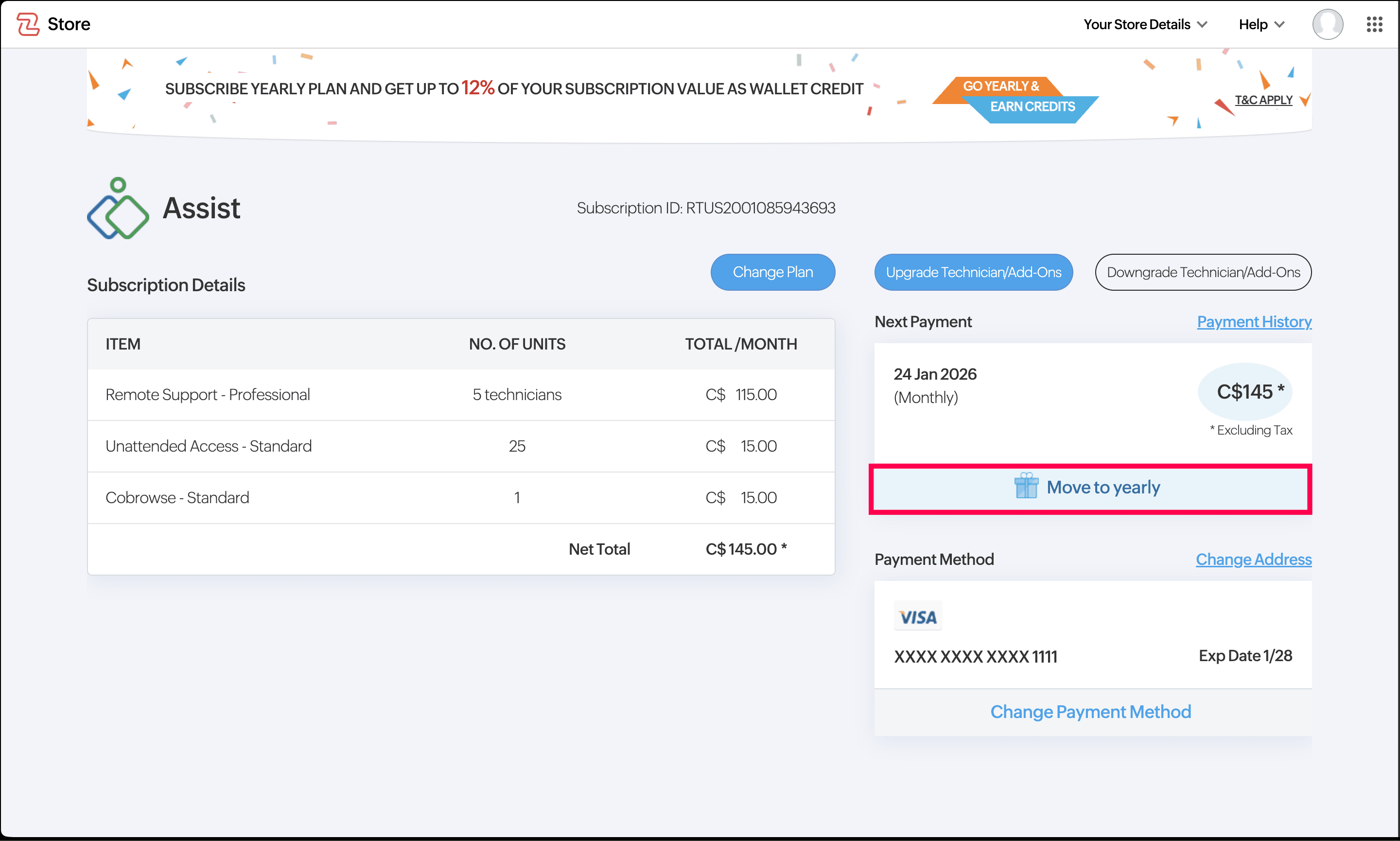
How to switch from monthly to annual plan?
To change your billing cycle:
Go to Settings > Organization > Subscription.
Click Manage Subscription
Click Move to Yearly.
How to view subscription history?
To view your transaction and billing history:
Go to Settings > Organization > Subscription.
Click Manage Subscription to open Zoho Store.
Open the dropdown menu in the toolbar.
Click Transaction History.
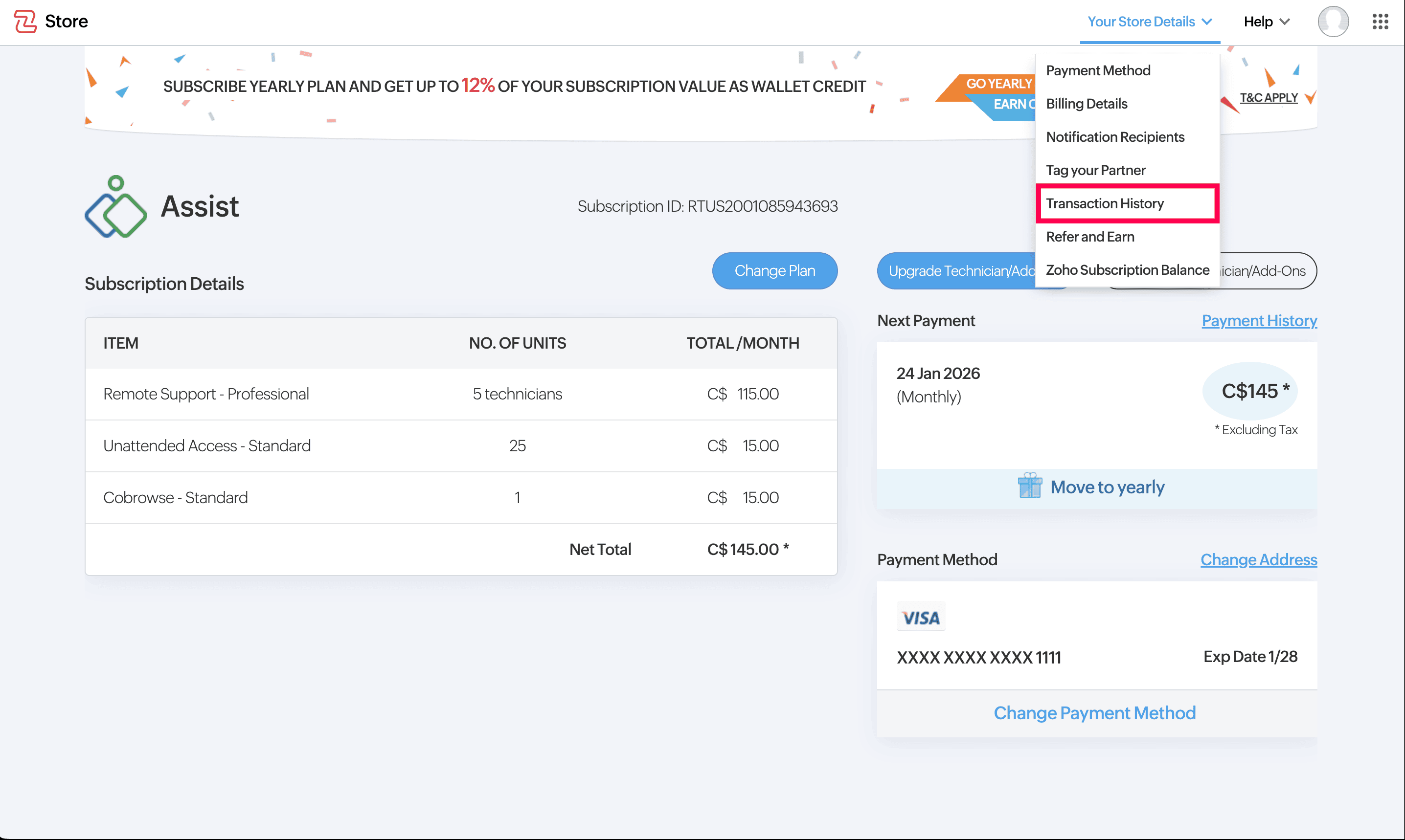
You can view details such as transaction ID, amount, date, and payment status.
How to reassign Super Admin?
To reassign the Super Admin role, contact our support team at support@zohoassist.com
How to move to free from trial plan?
Once the trial period is over, you will be moved to free plan by default. But to cancel your trial subscription, contact our support team at support@zohoassist.com
Note : For any other subscription related query you can reach support@zohoassist.com