Webhooks
Webhook is an advanced integration that allows notifications to be triggered to the configured URL when certain specified events are initiated - such as starting a remote session or screen share session. You can receive any number of events through a single callback URL. Webhook feature is supported in Zoho Assist Enterprise edition only.
Creating a webhook
- Step 1: Log in to Zoho Assist
- Step 2: Go to Settings > Integrations > Webhooks
Step 3: Select Add Webhook
Step 4: Add Name, Description & Callback URL.
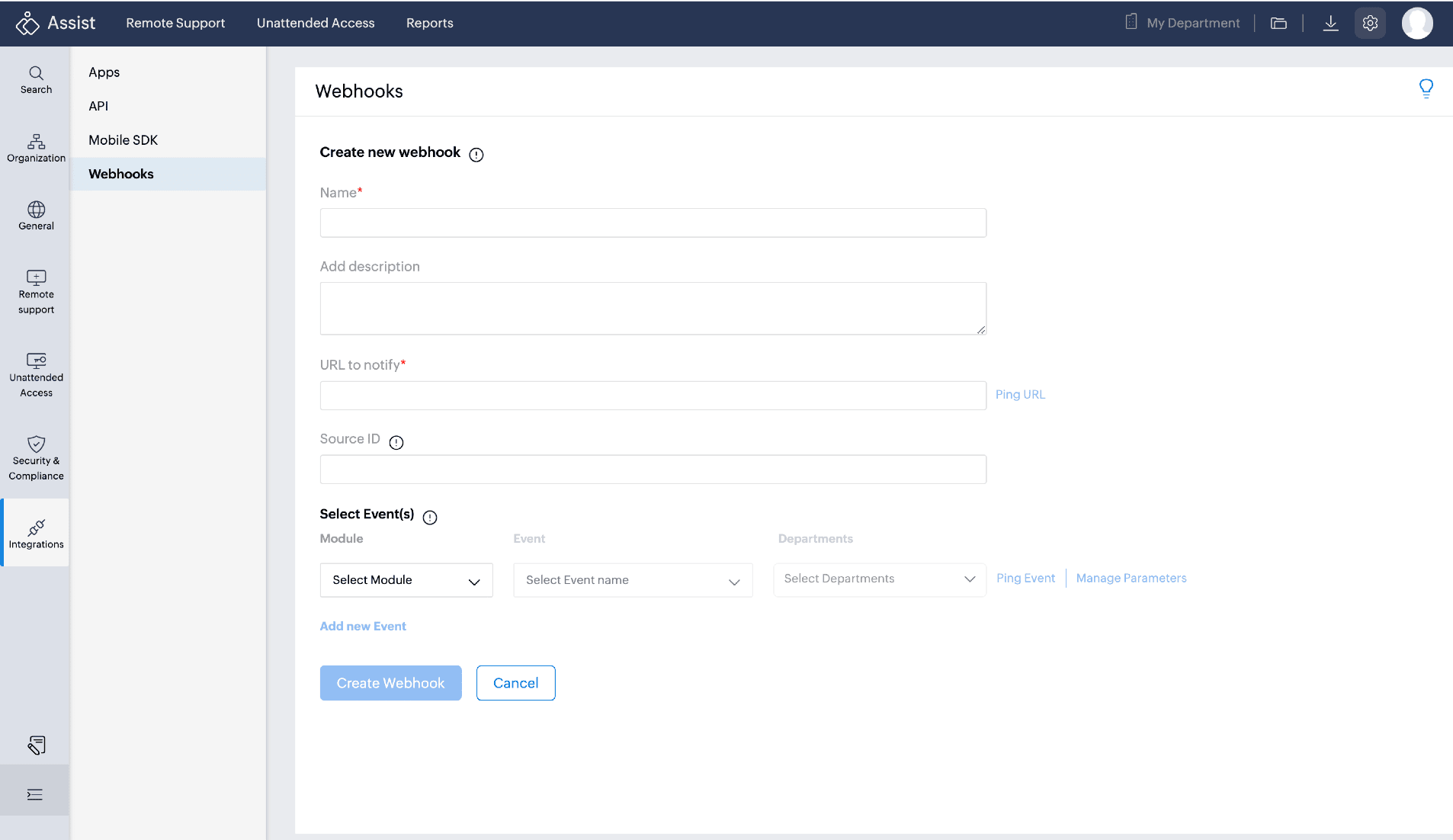
A source ID will be generated when an event is triggered. Source ID is a customizable ID assigned to a webhook to prevent the loop of notifications triggered for the same event.
- Step 5: Click Ping URL to test the callback URL
Step 6: Select the Module, Event Name & Department from the dropdown below Select Event
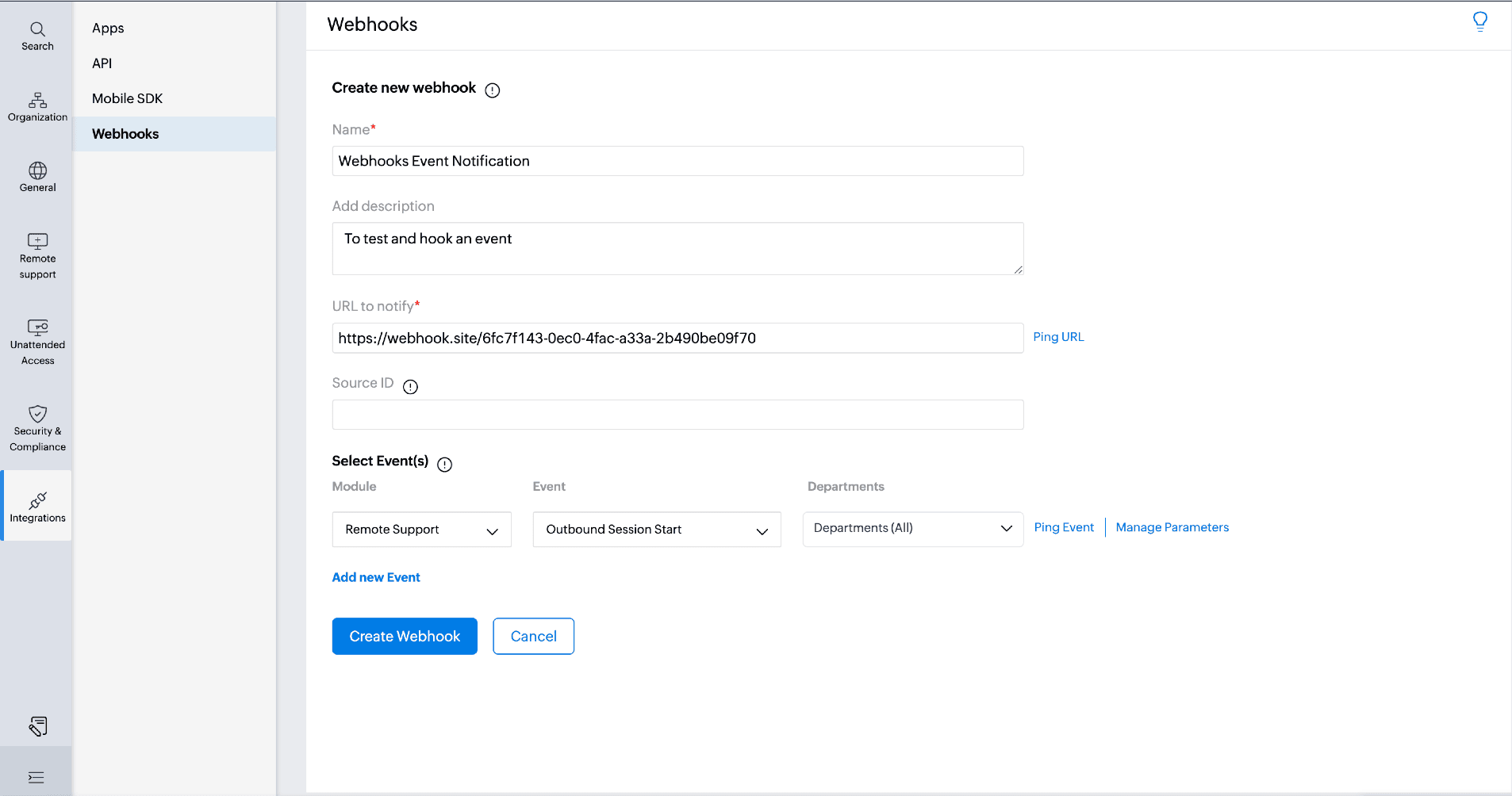
The webhook events are correspondent to their respective event IDs and are as follow :
Webhook Events | Event ID |
Outbound Session Start | 0 |
Session Start - Screen Share | 1 |
Session End - Remote Support | 2 |
Session End - Screen Share | 3 |
Customer Join - Remote Support | 4 |
Inbound Request Create | 5 |
Inbound Request Transfer | 6 |
Inbound Request Delegate | 7 |
Inbound Request Picked | 8 |
Inbound Request Declined | 9 |
Inbound Request Dropped | 10 |
Inbound Request Expired | 11 |
Device Add | 12 |
Device Online | 13 |
Device Offline | 14 |
Device Delete | 15 |
Session Start | 16 |
Session End | 17 |
- Step 7: Click Ping Event to test the selected event to trigger a test run on the same.
Step 8: Click Manage Parameters to open the JSON editor, allowing users to modify their custom JSON configurations.
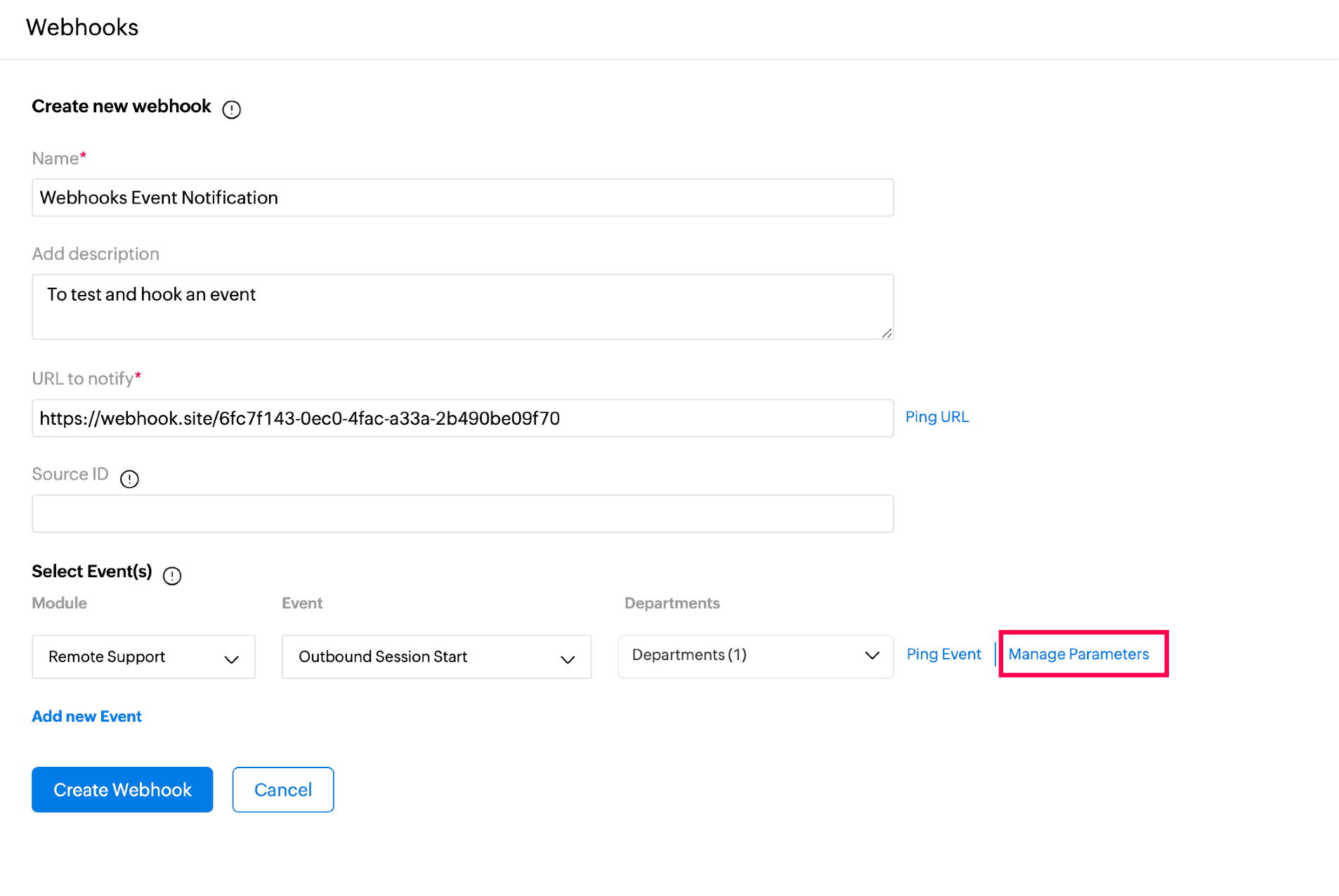
This feature provides a flexible way for the customers to tailor their webhook data as per their requirements.
Step 9: Click Save following the JSON modifications to confirm and apply your changes.
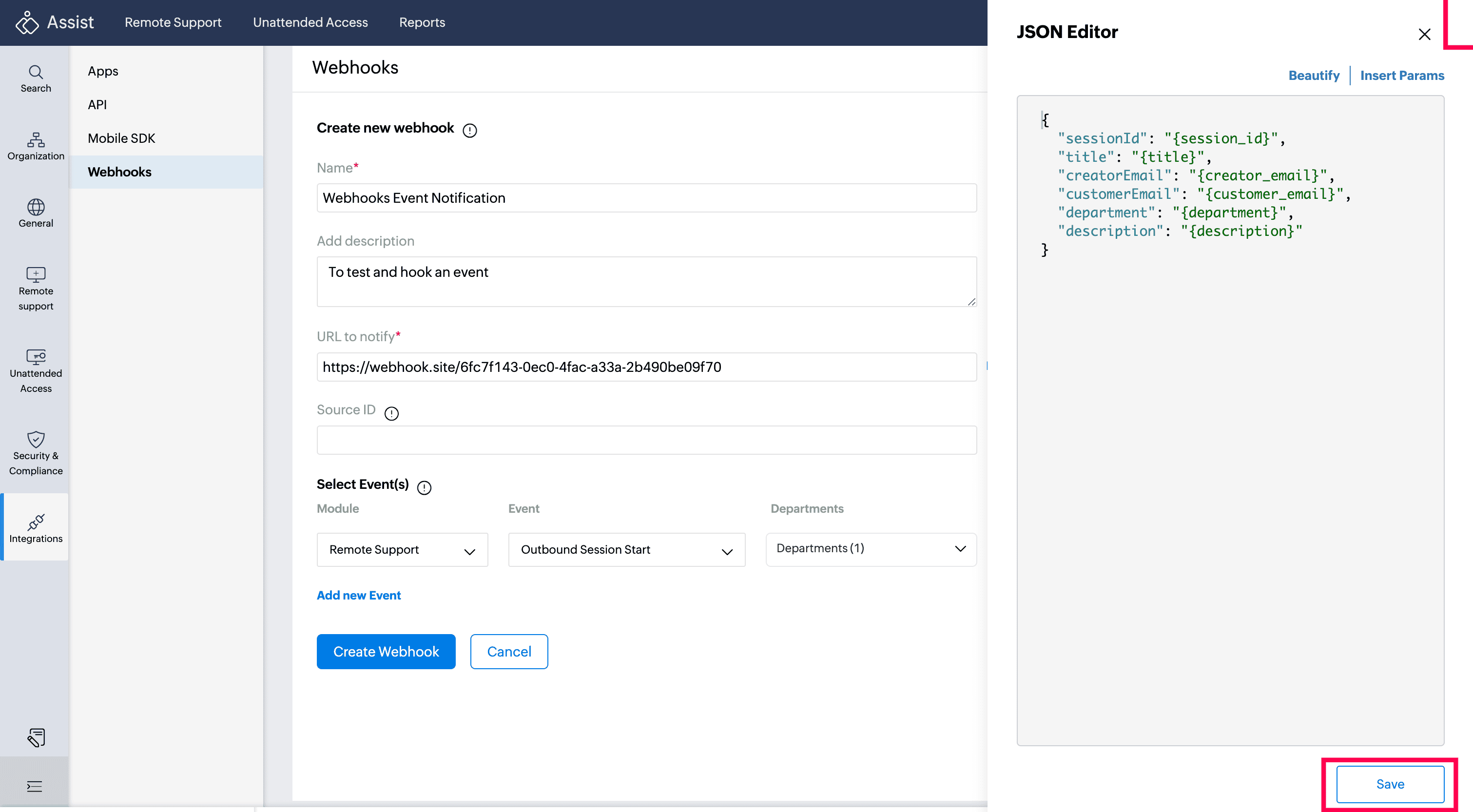
- Beautify, helps structure your JSON for seamless communication with third-party applications.
- Insert Params, allowing you to easily include specific parameters as needed.
Step 10: Click Create Webhook
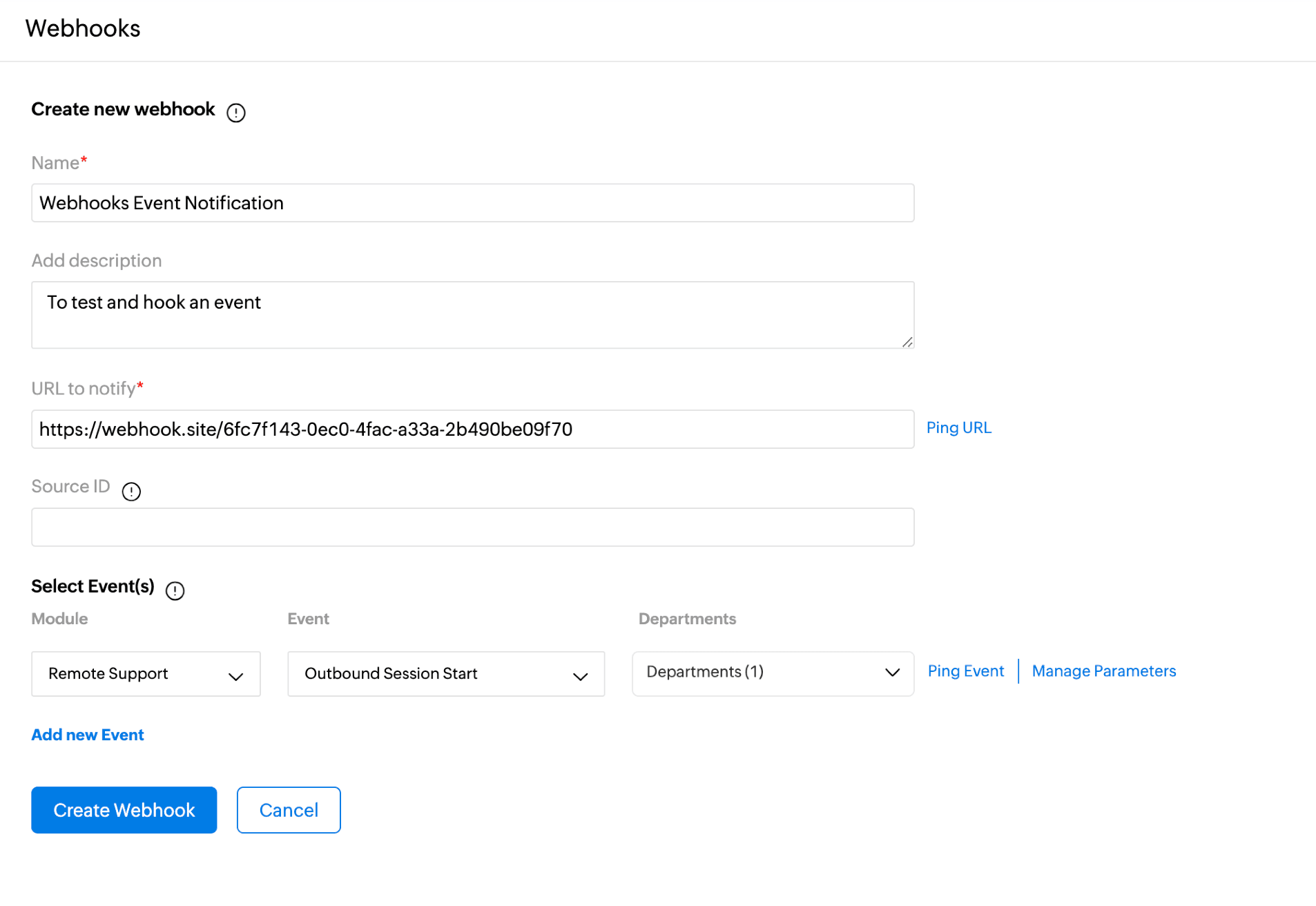
The created webhook can be accessed and edited anytime from the webhooks menu
Note:
- You can create a total of twenty webhooks and upto 10 webhooks can be configured for each event.
- Webhook requires a third party integration to function.
API Integration :
OAuth Scopes:
- ZohoAssist.webhooks.READ
- ZohoAssist.webhooks.CREATE
- ZohoAssist.webhooks.UPDATE
- ZohoAssist.webhooks.DELETE
- ZohoAssist.webhooks.ALL
Attribute Name | Data type | Description |
name | string | Name of the webhook |
desc(Optional) | string | Description of the webhook |
url | string - valid https url | The Server endpoint to which event information must be sent. |
ignore_src(Optional) | string | Client ID excluded from triggering webhooks. |
subscriptions | array of subscription | Events that you want to subscribe to. |
status | 0(disabled) or 1(enabled) | Webhook status |
hook_id | long | pk of an hook entity in an instance |
event_id | integer | ID of an event . |
dept_ids | long[] | various departments ids instantly |