Remote Command Prompt
The remote command prompt enables you to connect securely to your remote computer and gain terminal-like access. This tool is similar to SSH access, as it allows you to establish a secure connection using your login credentials on Mac and Linux OS remote devices. For Windows devices, it provides a reliable interface for remote troubleshooting and administrative operations.
Once connected, you can remotely execute a variety of commands and carry out tasks that you would normally perform on your local terminal. Command prompt is useful for system administrators who need to monitor and manage remote servers, or for individuals who need to access their work system from any location.
The enhanced interface provides interactive command-line capabilities with intelligent command suggestions. As users enter partial commands (for example, typing “A”), pressing the Tab key displays contextual suggestions and completion options, making commands easier to discover, reducing input errors, and improving overall efficiency.
Steps:
To access Remote command prompt:
- Log in to your Zoho Assist account and click Unattended access in the menu bar.
Click the three dots icon of the respective unattended device.
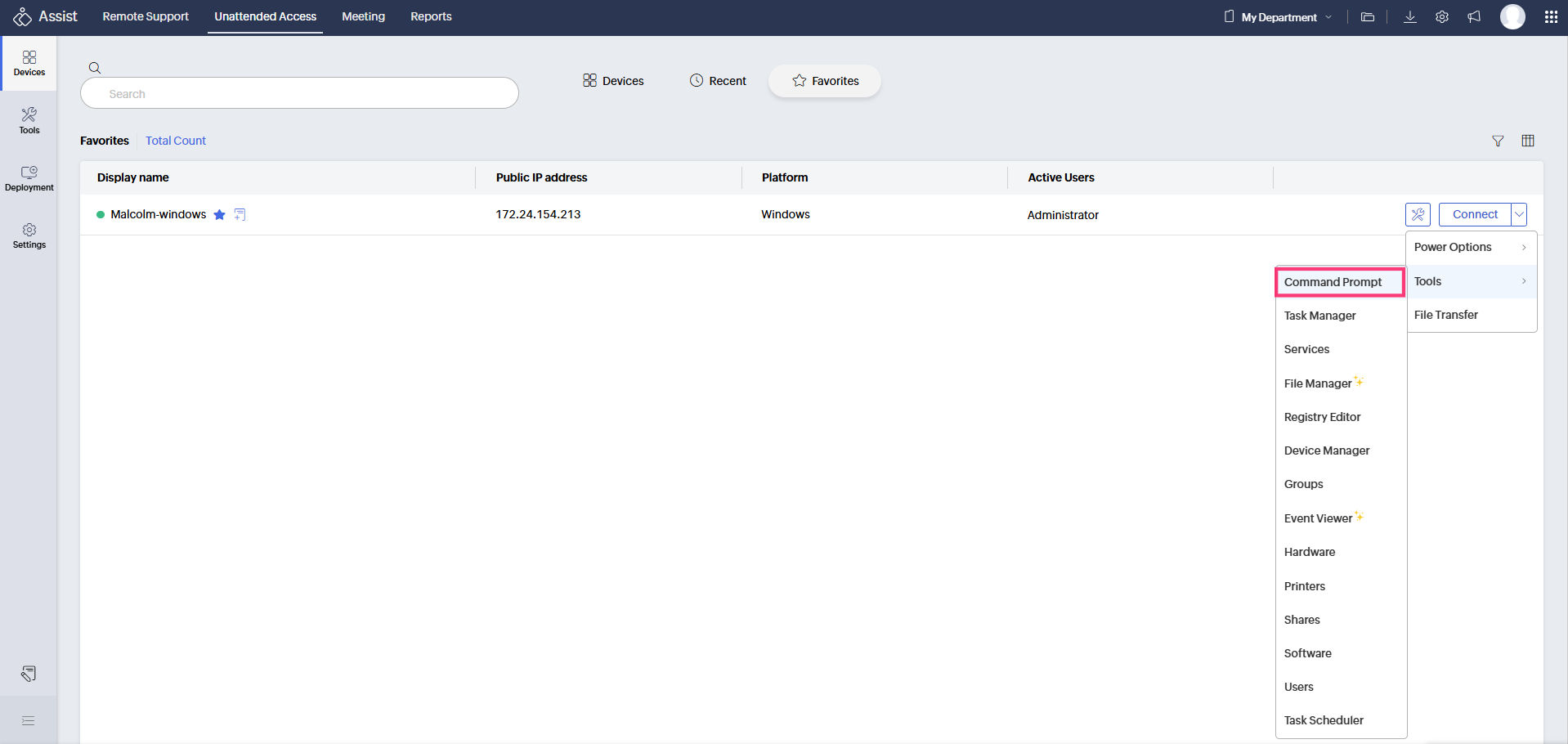
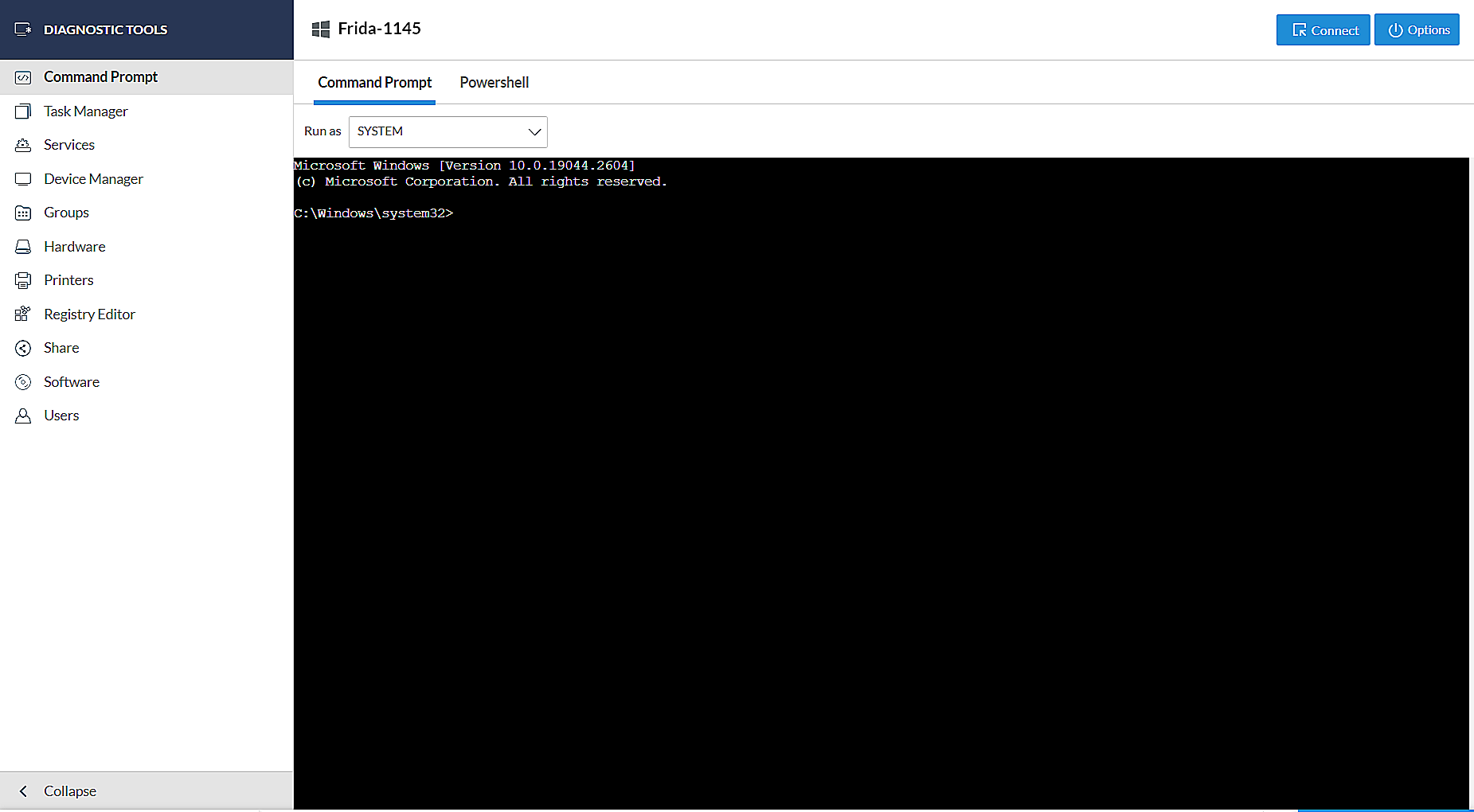
Click the command prompt option from the drop-down menu. You will be redirected to the new page for the remote device with Windows Operating system.
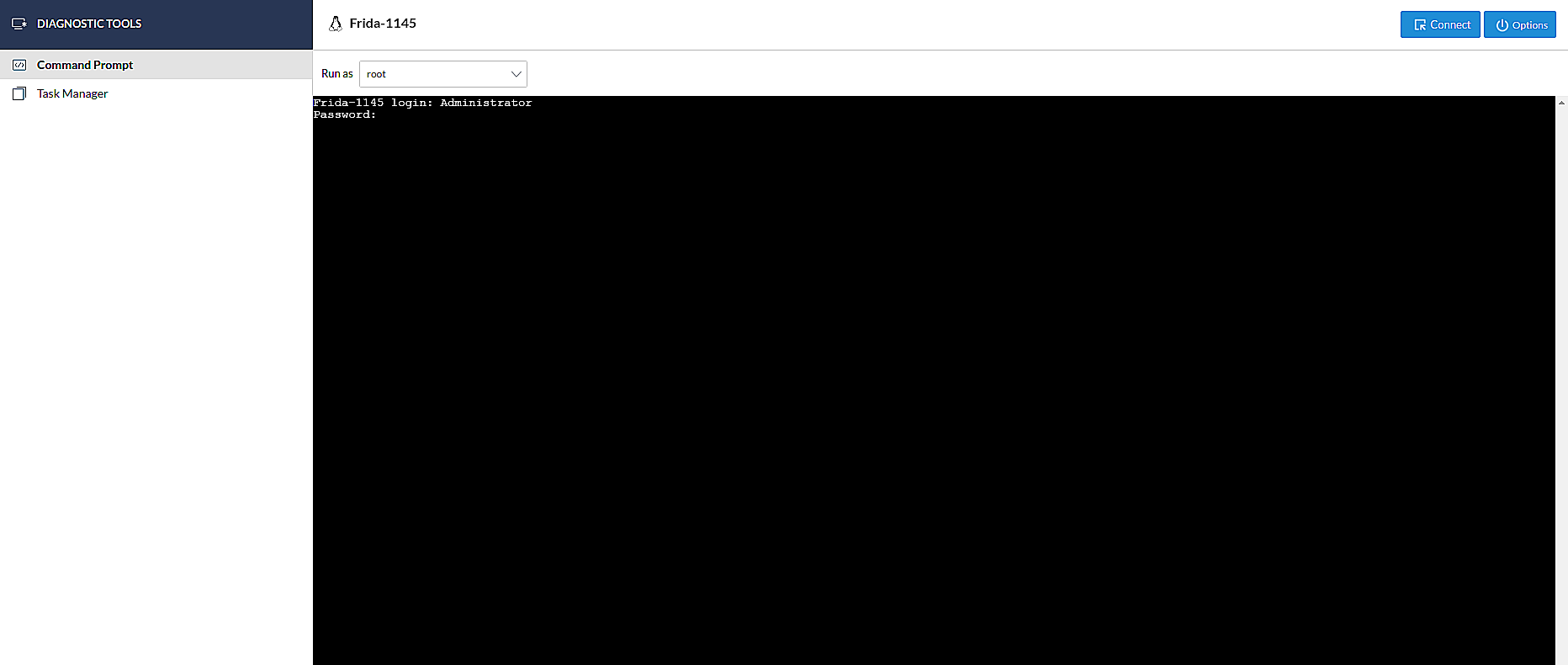
In case of Linux OS device, you'll be prompted for the login credentials of the remote user.
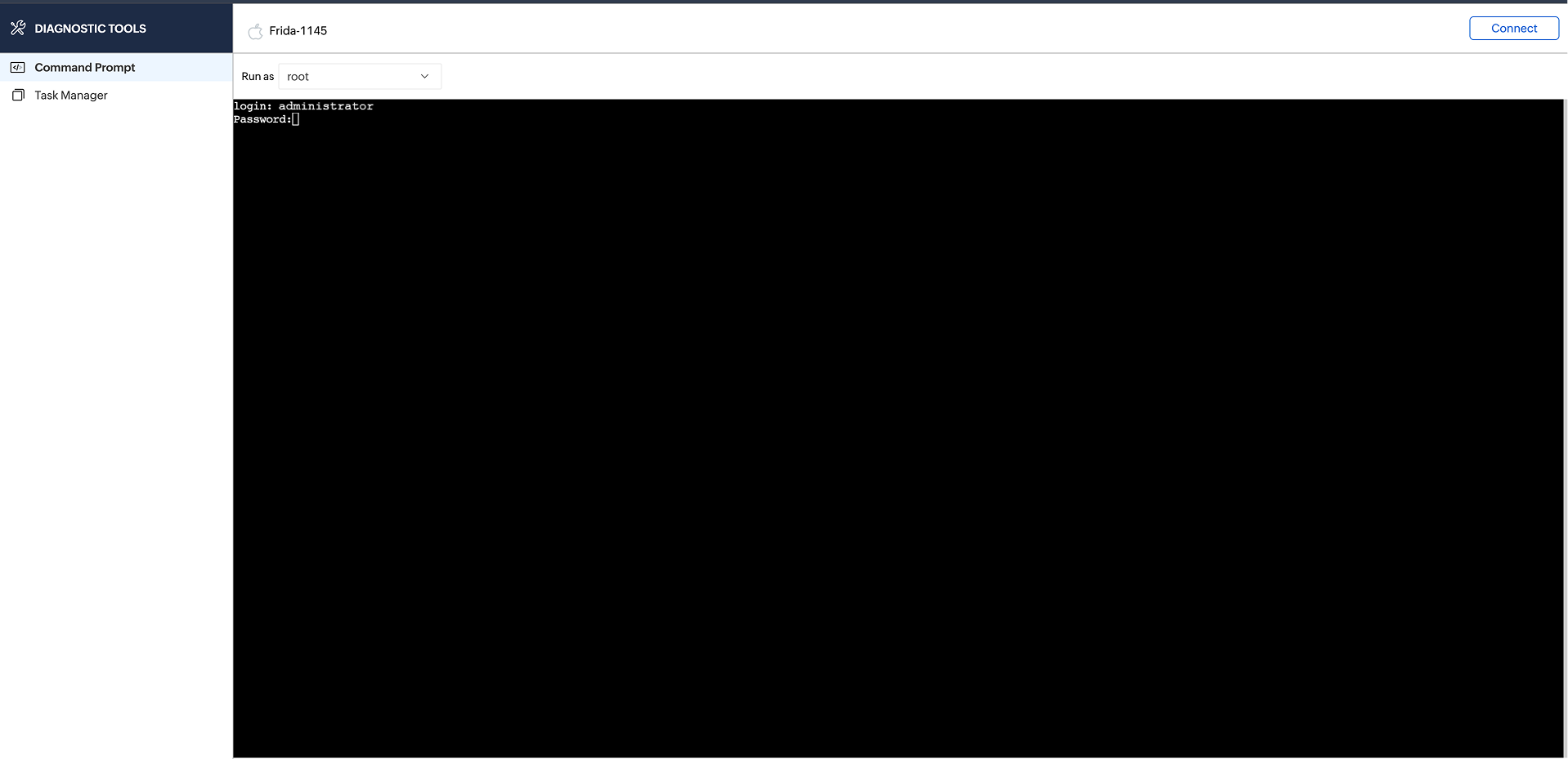
- In case of Mac OS remote device, You ll be prompted for the login credentials.
- Once connected, you can execute commands on the remote device just like you would on a local system.
