Notification
Notifications enable real-time communication with technicians, keeping them informed about new updates or activities. They help users stay aware of important events and prompt them to take necessary actions.
Follow the steps below to configure notifications:
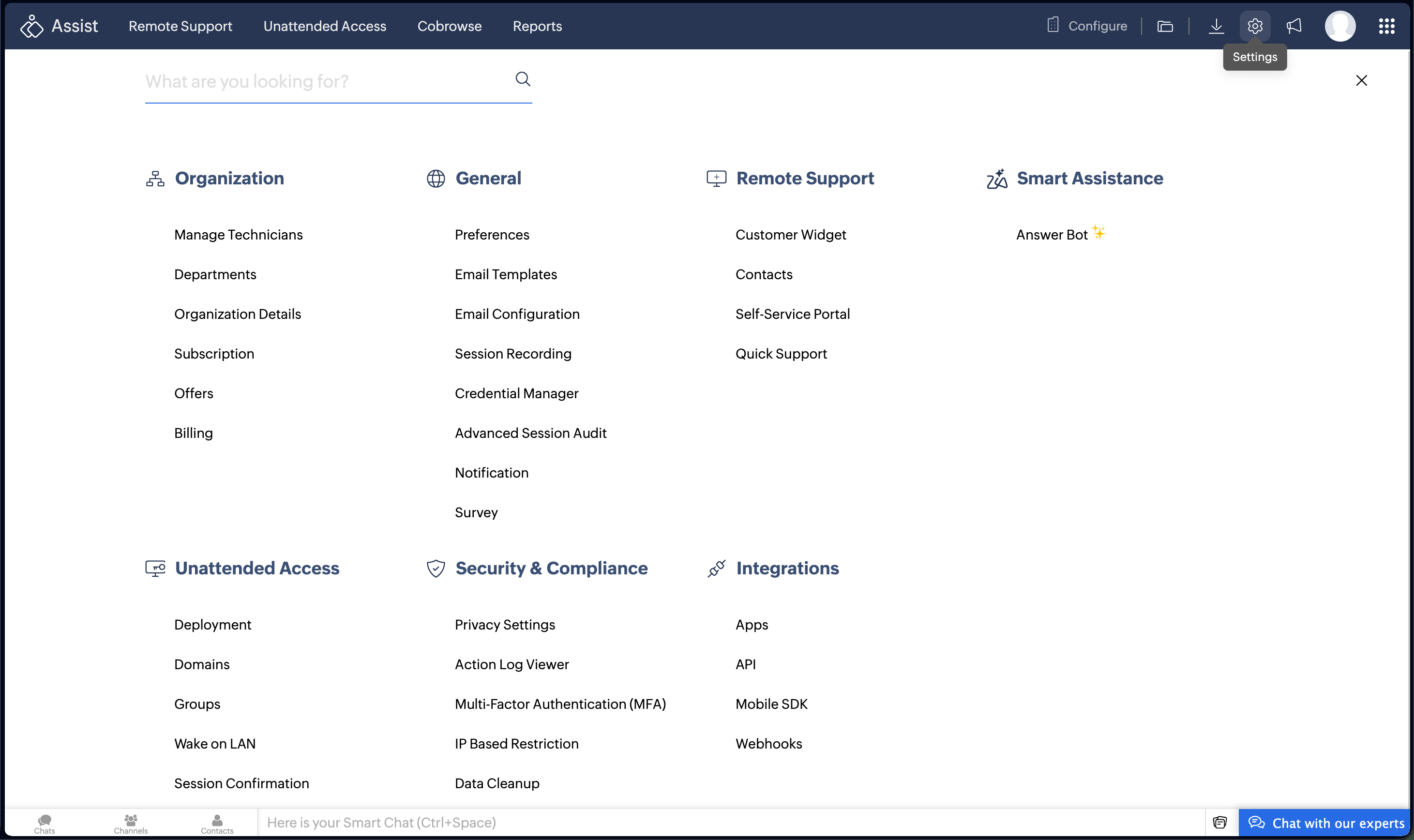
- Navigate to Settings > General > Notification.
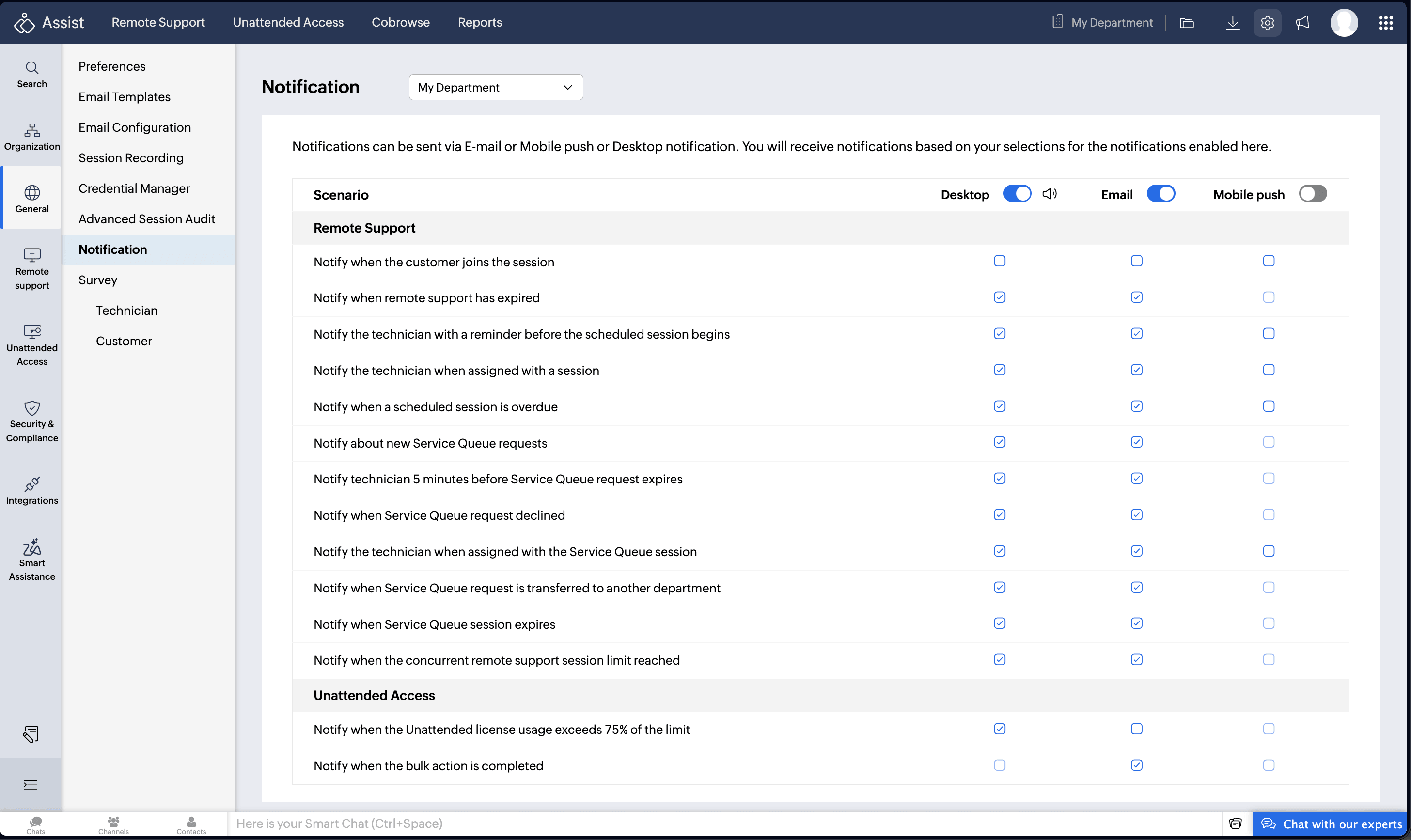
Choose your preferred notification mode: Desktop, Email, or Mobile push. You can also customize the notification sound for desktop notifications. You will receive notifications based on your selections for the notifications enabled here.
Check the boxes corresponding to the scenarios for which you would like to receive notifications.
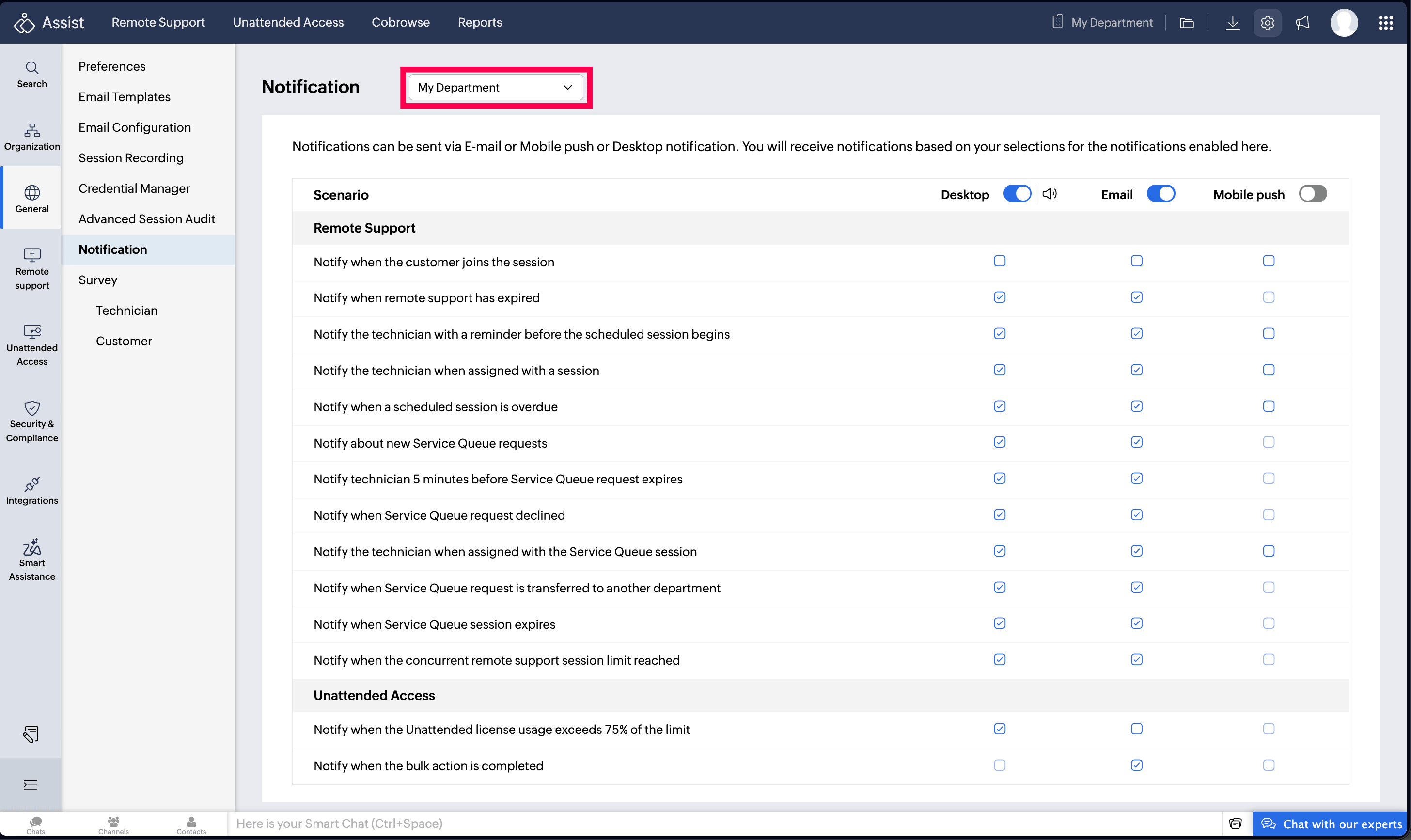
You can also configure notifications for individual departments from the Department drop-down option.
The following are example desktop and email notifications:

