Cobrowse using the Browser Extension
The browser extension lets your customers join cobrowsing sessions instantly without adding code to your website. This is useful when the cobrowse widget is not embedded and you need to assist customers directly on a webpage.
Cobrowse by Zoho Assist provides a browser extension that helps technicians and customers connect to a session easily.
Start a Cobrowse session
Log in to your Zoho Assist account.
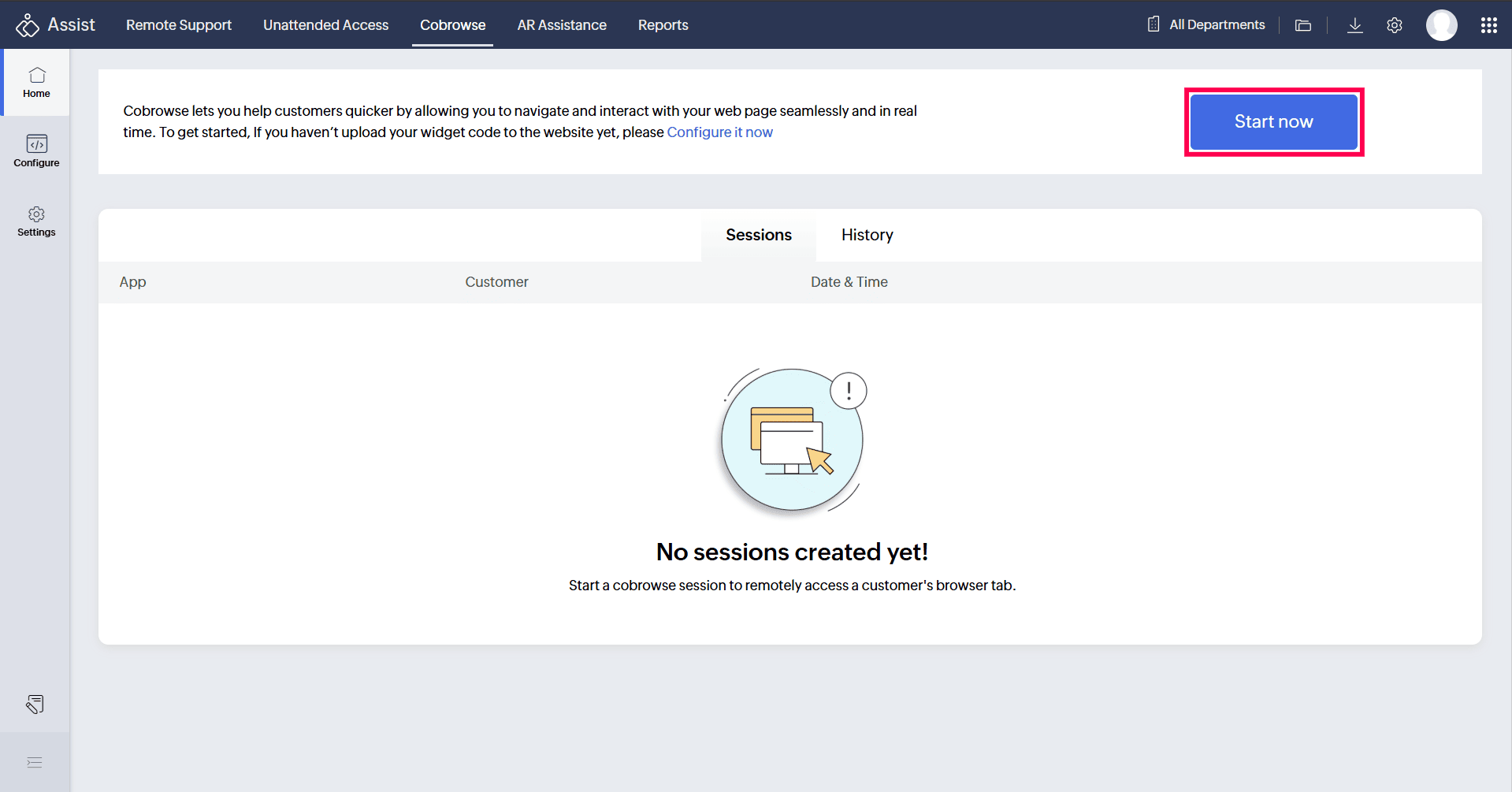
Navigate to the Cobrowse tab and click Start Now.
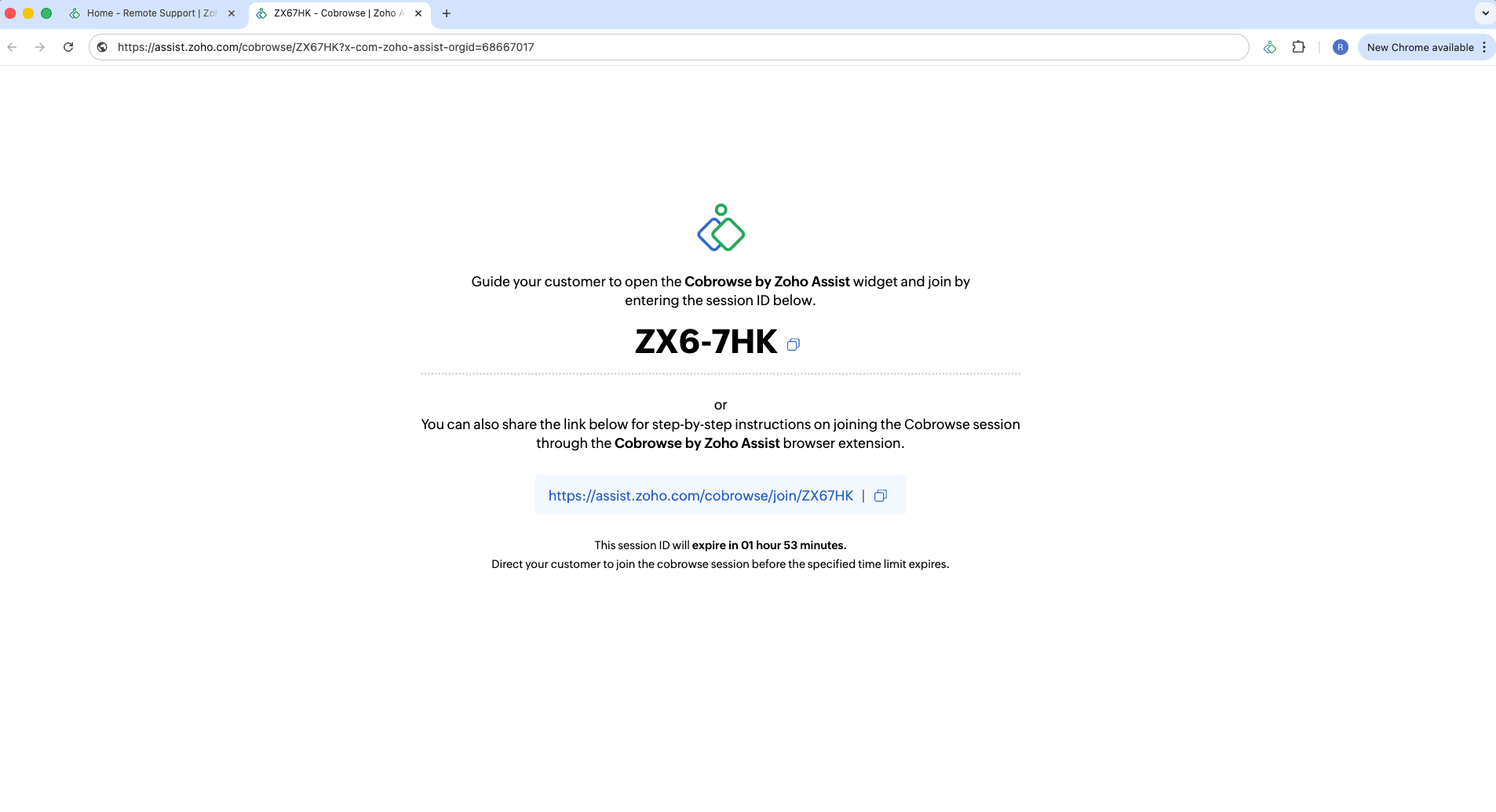
A new window will display the session ID.
Share the session ID with the customer along with the link with step-by-step instructions and guide them to join using the steps below.
Guide the customer to join the session
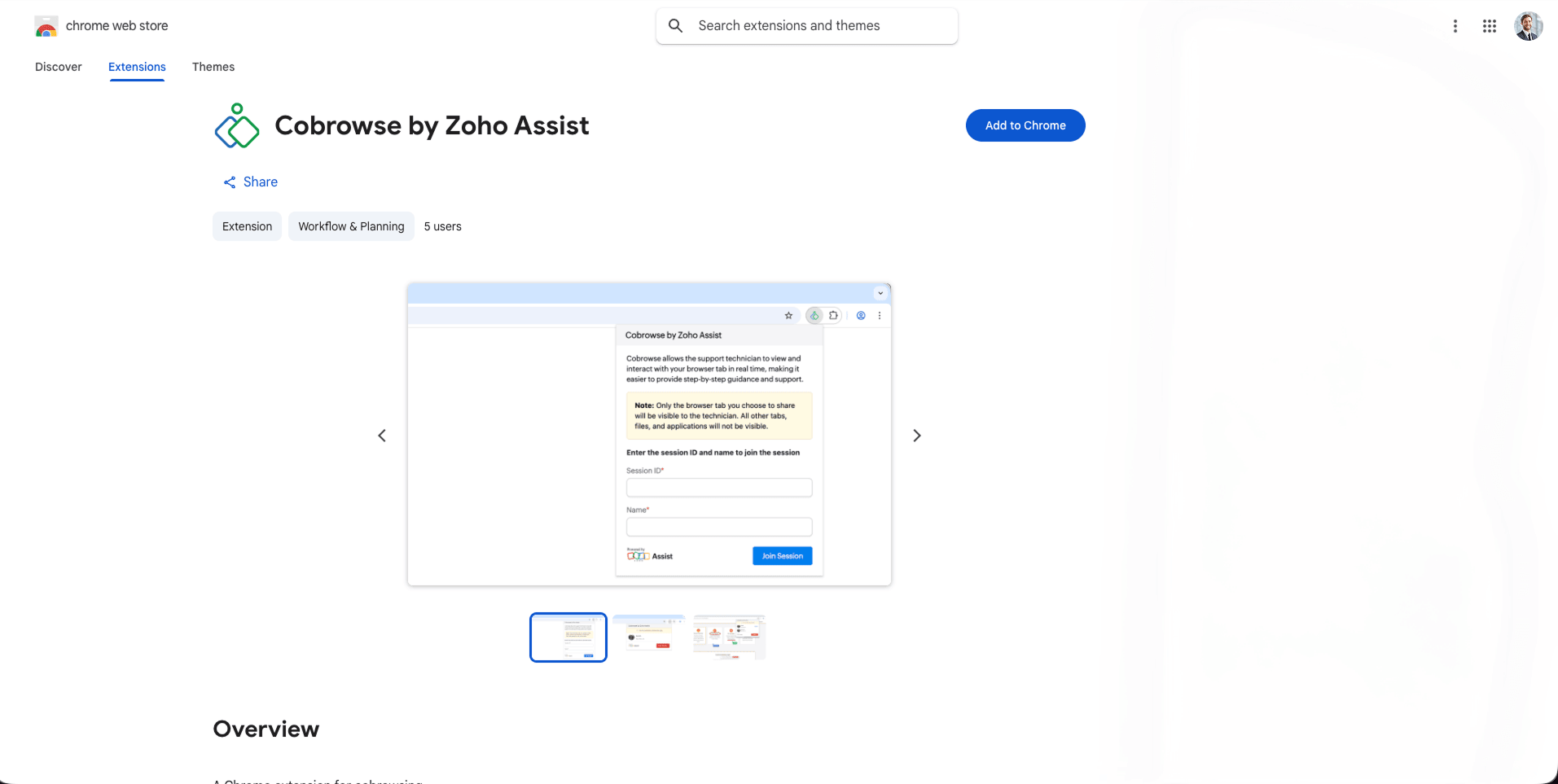
Ask the customer to install the Cobrowse by Zoho Assist extension in their browser (if not already installed).
After installation, ask them to open the webpage they want to cobrowse.
Ask them to click the Extensions icon in the browser toolbar and open Cobrowse by Zoho Assist.
Instruct them to enter the session ID you shared along with their name and click Join Session.
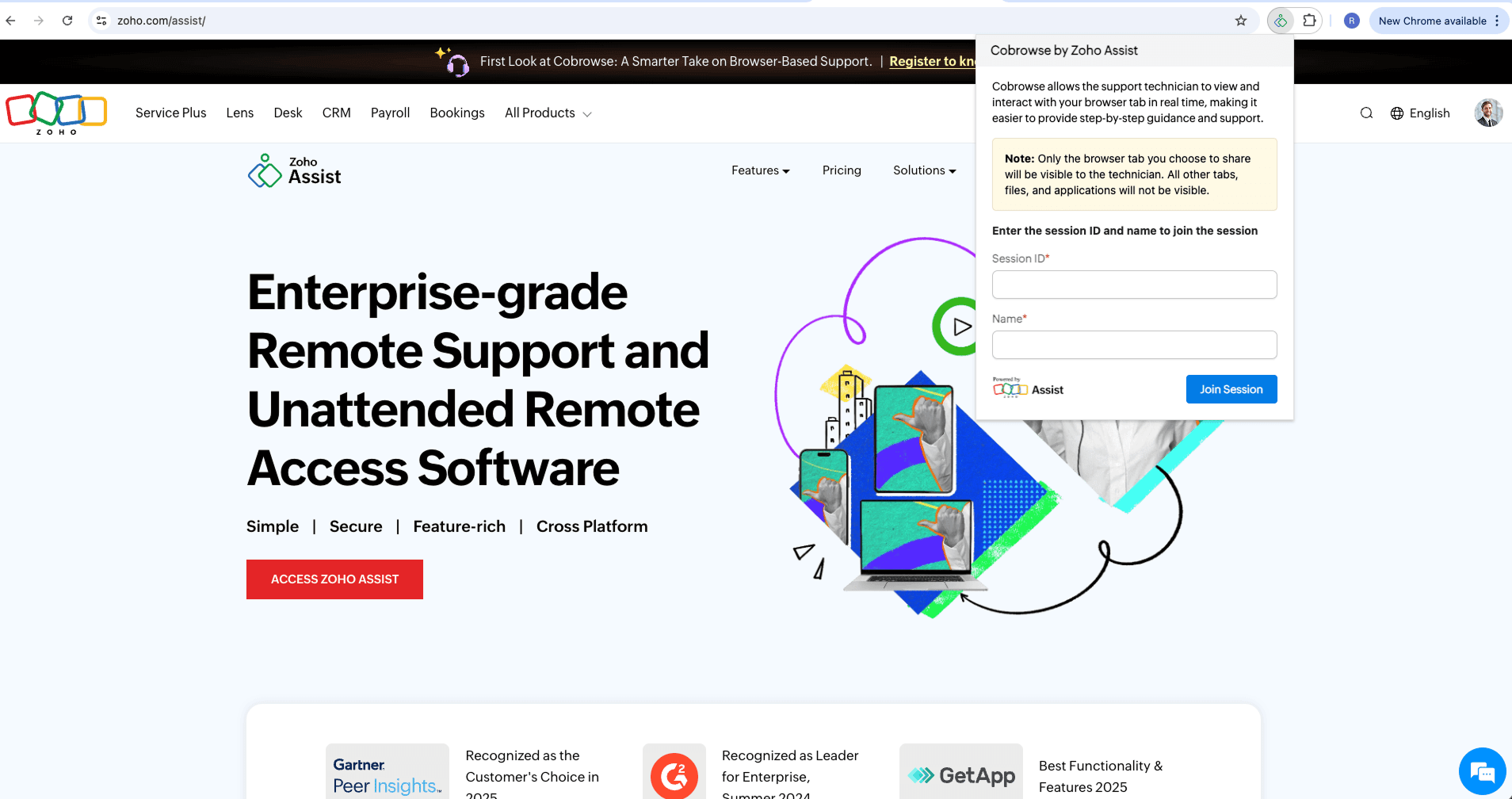
- Once they join, the cobrowse session will begin and you can assist them in real time.
Benefits
Start cobrowsing instantly without embedding code or modifying the website.
Generate and share a session ID to connect with customers quickly.
No dependency on web development teams.
Enables technicians to guide customers on the exact webpage they are viewing.
Ideal for quick troubleshooting and faster issue resolution.