Manage Group
Group is a convenient option to group users for easy collaboration. You can use groups for various operations like sharing, emailing, or associating a variable. This reduces the tedious job of listing all users every time.
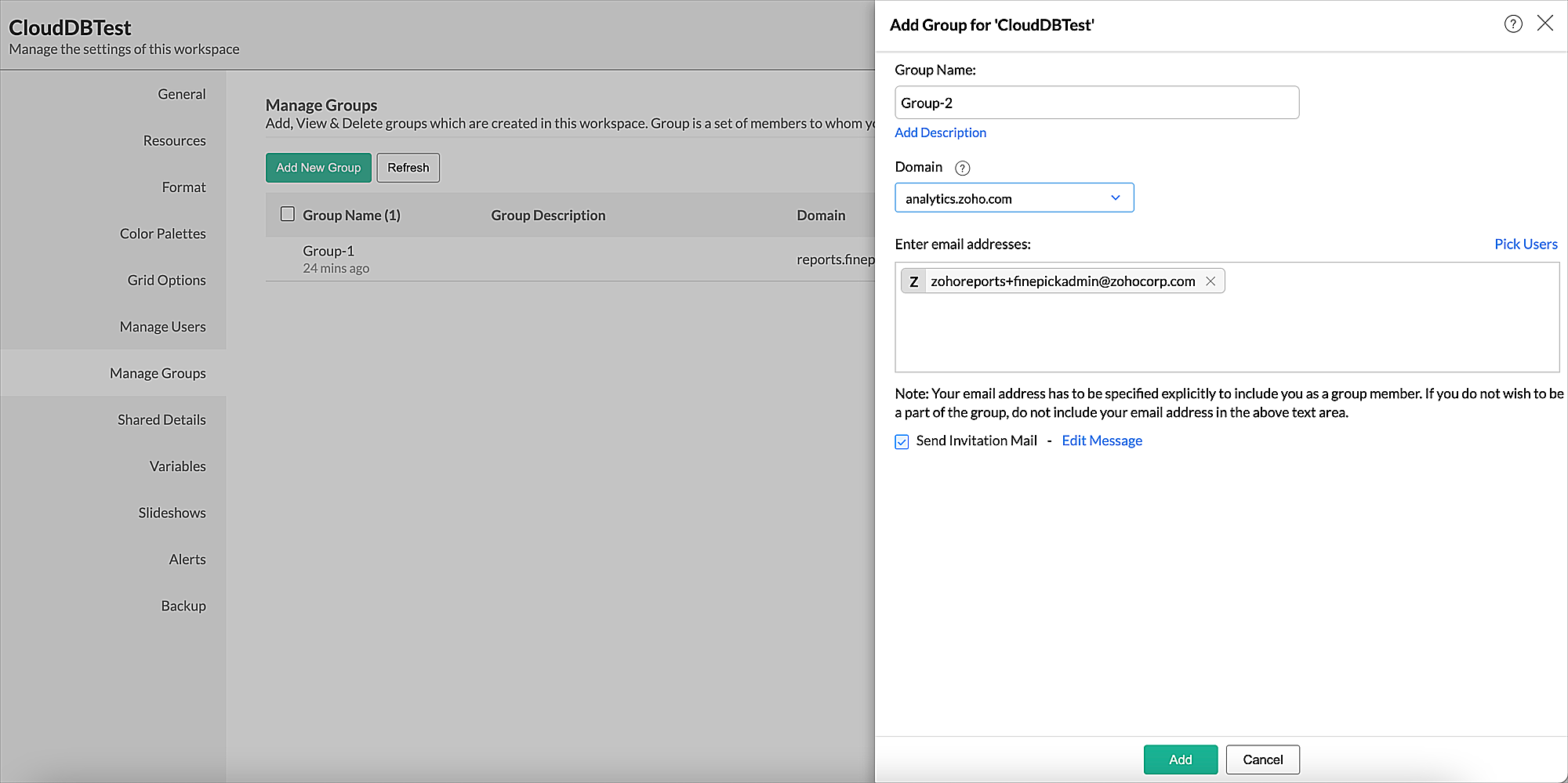
You can create and manage group from the Manage Group tab of the Workspace Settings page.
To create a group:
- Open the Manage Group tab of the Workspace Settings page.
- Click the Add New Group button. The Add Group dialog will open.
- Specify a Group Name.
- In the Domain drop-down, specify whether the group needs to be added as a Zoho Analytics group or as your white label instance group.
- In the Enter email addresses field, list the set of users for this group.
- Click Add.