Importing HTML Files
HTML files can contain tabular data inside <table> elements. Zoho Analytics imports the data from one HTML table at a time.
This page covers the HTML-specific options. For the general import procedure, plan availability, role permissions, and common settings that apply to all file formats, see Importing Data from Files.
Supported file extensions
| Extension | Description |
| .html | HTML file |
| .htm | HTML file (short extension) |
HTML import is available from all three file sources: Local Drive, Pasted Data, and FTP. See Starting an Import on the landing page for source-specific entry steps.
Importing an HTML file
HTML import follows the standard procedure described in Starting an Import on the landing page. The HTML-specific differences are the file-type selection and the table-selection step:
- After selecting your source and providing the source details, the import wizard opens.
- From the File Type dropdown, select HTML.
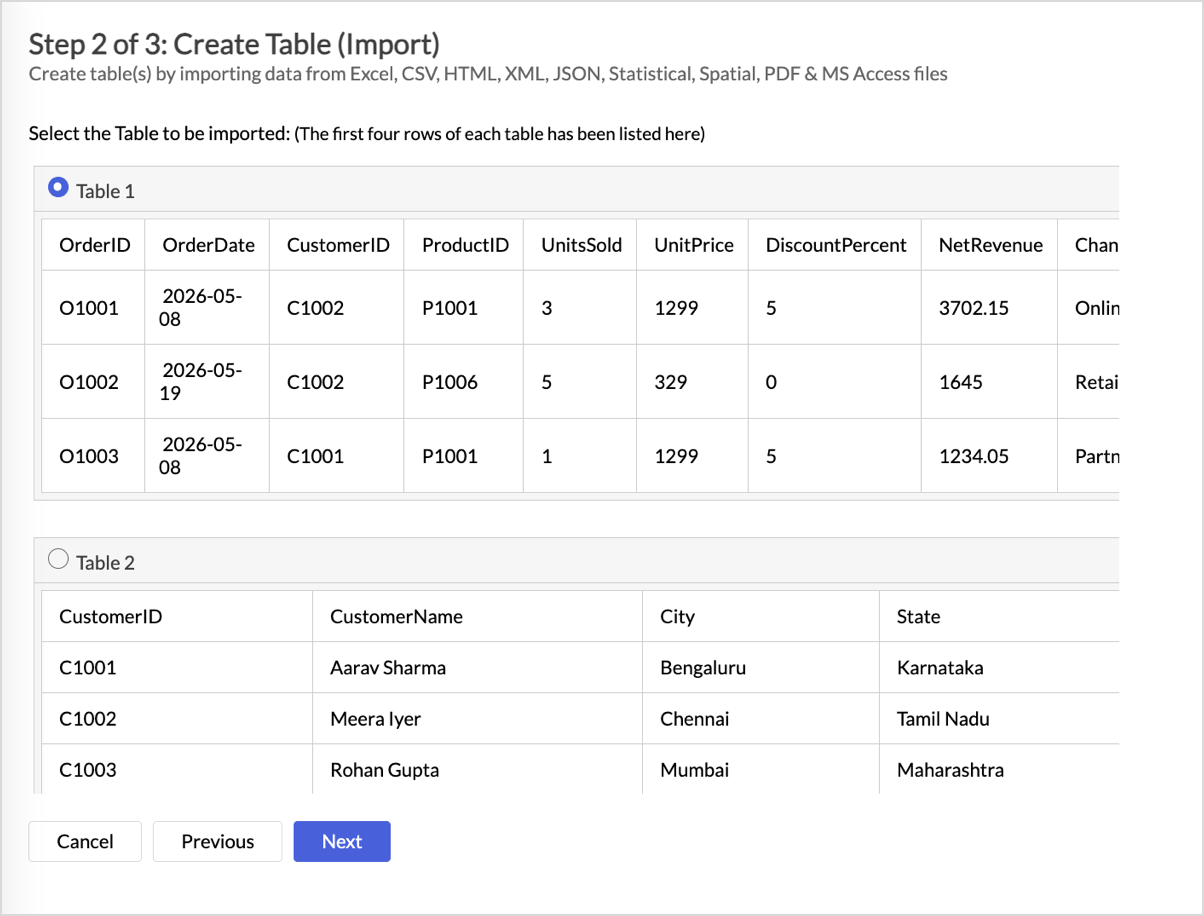
- If your HTML file contains more than one table, the wizard prompts you to choose which table to import. See Single-table import limit below.
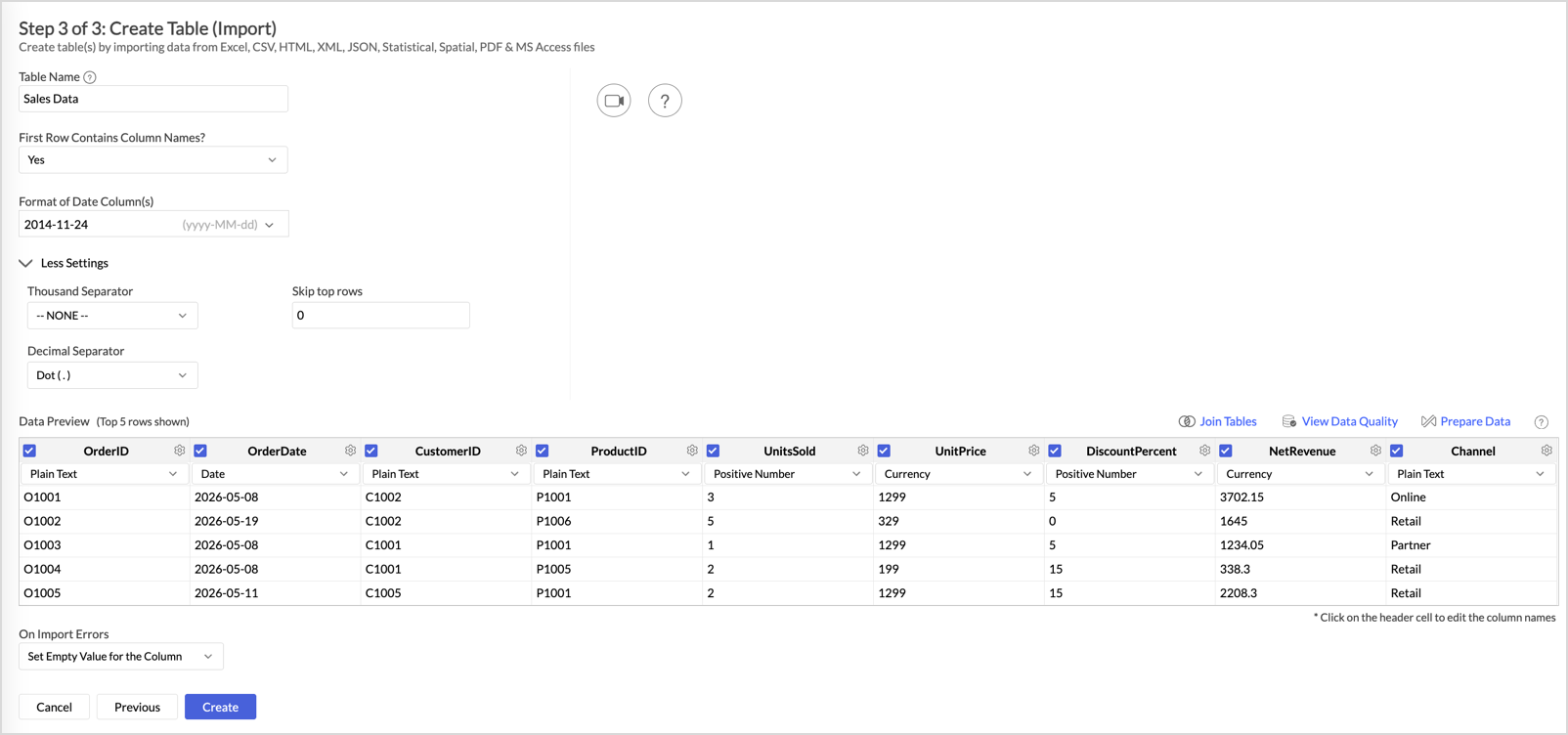
- Complete the general settings: Table Name, First Row Contains Column Names, and Format of Date columns. These are documented in Configuring Import Settings on the landing page.
- Verify the Preview, configure On Import Error options, then click Create.
HTML-specific behaviors
Single-table import limit
HTML files can contain multiple <table> elements. The import wizard supports importing only one table at a time.
If your file contains multiple tables and you need to import them all, repeat the import for each table. If the tables share the same structure, you can consolidate them into one Zoho Analytics table using the Importing into an Existing Table procedure.
Pasting HTML content
When you import HTML data using the Pasted Data source, the pasted content must include the HTML tags such as <table>, <tr>, and <td>. Pasting only the visible text without the tags causes the import to fail.
Notes and limitations
- File size: 100 MB per file and 1 million rows per import. For larger HTML files, see Import Large Data Files using Zoho Databridge.
- Table detection: Zoho Analytics identifies tables strictly by the <table> element. Other tabular structures such as CSS grids or <div>-based tables are not detected.
- Header rows: If the HTML table contains <th> elements, Zoho Analytics treats them as the column names. If <th> elements are not present, the first row of the table is used as the column names.
- Nested tables: Tables nested inside another table's cells are not considered. Only the outer table is imported.
- Linked images and media: Images (<img>), hyperlinks, and other non-text elements within cells are ignored during import.
Related
- Importing Data from Files - import home page covering source selection, common settings, and operational tasks
- Importing CSV Files - for delimited text data
- Importing Excel Files - for spreadsheet data
- Import Large Data Files using Zoho Databridge - for HTML files larger than 100 MB