GenAI Logs
You can choose to log all Generative AI feature usage in your organization, such as queries made to Ask Zia, report creation actions, SQL suggestions, and more.
Through GenAI Logs, you will know who used these features, when they were used, which AI vendor and model was invoked, and how many tokens were consumed etc.
You can enable the GenAI logs using the GenAI Logs toggle button in the Audit tab.
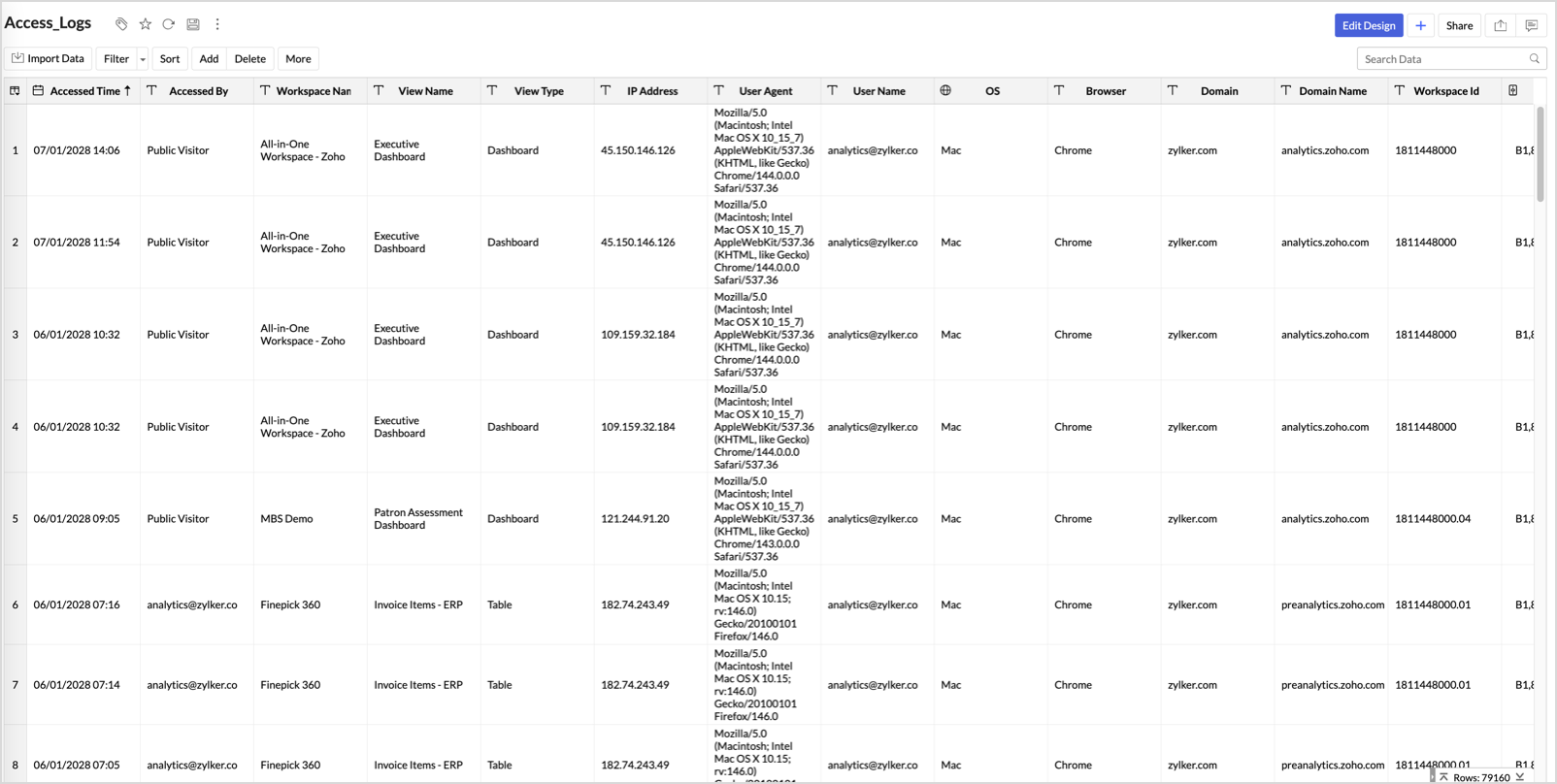
A GenAI Logs table will be created in the Zoho Analytics Audits workspace with the below columns.
- Date & Time - Date and time when the GenAI feature was used.
- Performed By - Email address of the user who performed the action.
- Workspace Name - Name of the workspace where the action was performed.
- View Name - Name of the view on which the action was performed.
- Feature - The GenAI feature that was used (e.g., Ask Zia, Report Creation & Actions, SQL Query Suggester, etc.).
- Input Tokens - Number of tokens consumed as input for the AI request.
- Output Tokens - Number of tokens generated as output by the AI model.
- AI Vendor - The AI vendor whose model was used (e.g., Zia, OpenAI).
- Model - The specific AI model used for the request (e.g., Zia-medium).
- Input - The user's prompt or query submitted to the GenAI feature.
- Status - Status of the AI request (e.g., Success, Failure).
- Token Consumption - Total tokens consumed for the request (sum of Input and Output tokens).
- More Details - Additional information about the action performed.
- IP Address - IP address from where the user performed the activity.
- User Agent - The raw user agent string of the accessing user's browser and OS.
- OS - Operating system of the user who performed the activity.
- Browser - Browser used by the user who performed the activity.
You can export the GenAI logs in one the supported formats with password protection.
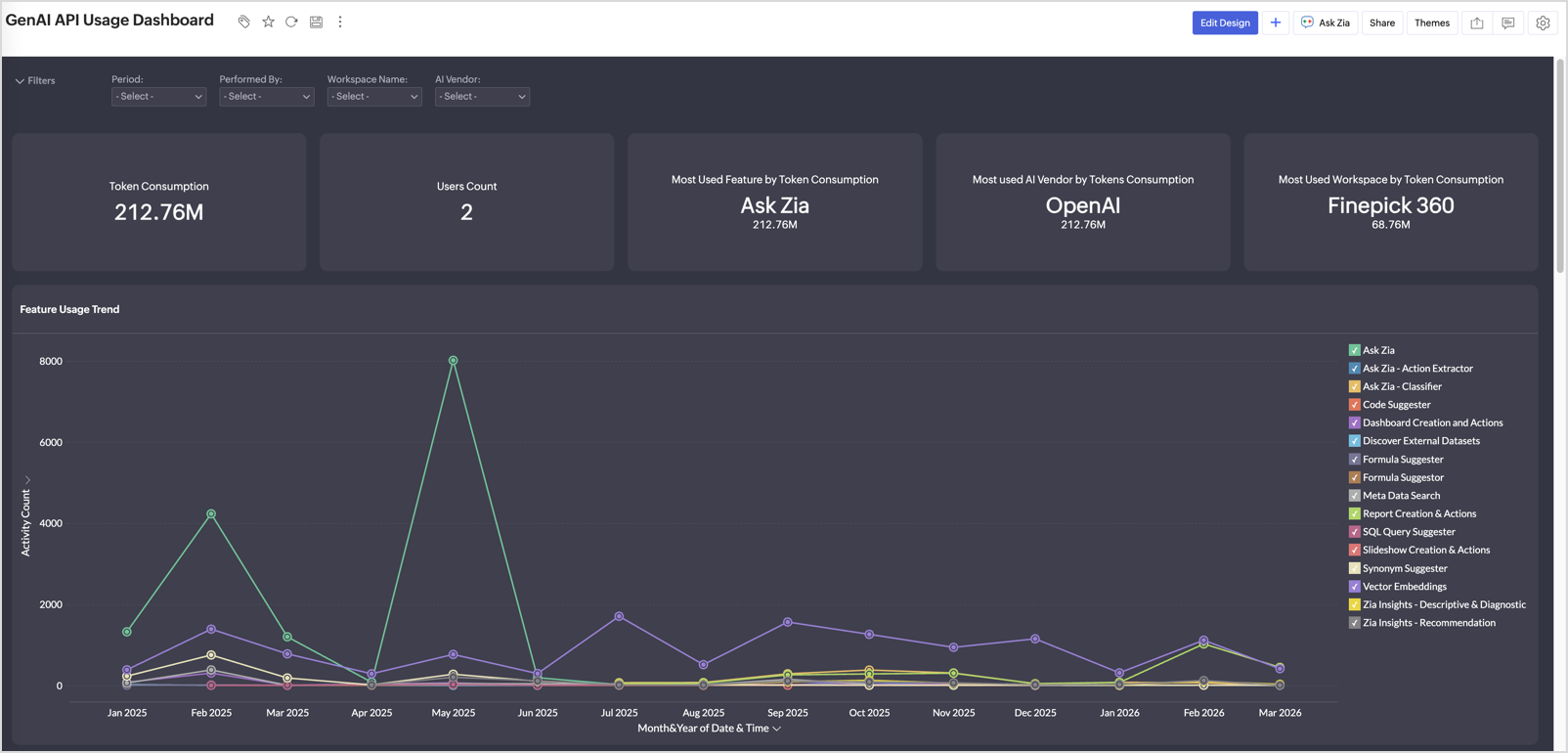
An insightful GenAI API Usage Dashboard will also be automatically created with the following reports:
KPIs
- Token Consumption - Displays the total number of tokens consumed across all GenAI activities in your organization.
- Users Count - Shows the total number of users who have used GenAI features.
- Most Used Feature by Token Consumption - Highlights the GenAI feature that has consumed the highest number of tokens.
- Most Used AI Vendor by Token Consumption - Identifies the AI vendor whose models have been used the most, based on token consumption.
- Most Used Workspace by Token Consumption - Shows the workspace that has consumed the most tokens across GenAI activities.
Reports
- Feature Usage Trend - Tracks GenAI activity count over time, categorized by feature.
- Top 5 Workspaces by Activity Performed - Highlights the workspaces with the highest GenAI feature usage and token consumption.
- Top 5 Users by Activity Performed & Token Consumption - Identifies the top users based on their GenAI activity count and token consumption.
- Activities Distribution by Feature - Displays how GenAI usage is distributed across different features.
- Activities Distribution by IP Address - Shows the distribution of GenAI activities by IP address.
- Feature-wise Prompt Tokens Consumption - Breaks down input token consumption per feature, segmented by AI vendor.
- OS and Browser Distribution - Shows the distribution of GenAI activities by operating system and browser.
- Activities by Token Length and Status Summary - A summary table listing each feature with its total Input Tokens, Output Tokens, Token Consumption, and Status.