API Logs
You can choose to log information such as what is the API action done, who has done it, when it is done, and the API units consumed by the action. You can enable the API logs using the API Logs toggle button in the Audit tab.
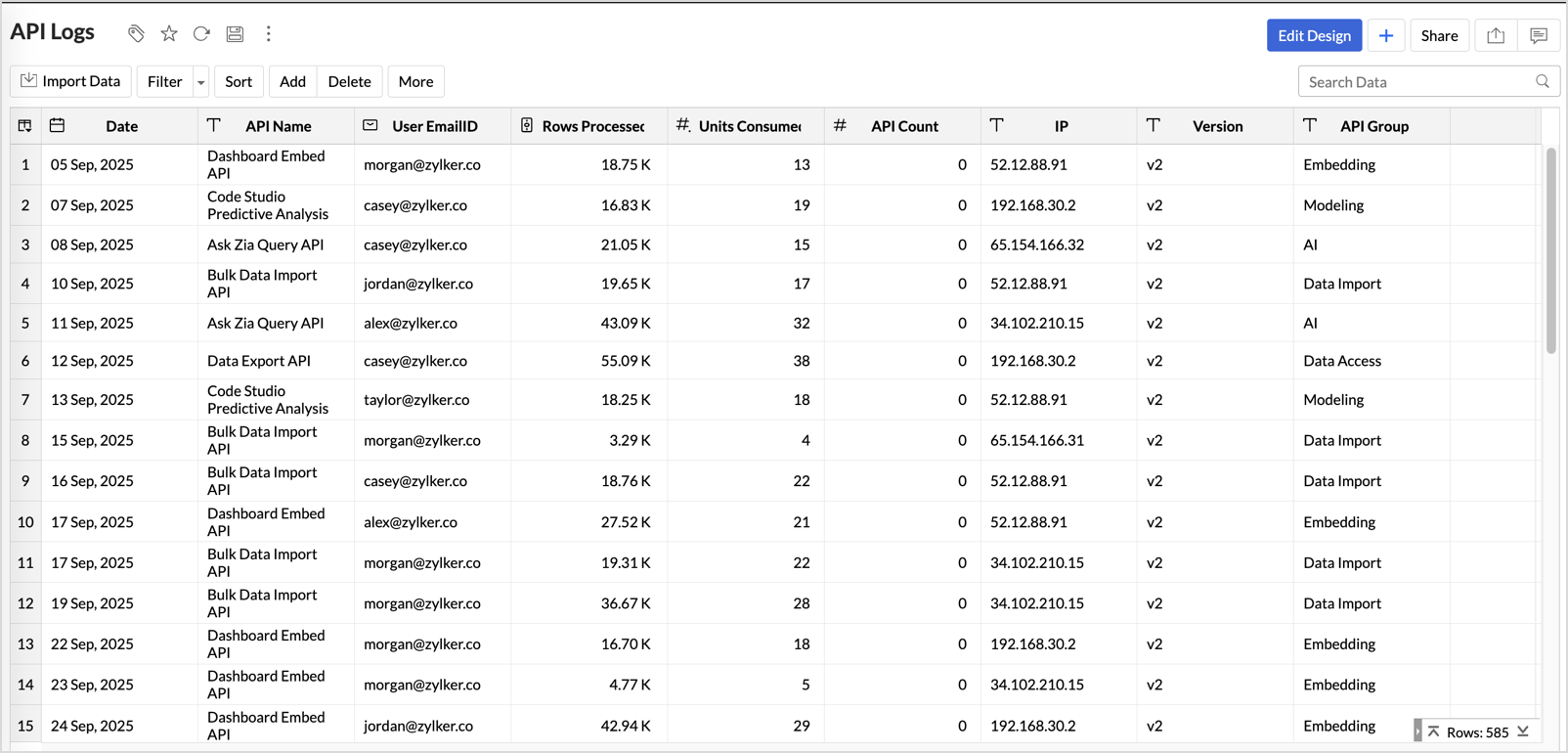
An API Log table will be created in the Zoho Analytics Audits workspace with the below columns.
- Date - Date when the activity was performed.
- API Name - Name of the API call
- User EmailID - Email address of the user who performed the activity.
- Rows Processed - Number of rows imported or exported.
- Units Consumed - API Units consumed by the call.
- API Count - Number of API count.
- IP - IP Address from where the user performed the activity.
- Version - Zoho Analytics API Version used.
- API Group - The API group that the API action falls under, such as Bulk, Metadata, Embed etc.
An insightful API Log Analytics Dashboard capturing the essentials of the API log such as Units Consumed - By Day, Request Count - By API Groups and Top 10 APIs - By Units Consumed or By Request Count, etc., will also be automatically created.
