Access Logs
You can choose to log information such as who accessed your account, when was it accessed, what view was accessed, and from where it was accessed.
You can enable the access logs using the Access Logs toggle button in the Audit tab.
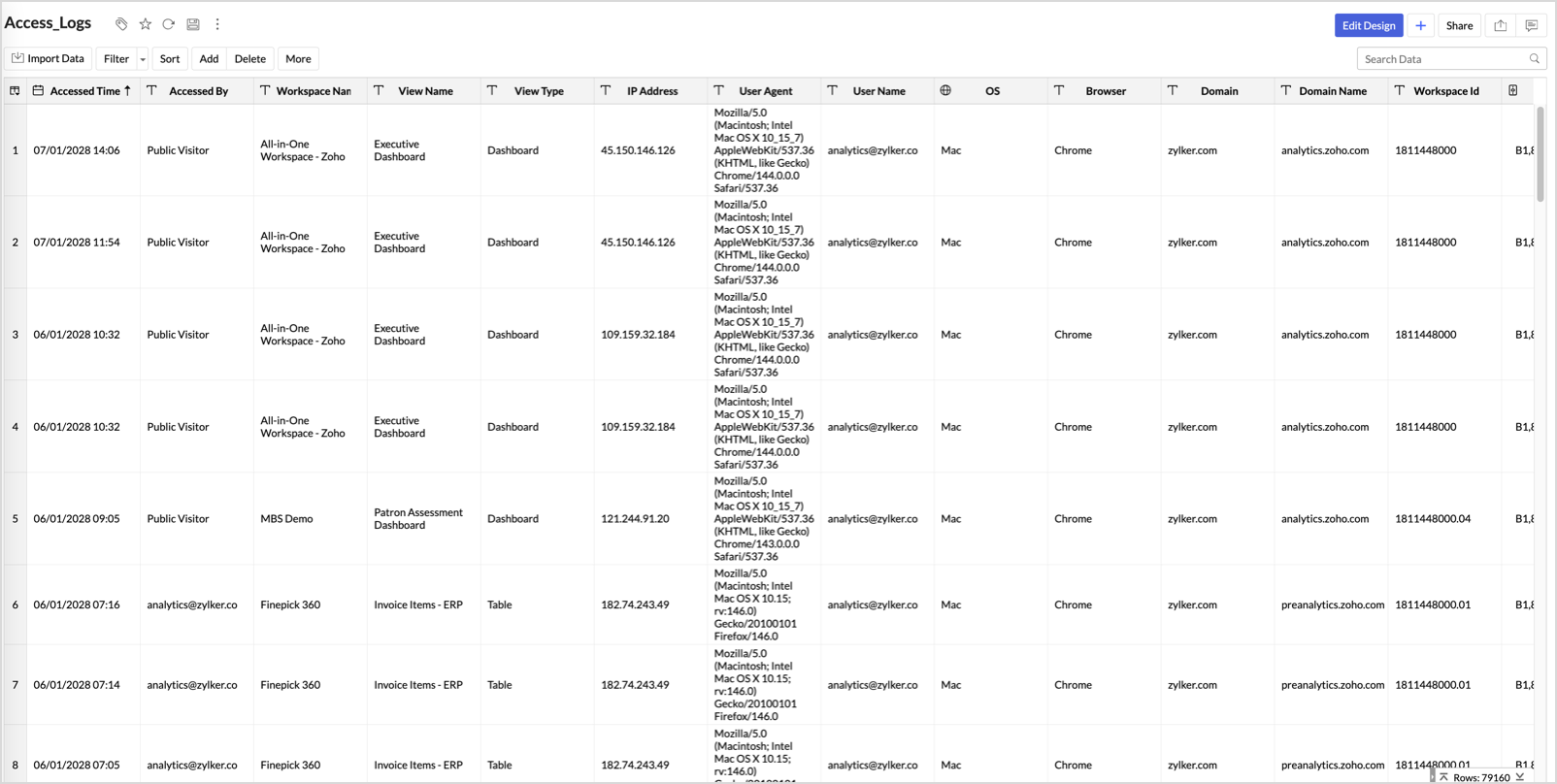
An Access Log table will be created in the Zoho Analytics Audits workspace with the below columns.
- Accessed Time - Date and time, when the view was accessed.
- Accessed By - Email address of the user who accessed the view.
- Workspace Name - Name of the workspace accessed.
- View Name - Name of the view accessed.
- View Type - View type of the view accessed i.e., Chart, Pivot View, Table, Dashboard etc.
- IP Address - IP Address from where the view was accessed.
- User Agent - OS and the browser information of the accessing user.
You can export the access logs in one the supported formats with password protection.
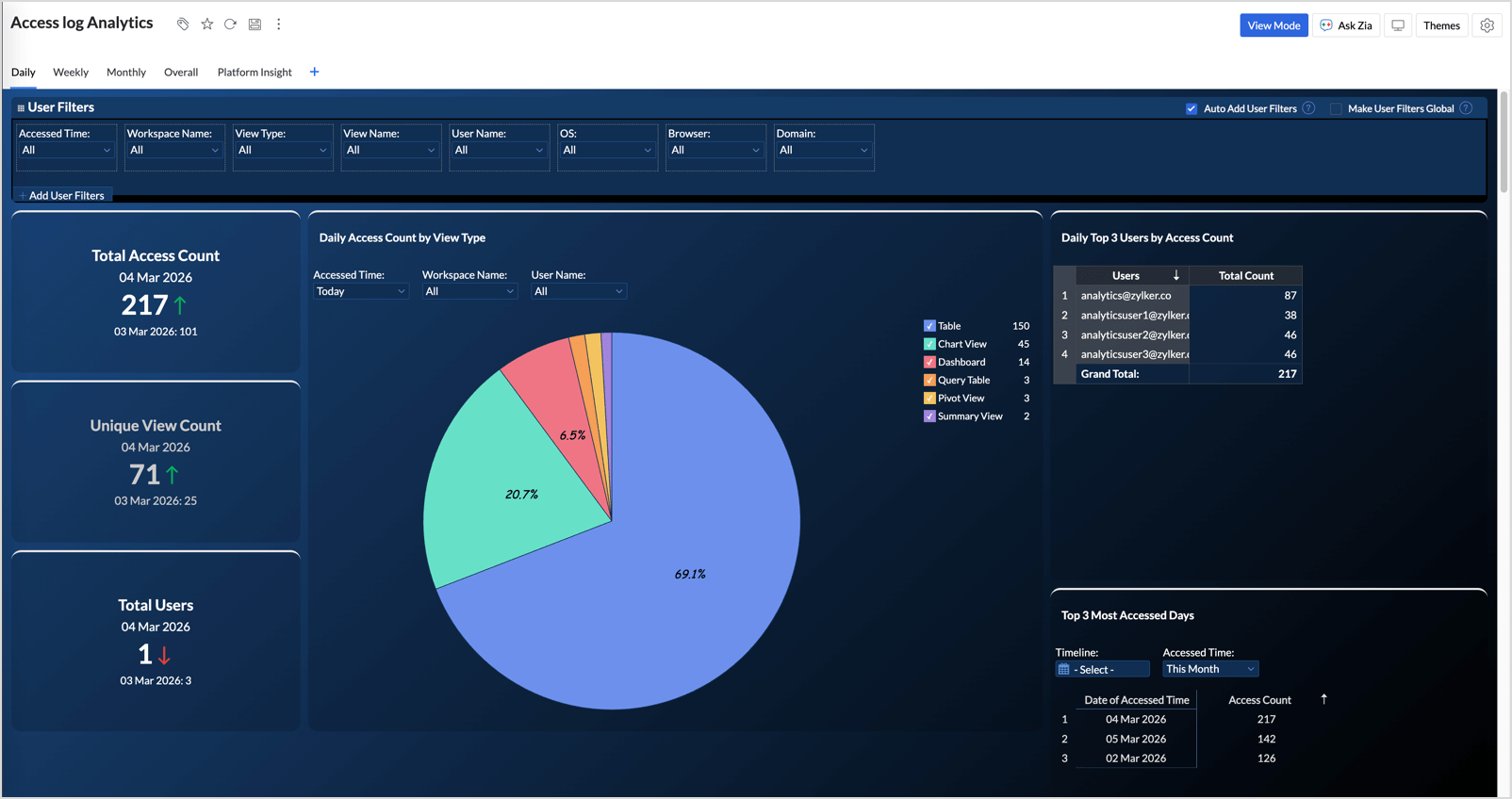
An insightful Access Log Analytics dashboard capturing the essentials of the access log such as Daily Access Trend, Access Count by View Type and by Users, etc., will also be automatically created.