• 16K

    Customers

  • 3M

    Users

Dashboard examples by category

See comprehensive dashboard examples across all major business functions. Each category includes multiple dashboard templates.

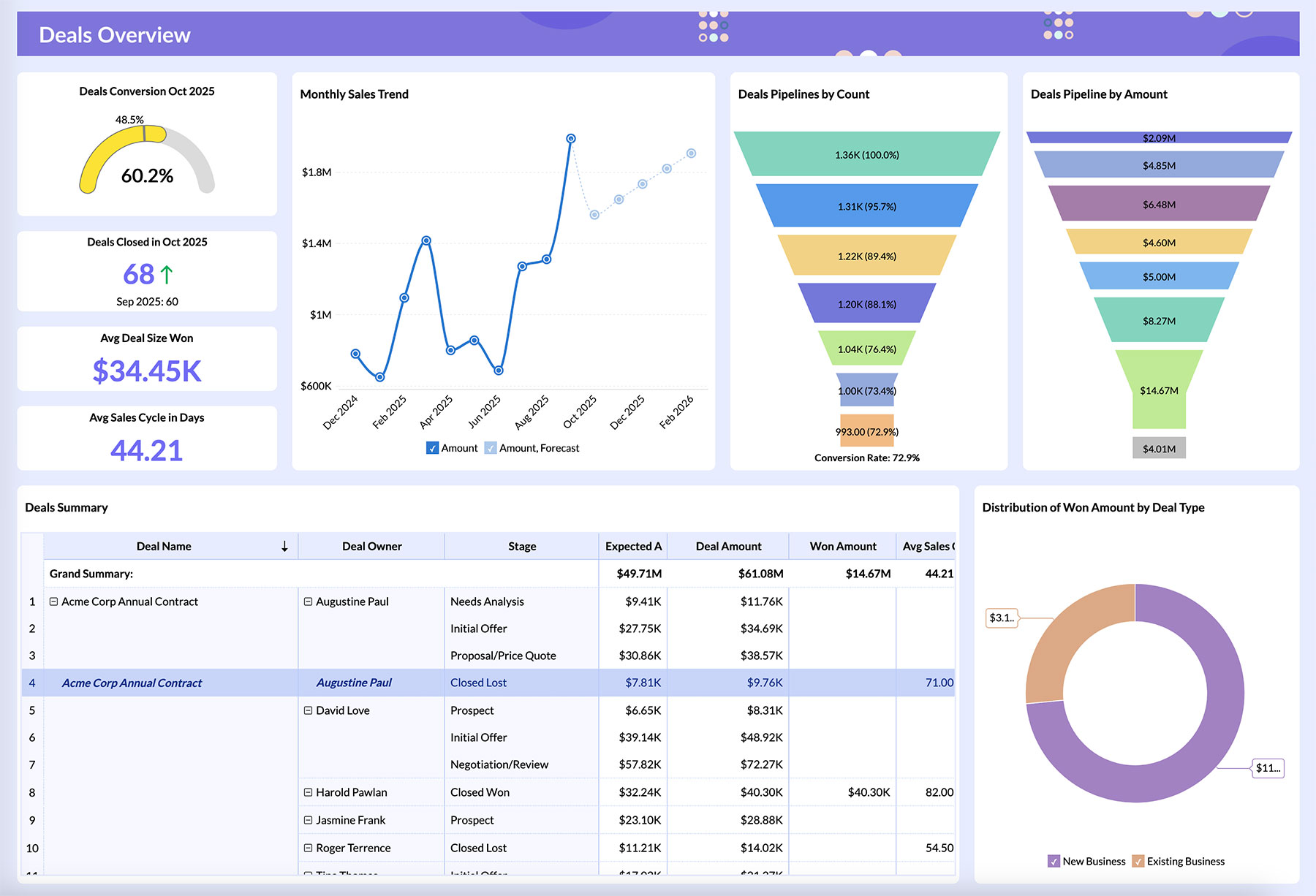
Sales Dashboard Examples

Sales Dashboard Examples

Comprehensive sales dashboard templates featuring revenue tracking, pipeline management, performance metrics, and team productivity insights.

  • Revenue & pipeline tracking
  • Sales rep performance
  • Conversion rate analysis
  • Quota vs achievement
  • Lead source attribution
  • Sales cycle analysis

Marketing Dashboard Examples

Data-driven marketing dashboard templates covering campaign performance, ROI analysis, lead generation, and more.

  • Campaign ROI tracking
  • Lead generation metrics
  • SEO performance analysis
  • Social media analytics
  • Email marketing metrics
  • Web analytics tracking
Marketing Dashboard Examples
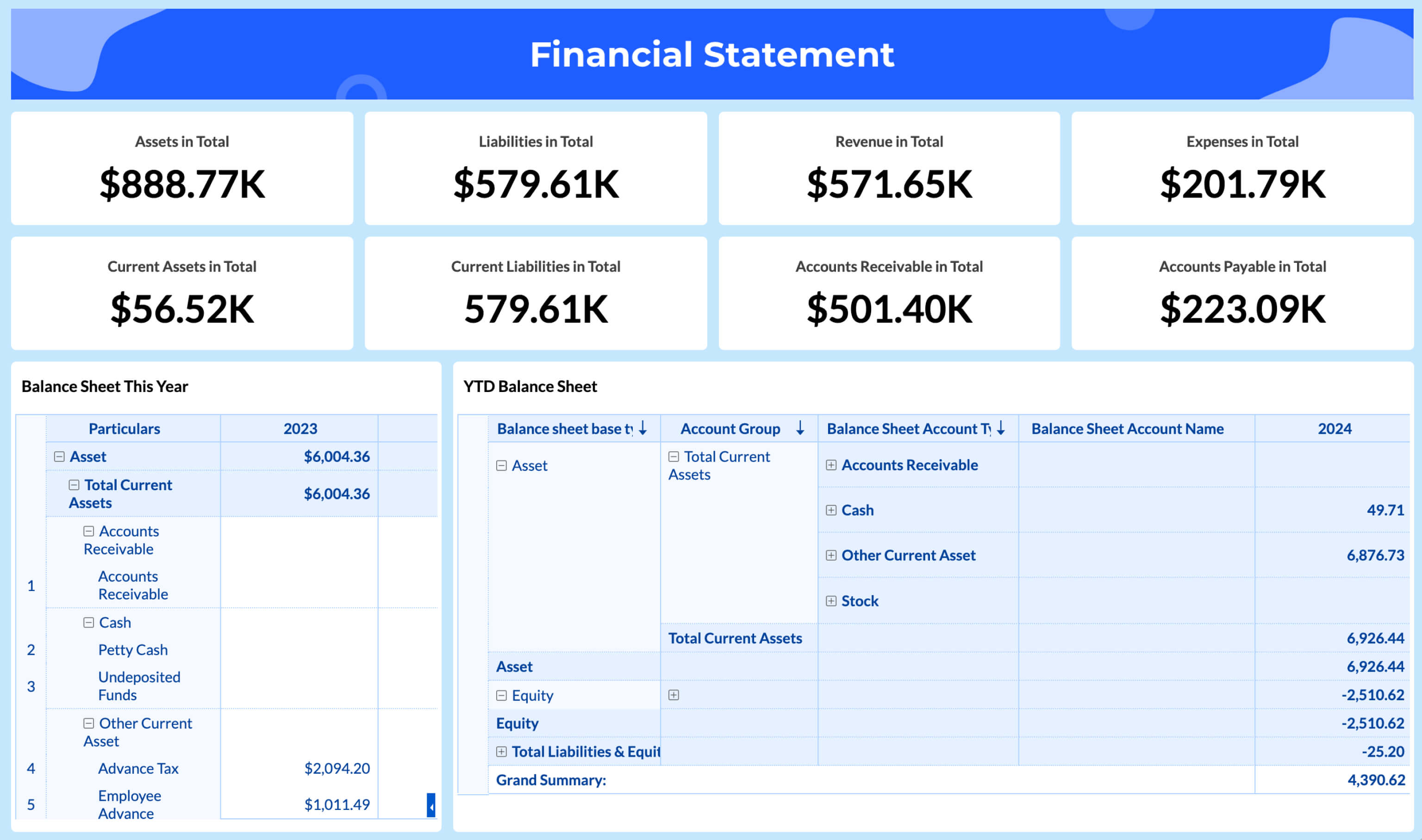
Finance Dashboard Examples

Finance Dashboard Examples

Financial dashboard templates featuring P&L statements, cash flow analysis, budget variance, and key financial KPIs.

  • P&L statement analysis
  • Cash flow management
  • Budget vs actual
  • Financial ratios
  • Expense analysis
  • Revenue forecasting

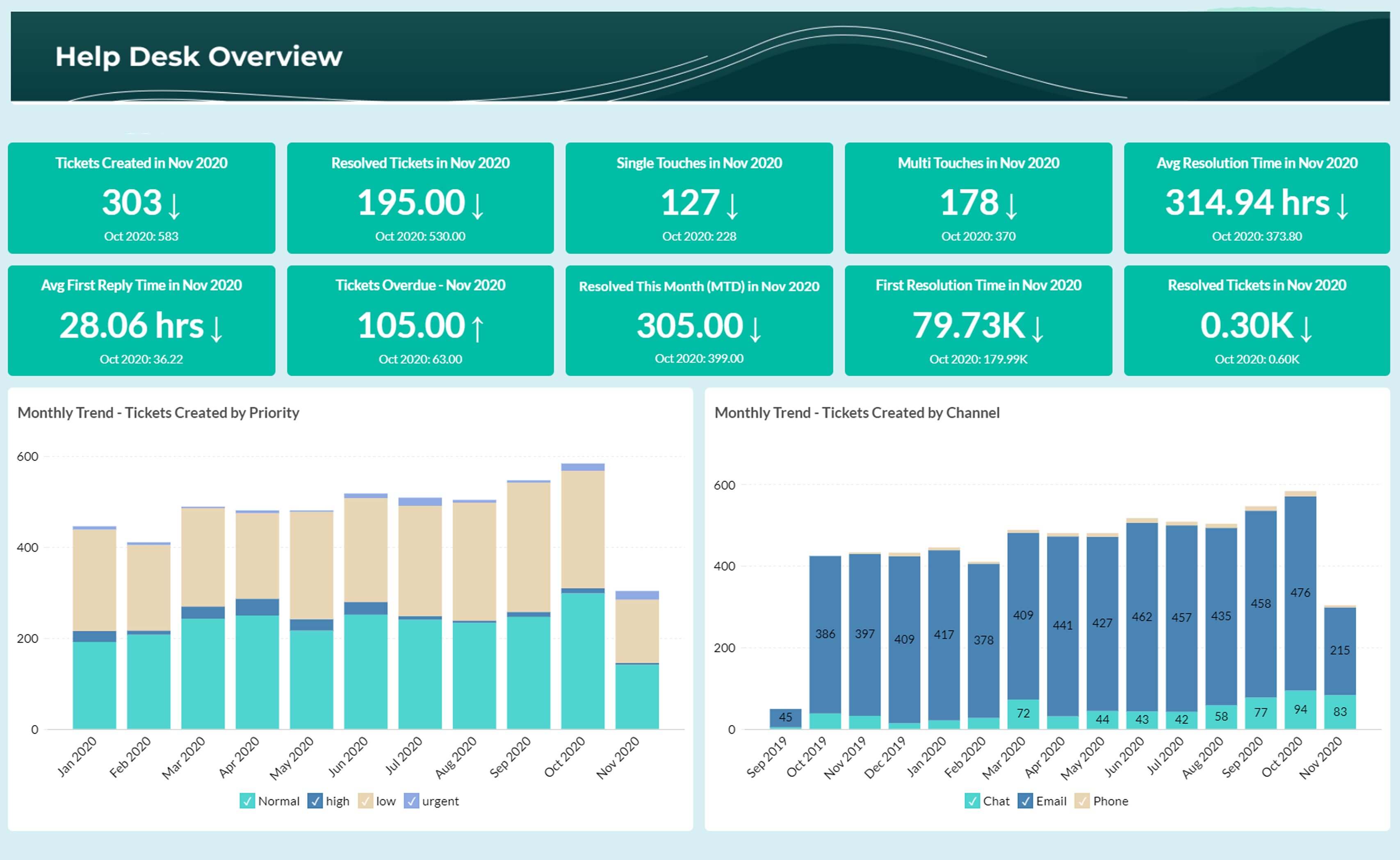
Support Dashboard Examples

Customer support dashboard templates tracking ticket resolution, customer satisfaction, agent performance, and service level agreements.

  • Ticket volume & trends
  • Resolution time analysis
  • Customer satisfaction (CSAT)
  • Agent performance metrics
  • SLA compliance tracking
  • Escalation management
Support Dashboard Examples
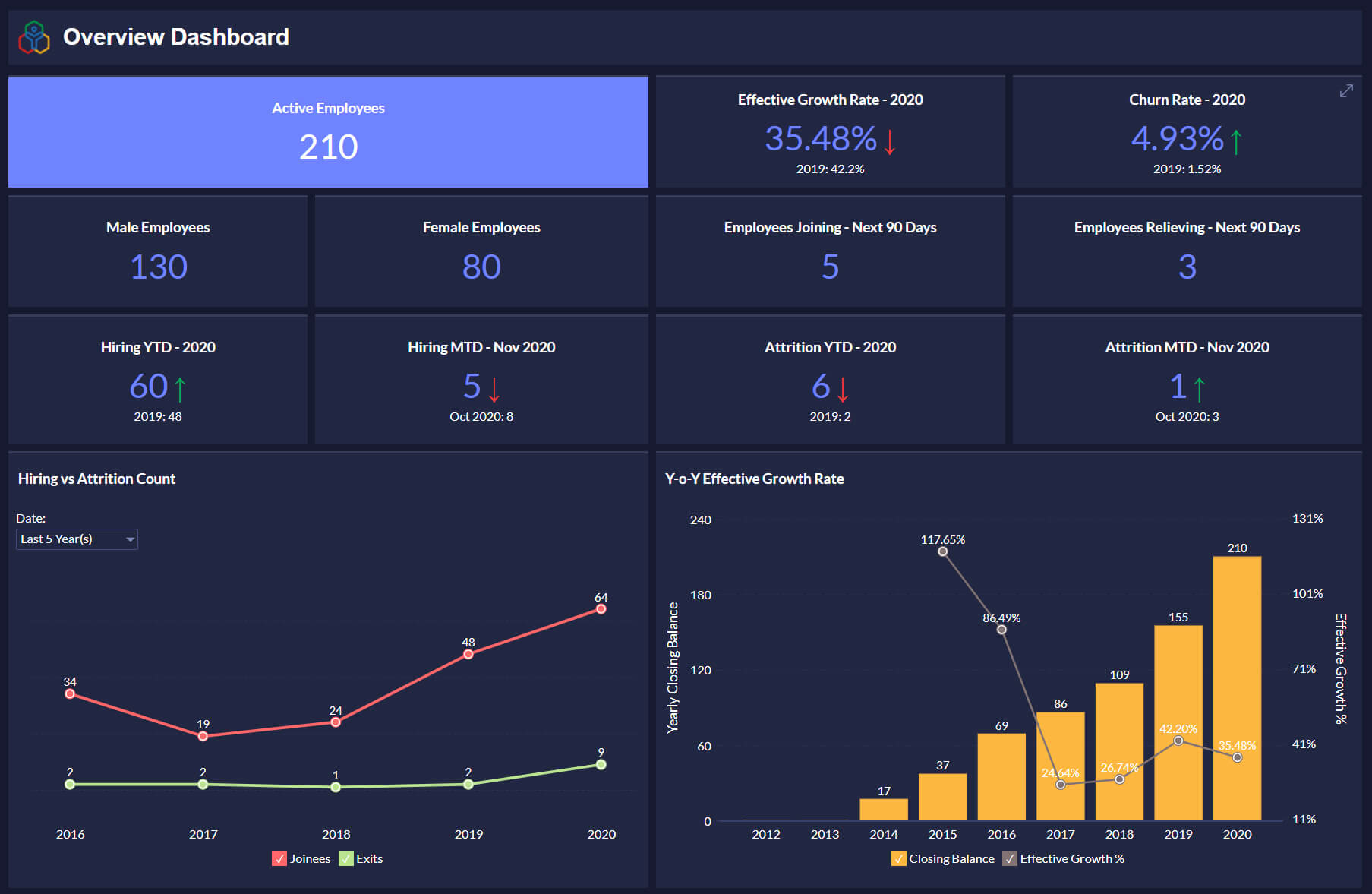
HR Dashboard Examples

HR Dashboard Examples

Human resources dashboard templates covering employee engagement, recruitment metrics, performance tracking, and workforce analytics.

  • Employee engagement metrics
  • Recruitment analytics
  • Turnover & retention rates
  • Performance management

Ecommerce Dashboard Examples

Ecommerce dashboard templates featuring sales performance, inventory management, customer behavior analysis, and conversion optimization insights.

  • Sales & revenue tracking
  • Inventory management
  • Customer lifetime value
  • Product performance
  • Cart abandonment analysis
Ecommerce Dashboard Examples

Dashboard examples by business apps

These dashboards come prebuilt for business apps. Connect your favorite business apps and get professional dashboards in seconds. Just authenticate your app and start analyzing your data with industry-standard dashboards.

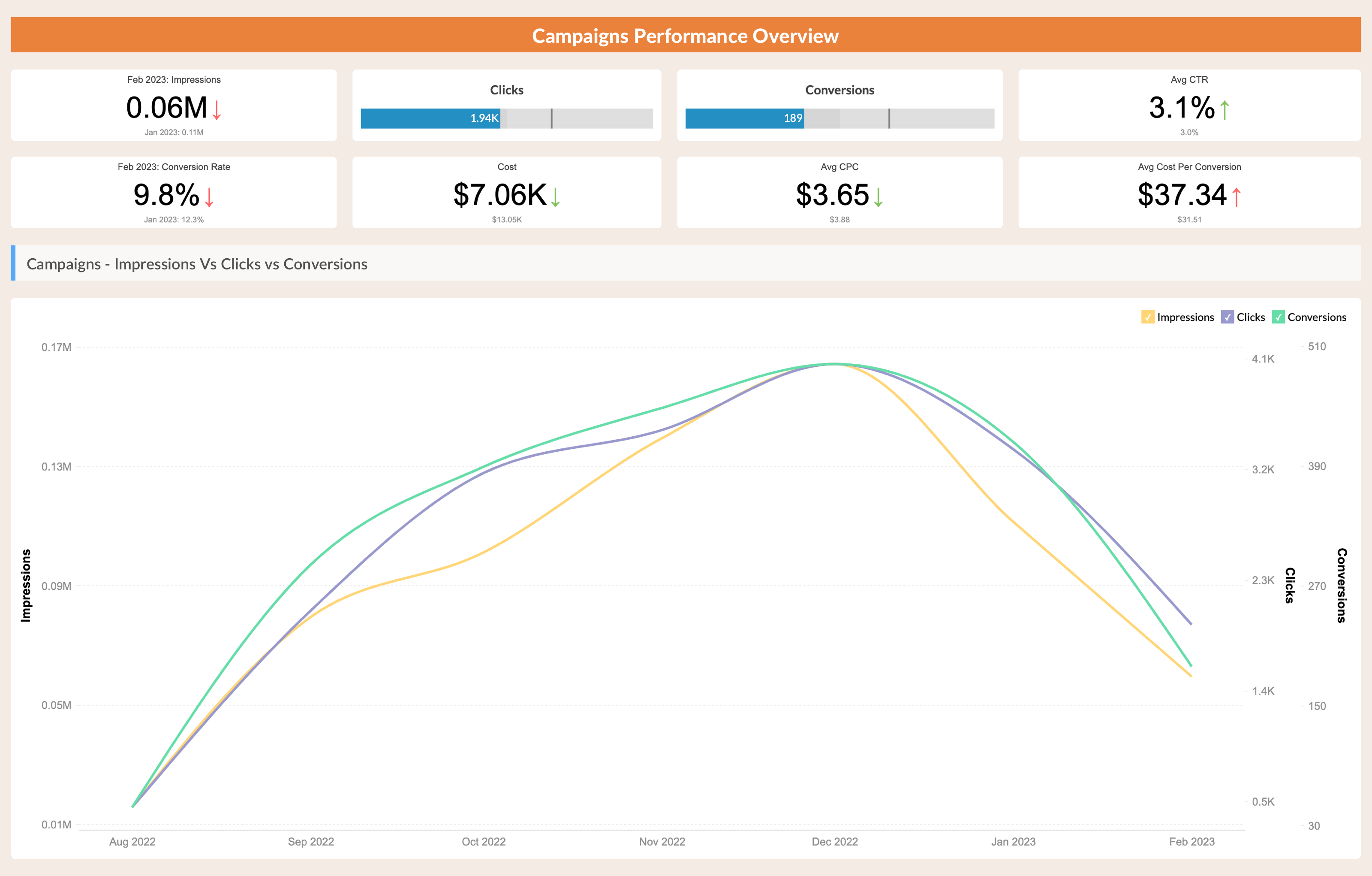
Google Ads Dashboards

  • Campaigns performance overview
  • Ads performance overview
  • Ad groups performance overview
  • Geo performance overview
  • Accounts overview
Google Ads Dashboards

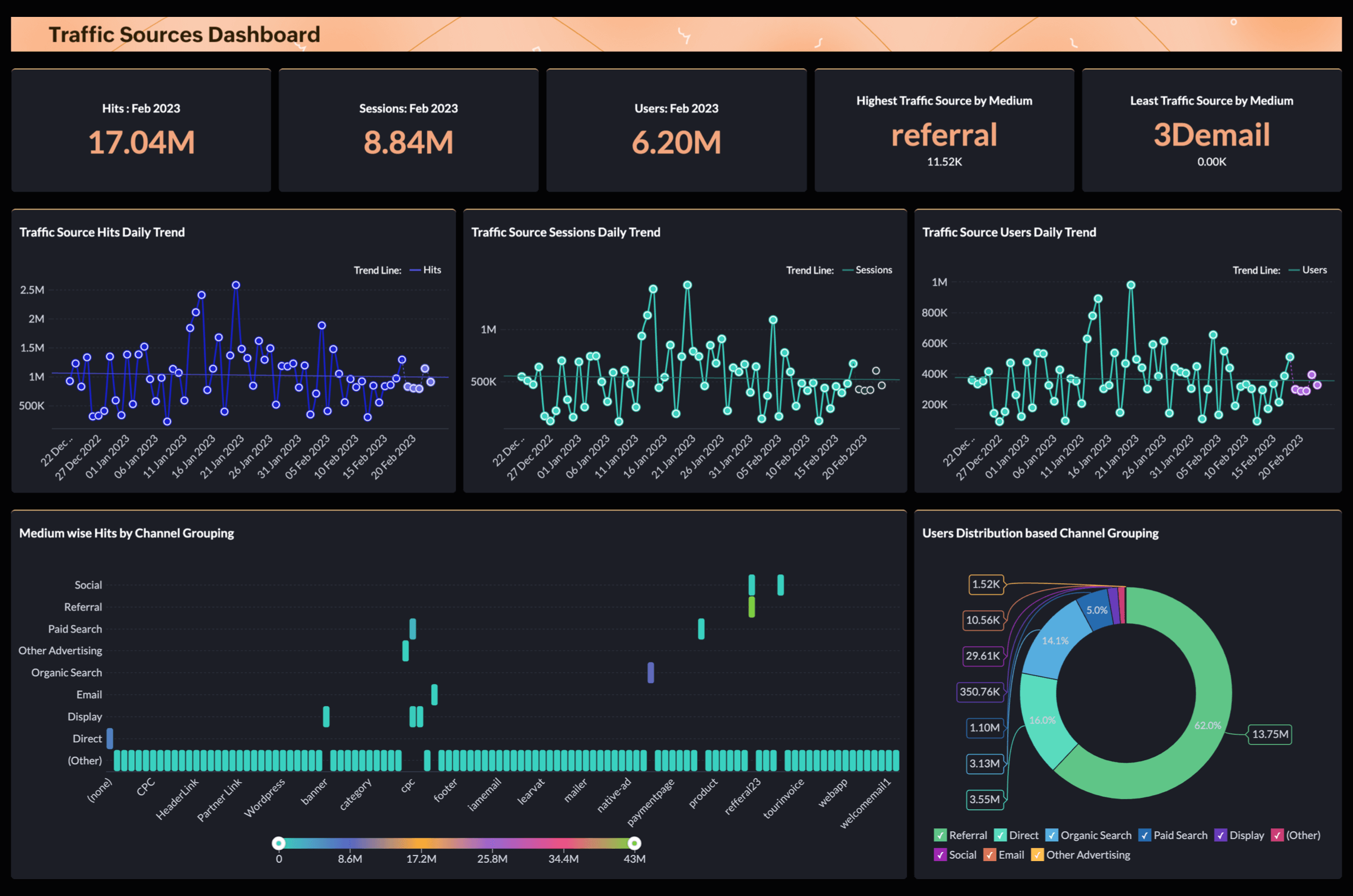
Google Analytics 4 (GA4)

  • Traffic sources dashboard
  • Page tracking dashboard
  • Demographics dashboard
Google Analytics 4 (GA4)

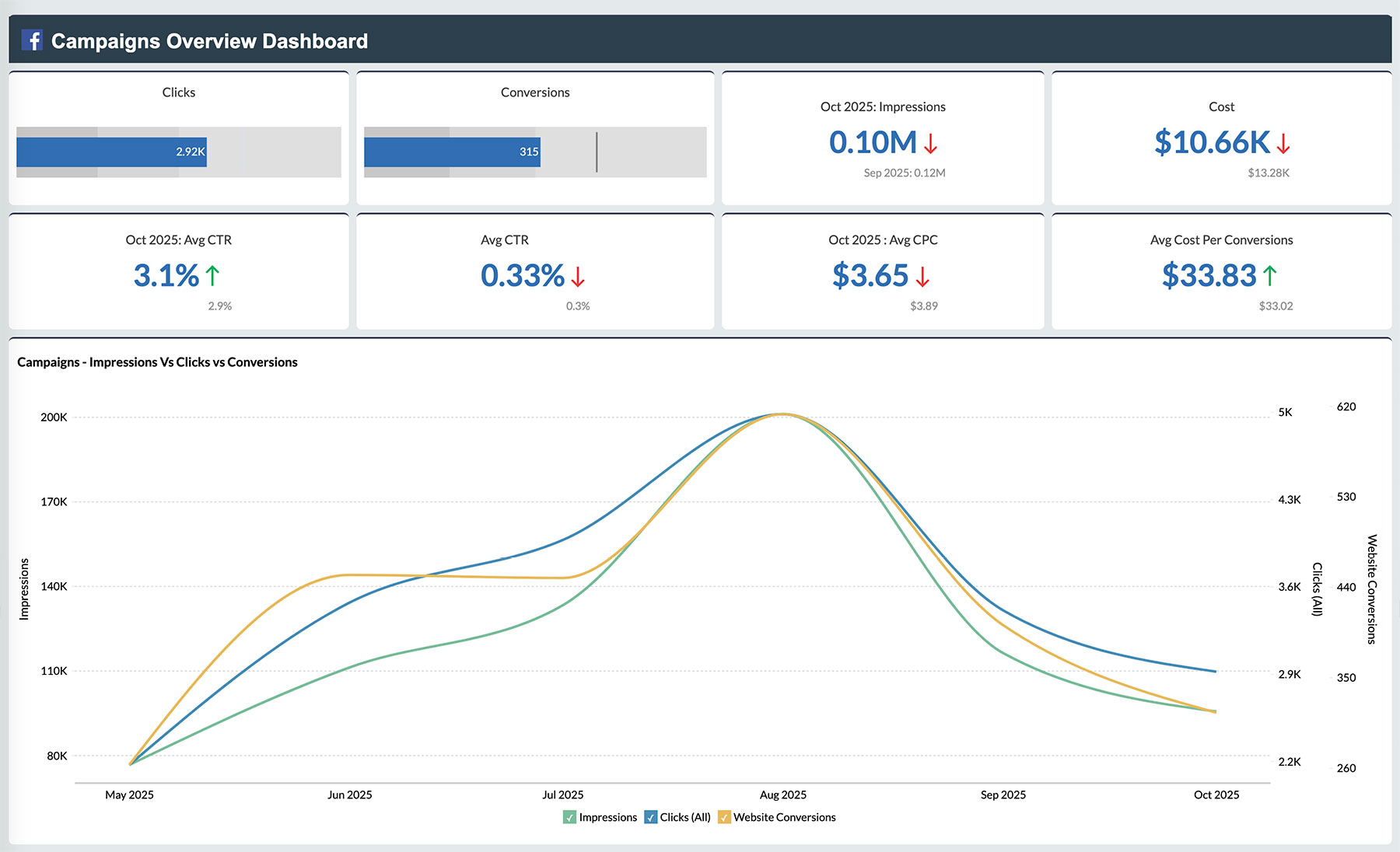
Facebook Ads

  • Campaigns performance overview
  • Ad performance overview
  • Adset performance overview
  • Accounts overview
Facebook Ads

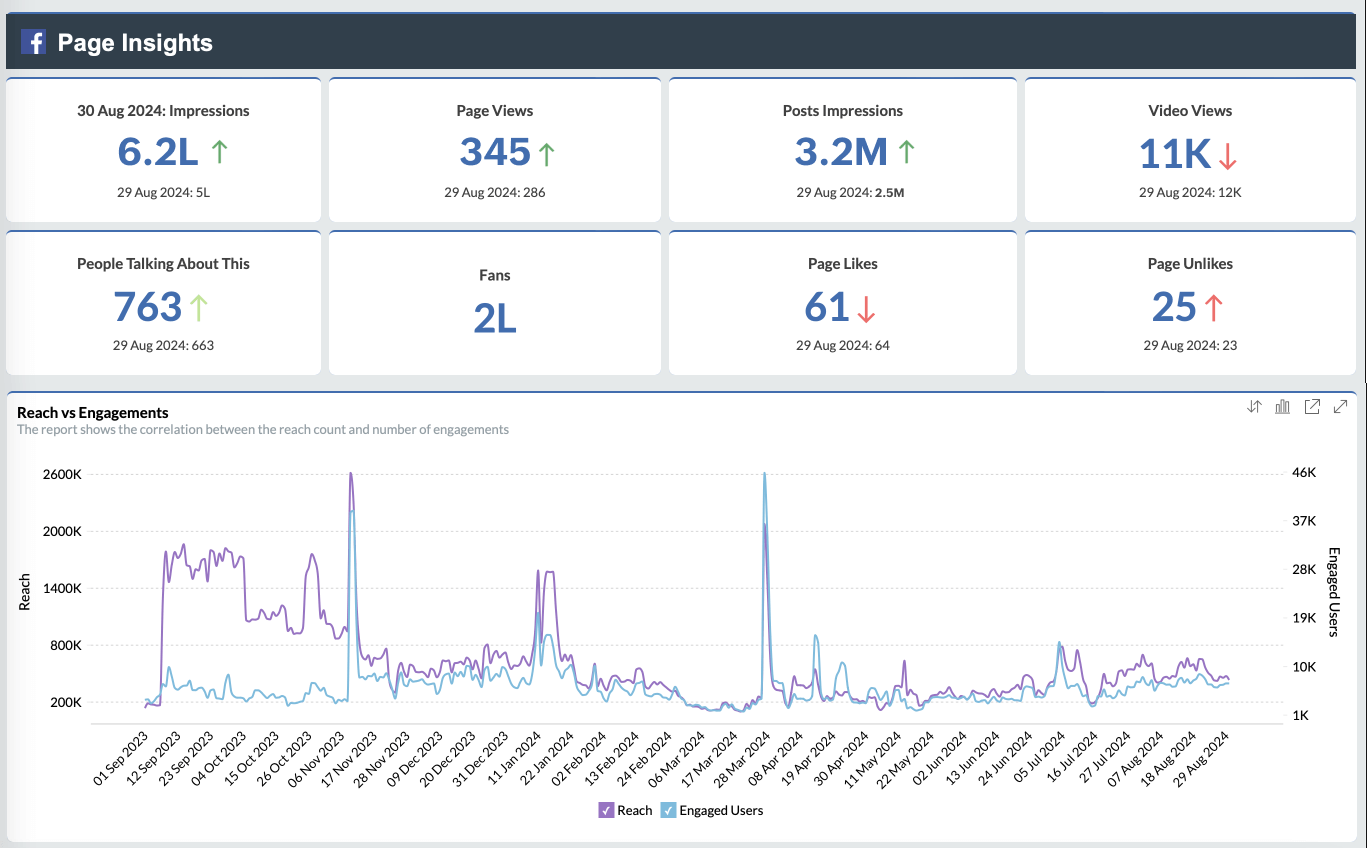
Facebook Pages

  • Page insights
  • Post insights
  • Video insights
Facebook Pages

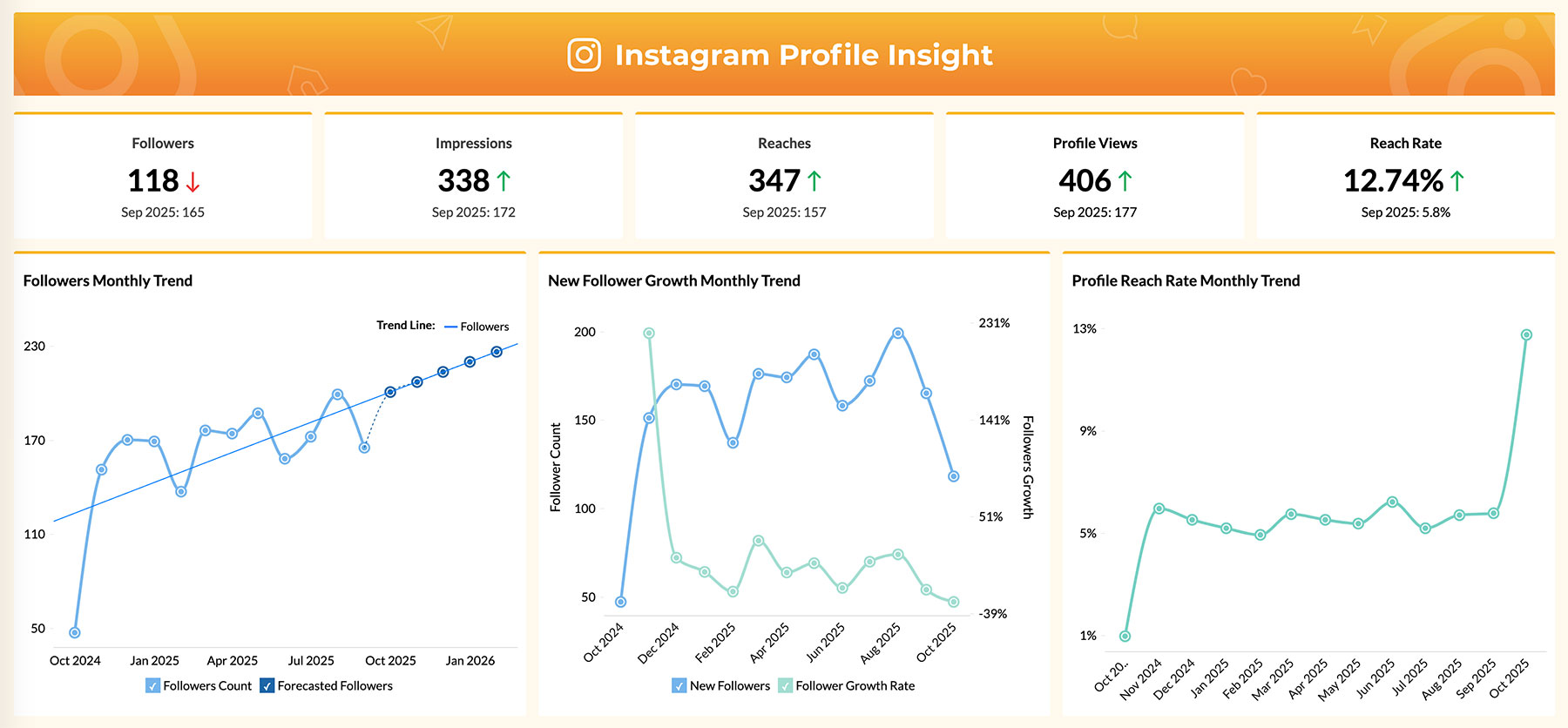
Instagram

  • Instagram profile insights
  • Instagram media insights
  • Demographic insights
Visualization software with data blending

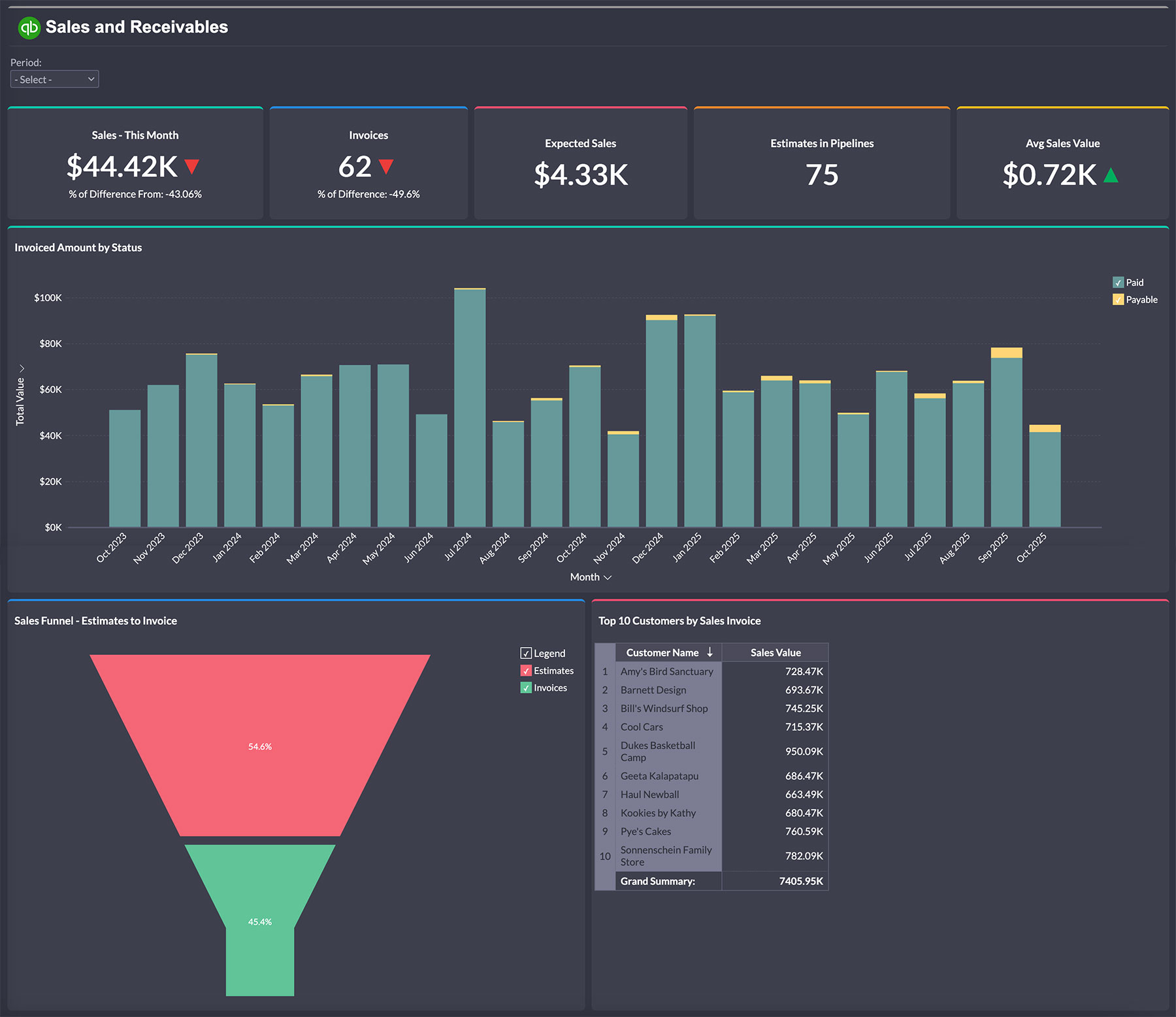
QuickBooks

  • Sales and receivables
  • Purchases and payables
  • Products and inventory
QuickBooks

One-click dashboard generation

Simply authenticate your business app, and Zoho Analytics will automatically generate a set of professional dashboards with all the essential metrics and KPIs.

  • ★ Takes only a few minutes
  • ★ Automated data sync
  • ★ Completely customizable

Why use professional dashboard examples?

Accelerate implementation

Skip the design phase and jump straight to insights with proven dashboard templates that have been tested across hundreds of organizations.

Focus on key metrics

Each dashboard example highlights the most important KPIs for your industry, so you can ensure you track what matters most for business success.

Best practice design

Learn from industry leaders with dashboard layouts optimized for clarity, actionability, and executive-level decision making.

Spark innovation

Discover new ways to visualize your data and gain insights you might have missed with traditional reporting approaches.

Save development time

Reduce dashboard creation time by 80% with ready-to-use templates that can be customized for your specific needs.

Drive results faster

Start making data-driven decisions immediately with dashboards designed to highlight opportunities and red flags.


Hear from our customers

Simone Drera
Simone Drera
VP-Business Development, Flexxaire Inc.

“We wanted a simple BI solution to analyze our sales, project, and quality data. The tool also needed to be capable of integrating multiple tables, creating models to create charts that could be shared seamlessly across teams."

Moises Ochoa
Moises Ochoa
Application Engineer, Cementos Progreso

"With Zoho Analytics, the time spent in creating charts, reports and dashboards went down by 50%. More importantly, our software expenses were reduced by 30%!"

Marc Andrew
Marc Andrew
Senior Developer, Rental Car Manager

"Our main alternate would have been Power BI, but we quickly found that the pricing and user-friendliness wouldn't quite work for a lot of our customers."

Build these dashboards with Zoho Analytics

The best data visualization software that transforms your business data into stunning, interactive dashboards in minutes.

  • ★ 500+ Data sources
  • ★ Built-in AI agent
  • ★ Smart AI recommendations

Frequently asked questions

What makes a good dashboard?

  • A good dashboard is clear, focused, and easy to read. It shows only the most important metrics, uses simple visuals, and avoids clutter. It should help you understand performance at a glance and guide your next steps without needing extra explanations.

How do I choose the right dashboard template for my business?

  • Pick a template that matches your goals and the type of data you track. For example, use a sales dashboard if you want to monitor deals and revenue, or a marketing dashboard if you focus on campaigns and leads. Look for one that covers your most important KPIs so you can start tracking quickly.

Can I customize these dashboard examples for my specific needs?

  • Yes. You can add, remove, or rearrange widgets, change visual styles, apply filters, and connect additional data sources. This way, your dashboard reflects your exact business priorities and reporting style.

What tools can I use to create these dashboards?

  • You can create and customize dashboards directly in Zoho Analytics. It offers ready-made templates, a drag-and-drop interface, AI-powered insights, and integrations with 500+ popular data sources to bring all your data into one place.

How often should I update my dashboards?

  • It depends on your data and decisions. If you need to track real-time performance, update them live or daily. For strategic planning, weekly or monthly updates may be enough. With Zoho Analytics, you can automate data sync, so your dashboards always show the latest information.
 

Start your 15-day free trial.

No credit card required