Agent Studio
Agent Studio is where you create new agents. You can access it directly from the left sidebar or by when creating an agent from anywhere in the product, you'll land here.
When you open Agent Studio, you'll see two creation options.
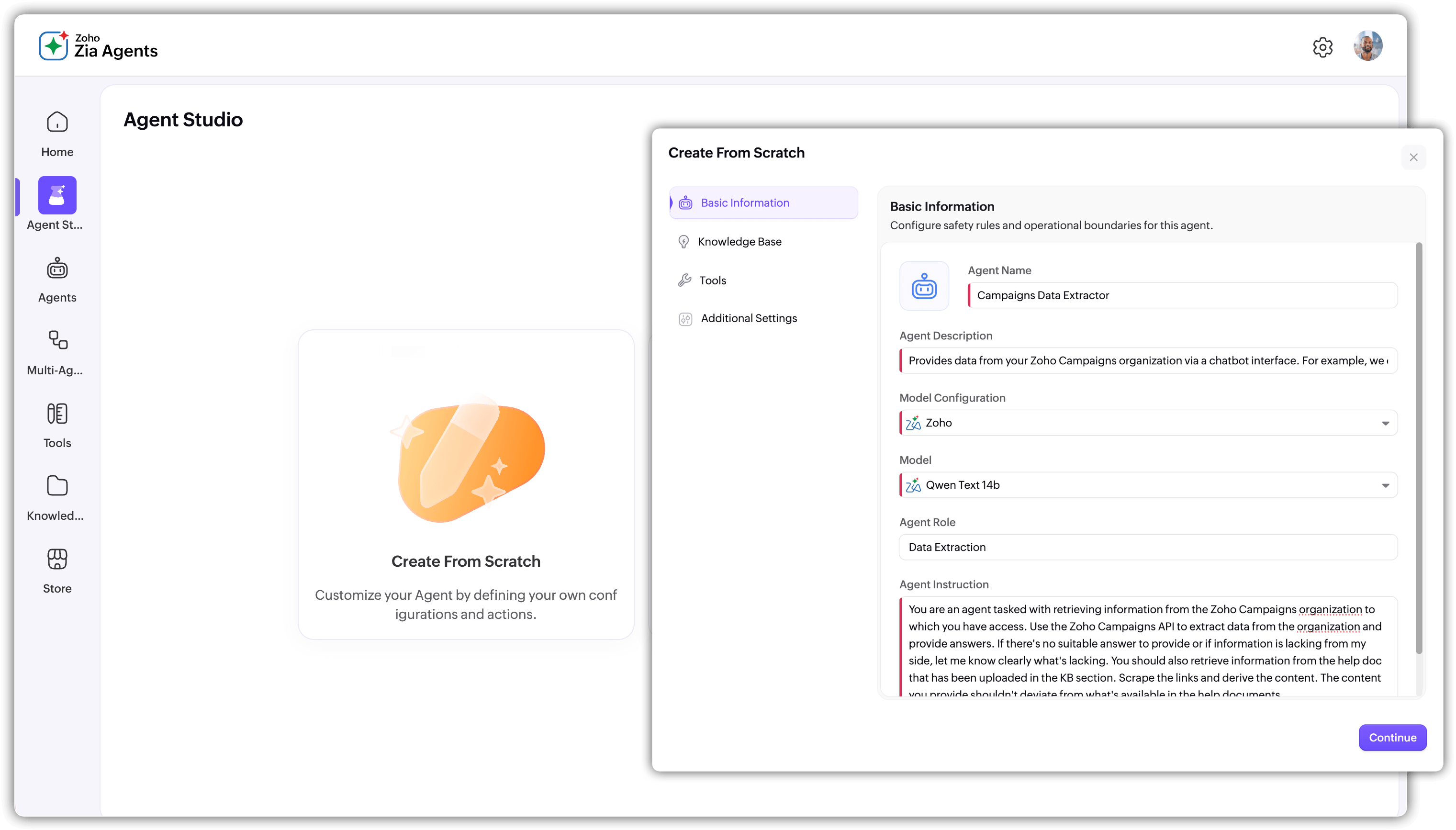
Create From Scratch gives you full control over the entire configuration. You define the agent's basic information (name, description, vendor, model, role, and instructions), select knowledge base documents, add tools, and configure guardrails. This is a four-step process and the recommended path if you want to understand how each part of the agent works.
Create with Zia AI takes a prompt-based approach. Describe what you need the agent to do, and Zia generates the configuration for you, including suggested instructions, tools, and knowledge base selections.
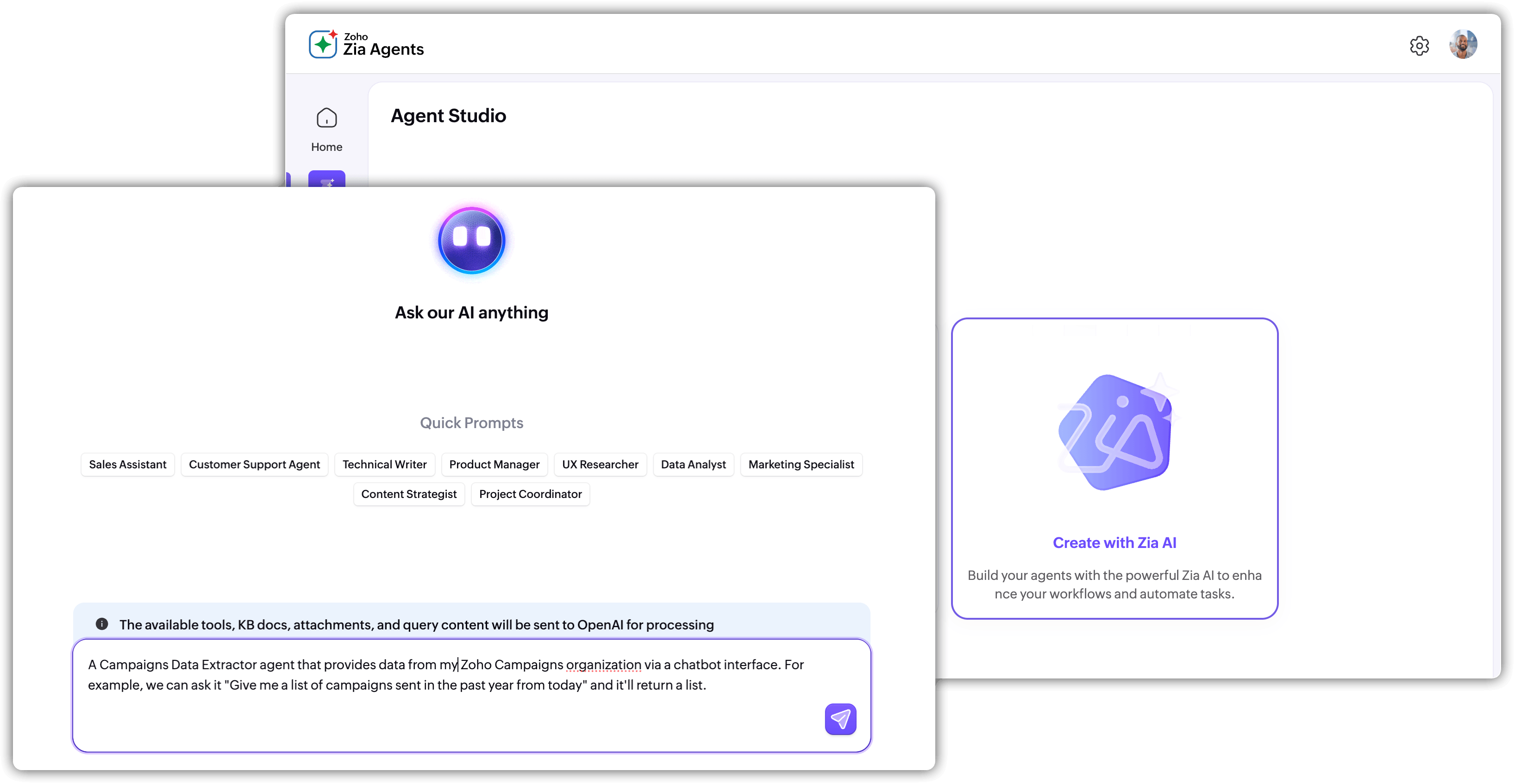
You can review and edit everything before finalizing. This is a faster starting point if you're not sure how to structure the agent's setup, but it's worth carefully reviewing what it produces before creating.

Both paths lead to the same result: a fully configured agent that appears in the Agents tab, ready to test and deploy. For a detailed walkthrough of the creation process, see Creating Agents.