Agent Store
The Agent Store is a catalog of pre-built agents designed for common business scenarios. Instead of building everything from scratch, you can browse what's available and add agents directly to your account.

Agents in the Store cover a range of use cases: email sorting, lead management, ticket routing, recruitment, content generation, and more. Most are free to use.
You can browse by category to narrow down agents by function, filter by rating to find the most popular ones, or use the search bar to look for something specific.
Each agent in the Store comes with its own overview page where you can review its capabilities, see screenshots of it in action, check ratings and reviews from other users, and view vendor details.
If an agent fits your needs, you can add it to your account and start using it as-is, or modify its configuration, like add knowledge base as per your business processes, custom guardrails for the agents' actions, or modify the tools.
Once hired, the agent appears in your Zia Agents portal and can be deployed into Zoho CRM following the same process as any custom-built agent.
Hiring an agent
To hire an agent
- Navigate to Store in Zia Agents.
- Browse or search for an agent.
For example, you might find a Revenue Growth Specialist or an SDR Agent. - Click on the agent to view its overview page.
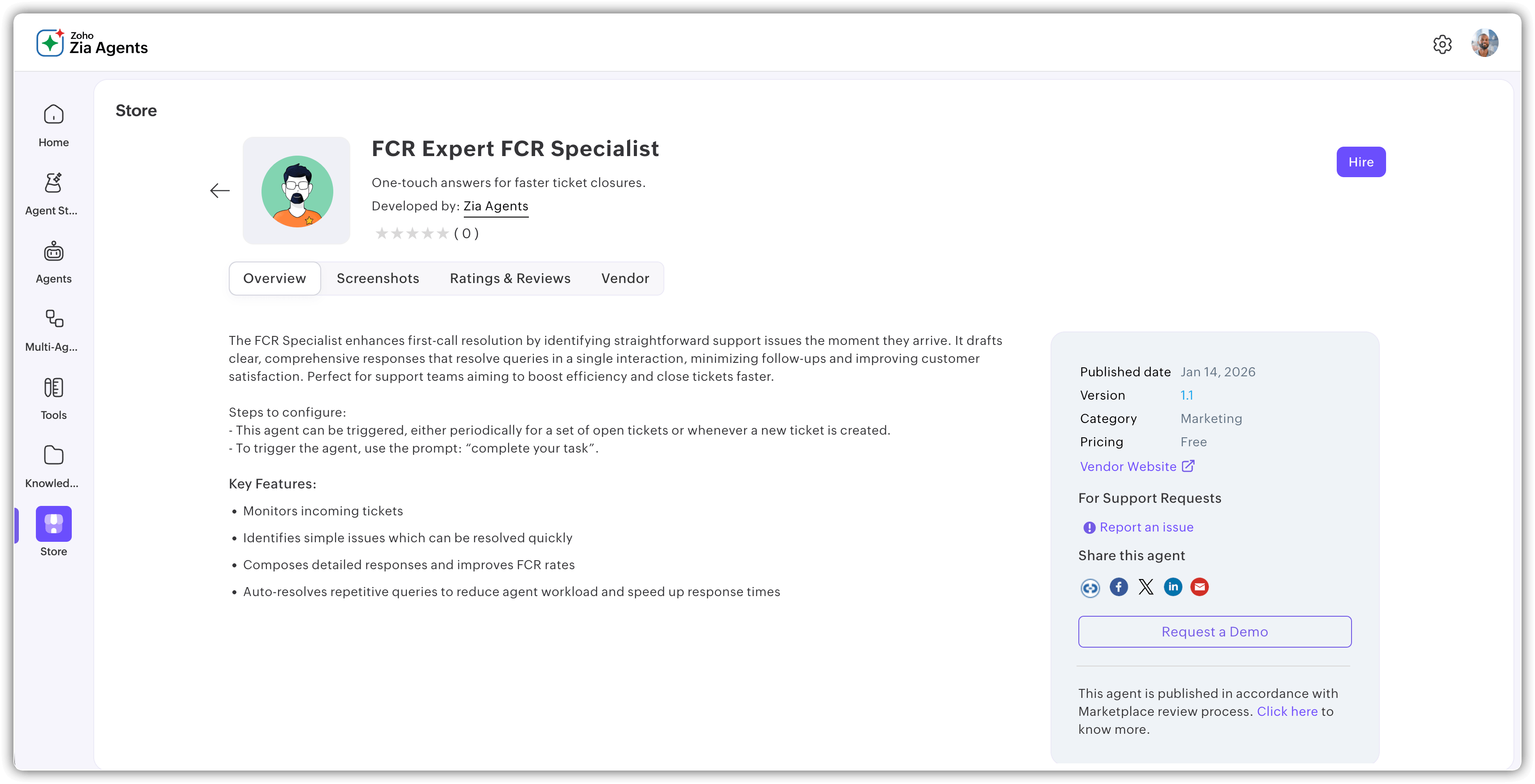
- Click Hire.
- On the confirmation pop-up:
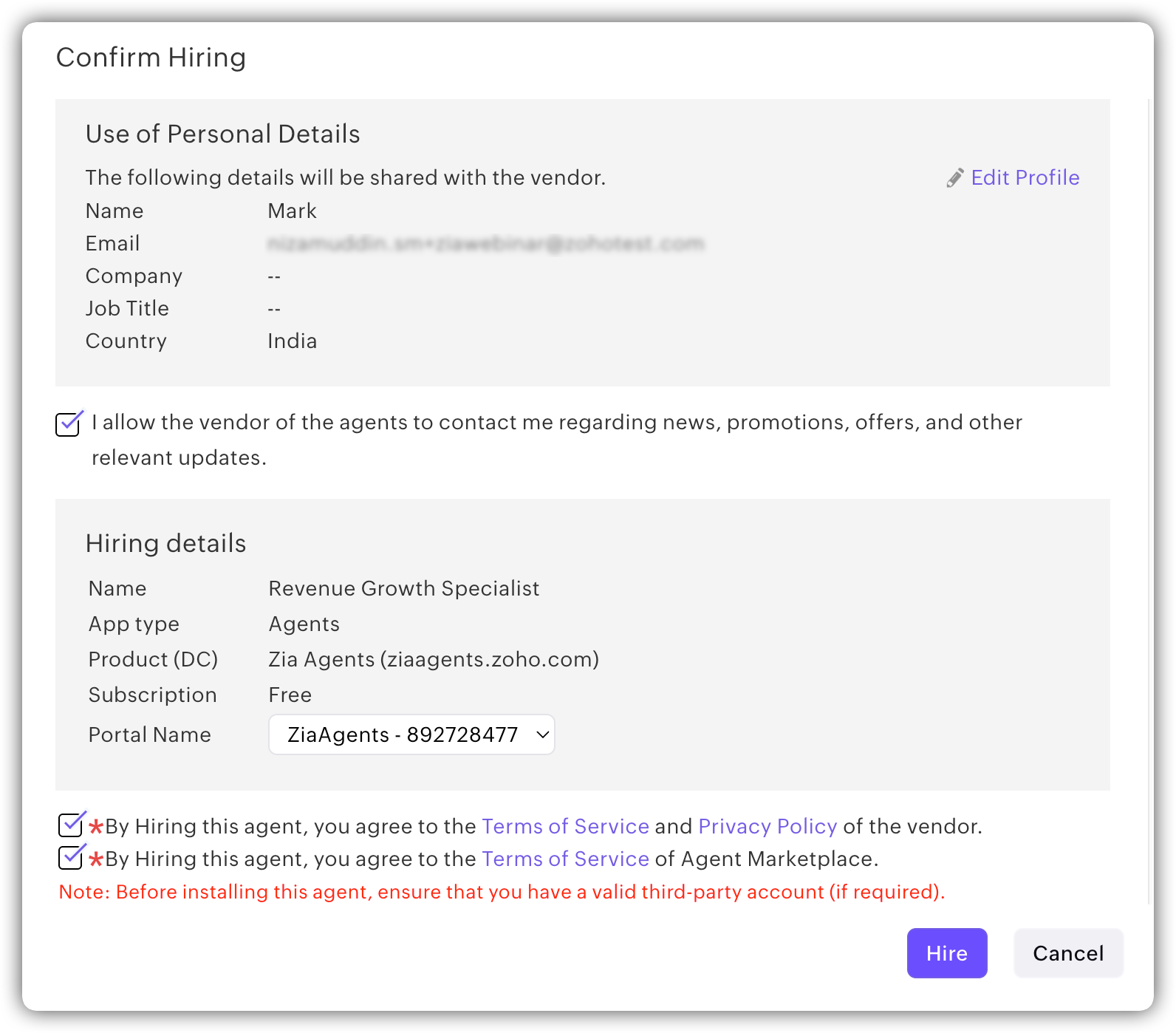
- Enter your personal details.
- Select the Zia Agents portal where you want to add the agent.
- Agree to the terms and conditions.
- Click Hire.
You'll be redirected to the agent's detail page in a new tab.
After Hiring
Note:
For agents hired from the Store, certain configuration details such as the agent's instructions and role definition are not visible. These are defined by the agent's vendor and cannot be modified.