


My client can’t see the payment option on an invoice with a payment gateway. What should I do?

When you email an invoice to your client, the invoice PDF is attached to it and a link to view the invoice (“Click to view Invoice”) will be available in the email content.
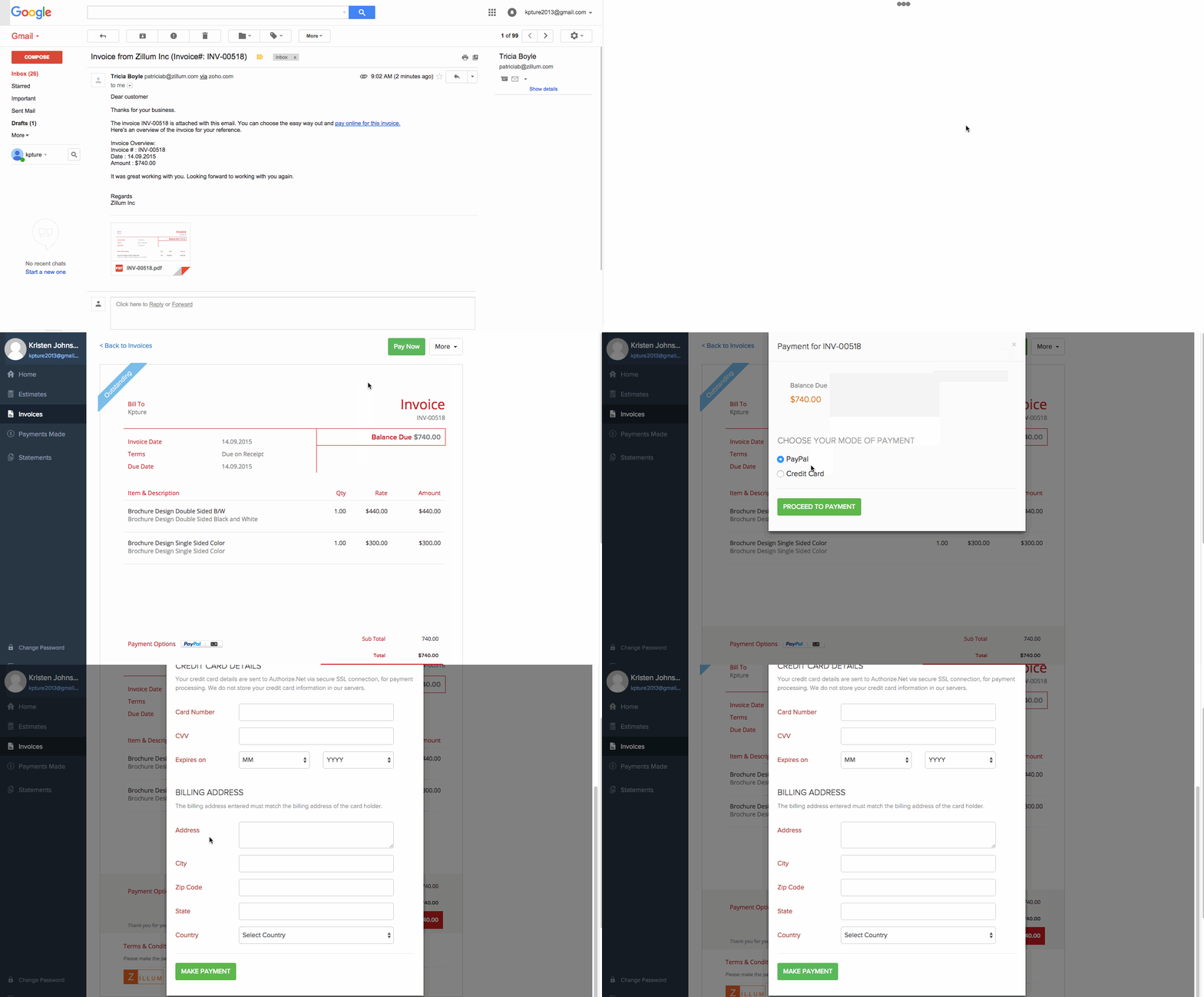
When your client clicks on this hyperlink it will open the invoice in a new tab and will have a Pay Now button. Once the client clicks on the Pay Now button, the list of payment options enabled for this invoice will be listed.
The client will need to choose the desired payment gateway and then click the Proceed to Payment button which will take them to the payment gateway.
 Yes
Yes