


View Recurring Invoice Reports

The reports available for the recurring invoices module in Zoho Invoice provide consolidated information on all the recurring profiles in your organization, along with the details of payment failures, payment retries, and card expiration. You can find these reports under the Recurring Invoices section in the Reports module.
Recurring Invoice Details Report
This report offers a detailed view of all the recurring profiles in your organization. Click a recurring profile to view its details page.
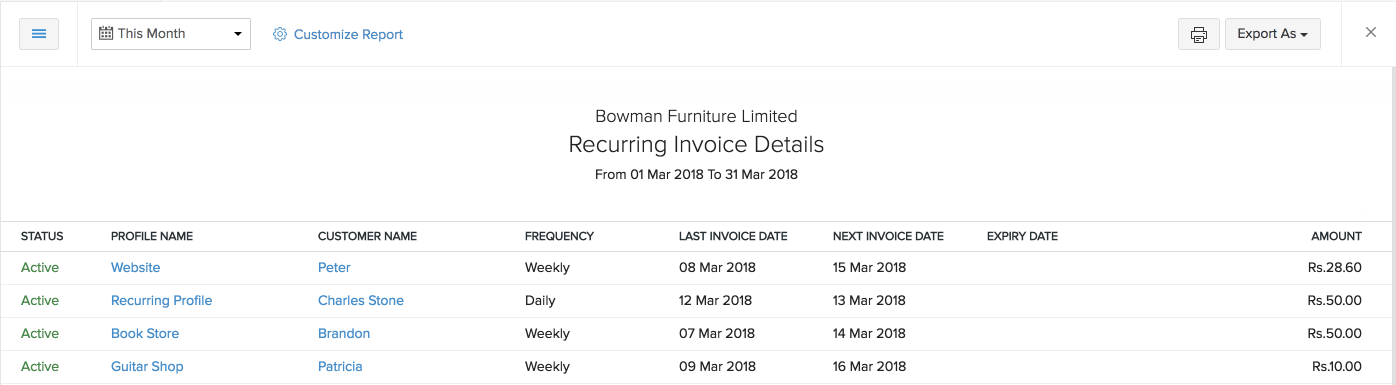
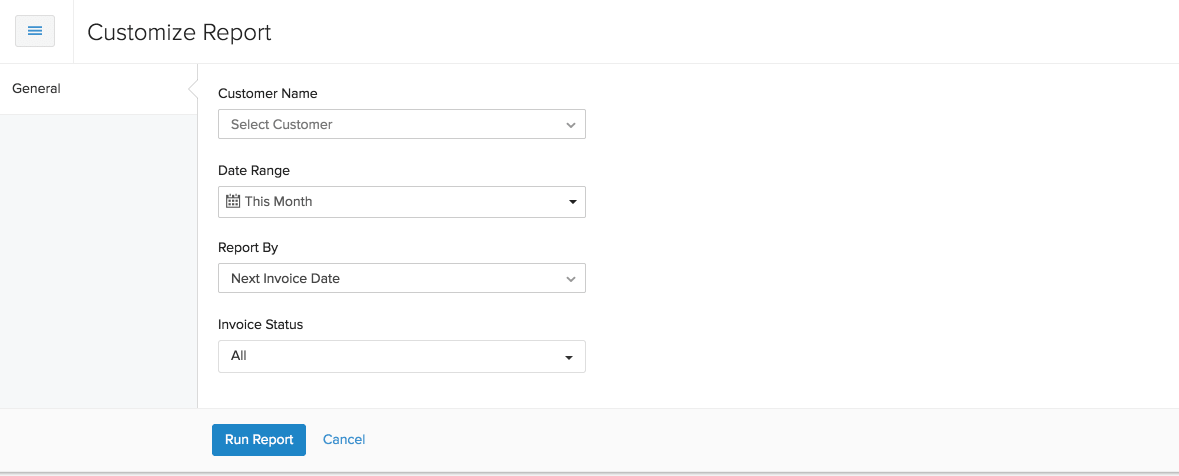
Using the Customize Report option at the top, you can generate this report based on the Customer Name, Date Range, invoice Date, and Status.
You can print this report by clicking the Print icon in the top-right corner. You can also export it in the following formats:
- CSV
- XLS
You can also view this report in Zoho Sheets.

Payment Failure Report
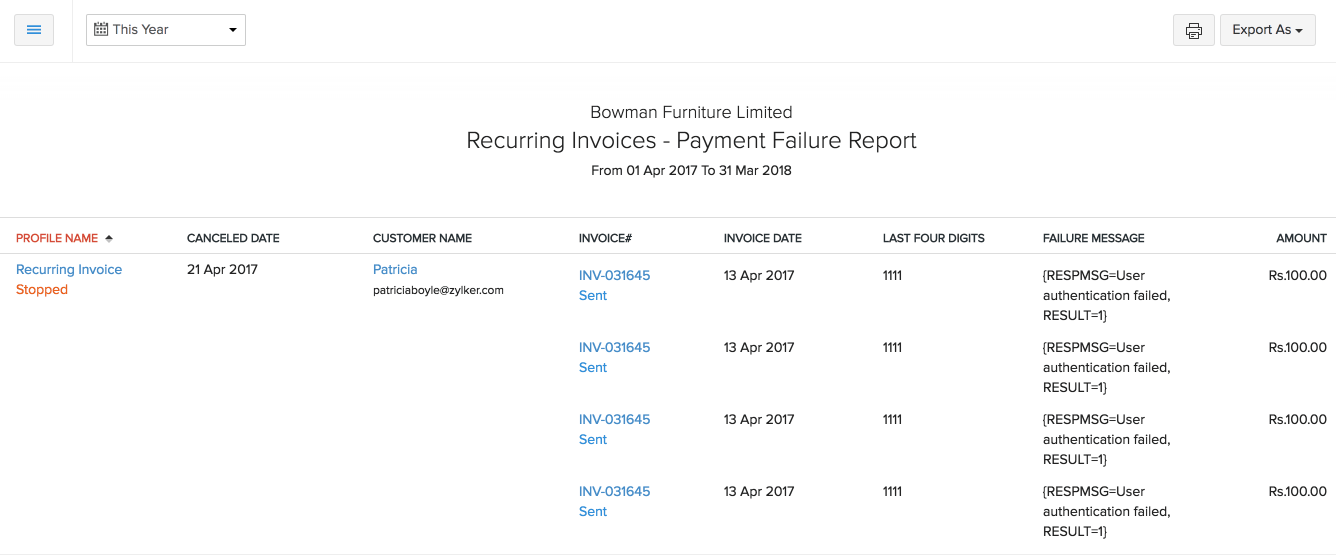
The Payment Failure report provides information on the total payment failures that occurred while trying to charge a customer’s card.
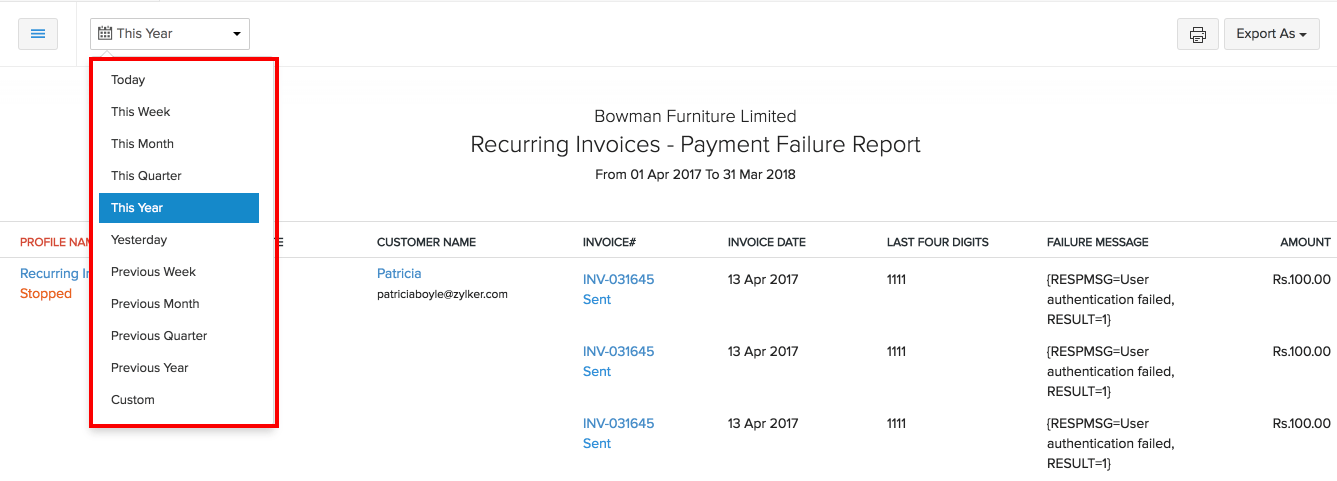
You can view this report for various time periods by clicking the This Month filter in the top-left corner.
You can print this report by clicking the Print icon in the top-right corner. You can also export it as a PDF.

You can also view this report in Zoho Sheets.
Payment Retry Report
The Payment Retry report provides information on the total retries that occurred while trying to charge a customer’s card.
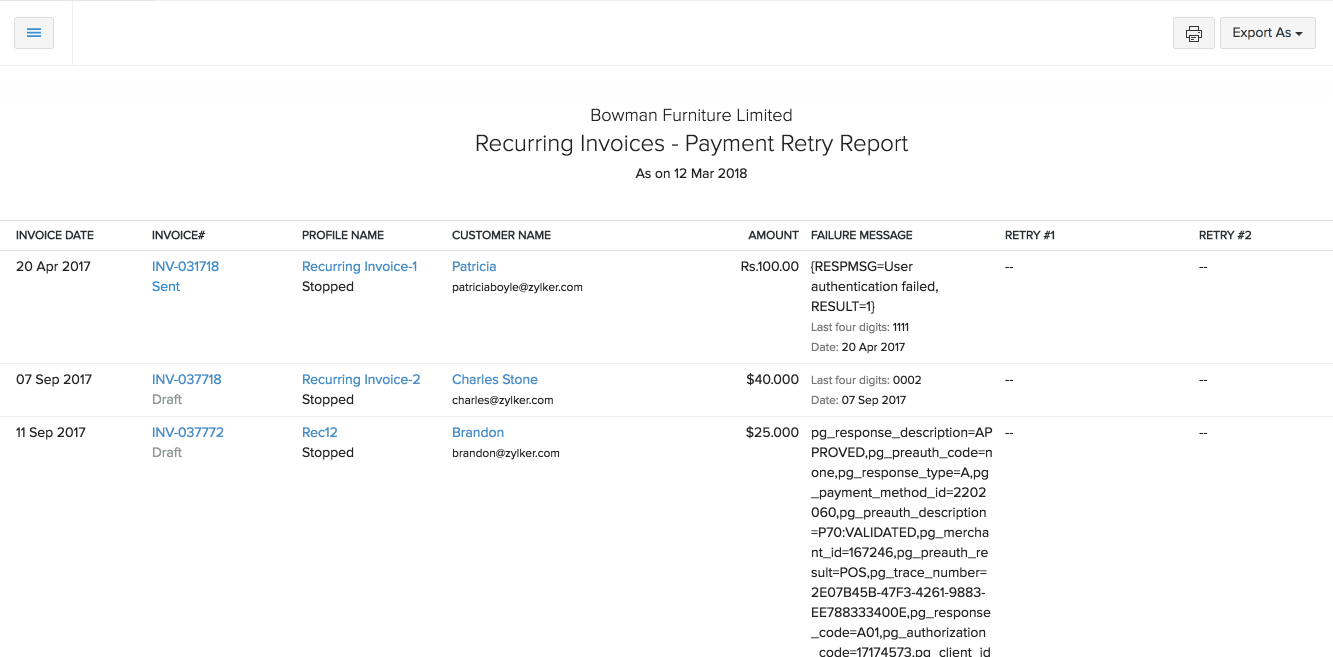
You can print this report by clicking the Print icon in the top-right corner. You can also export it as a PDF.

You can also view this report in Zoho Sheets.
Card Expiry Report
The Card Expiry report provides information on expired cards stored in your organization.
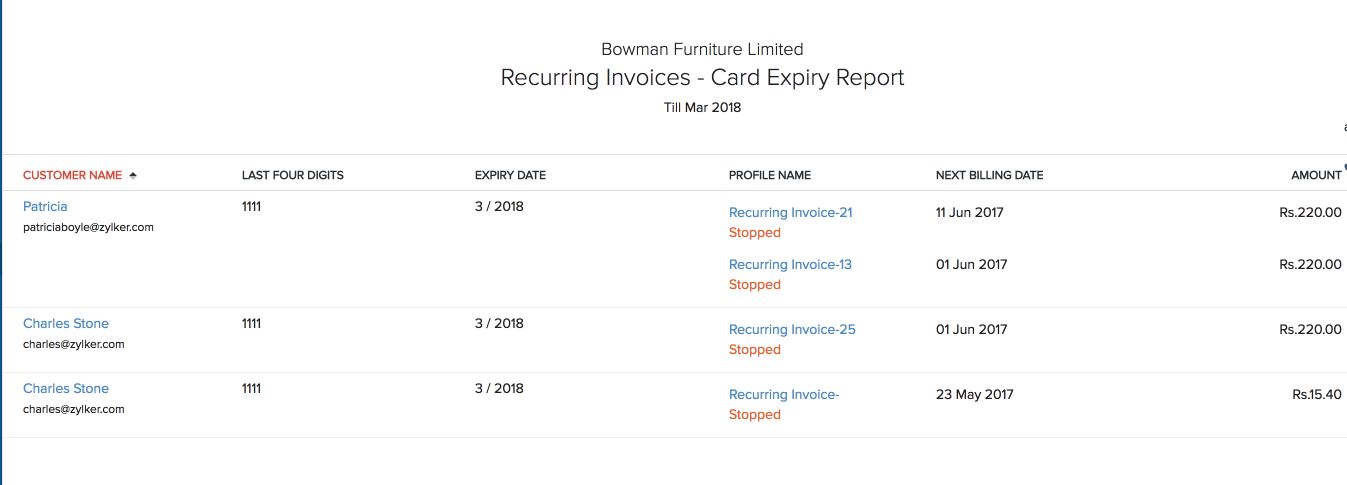
Click the Customize Report option in the top-left corner to view this report based on the status.
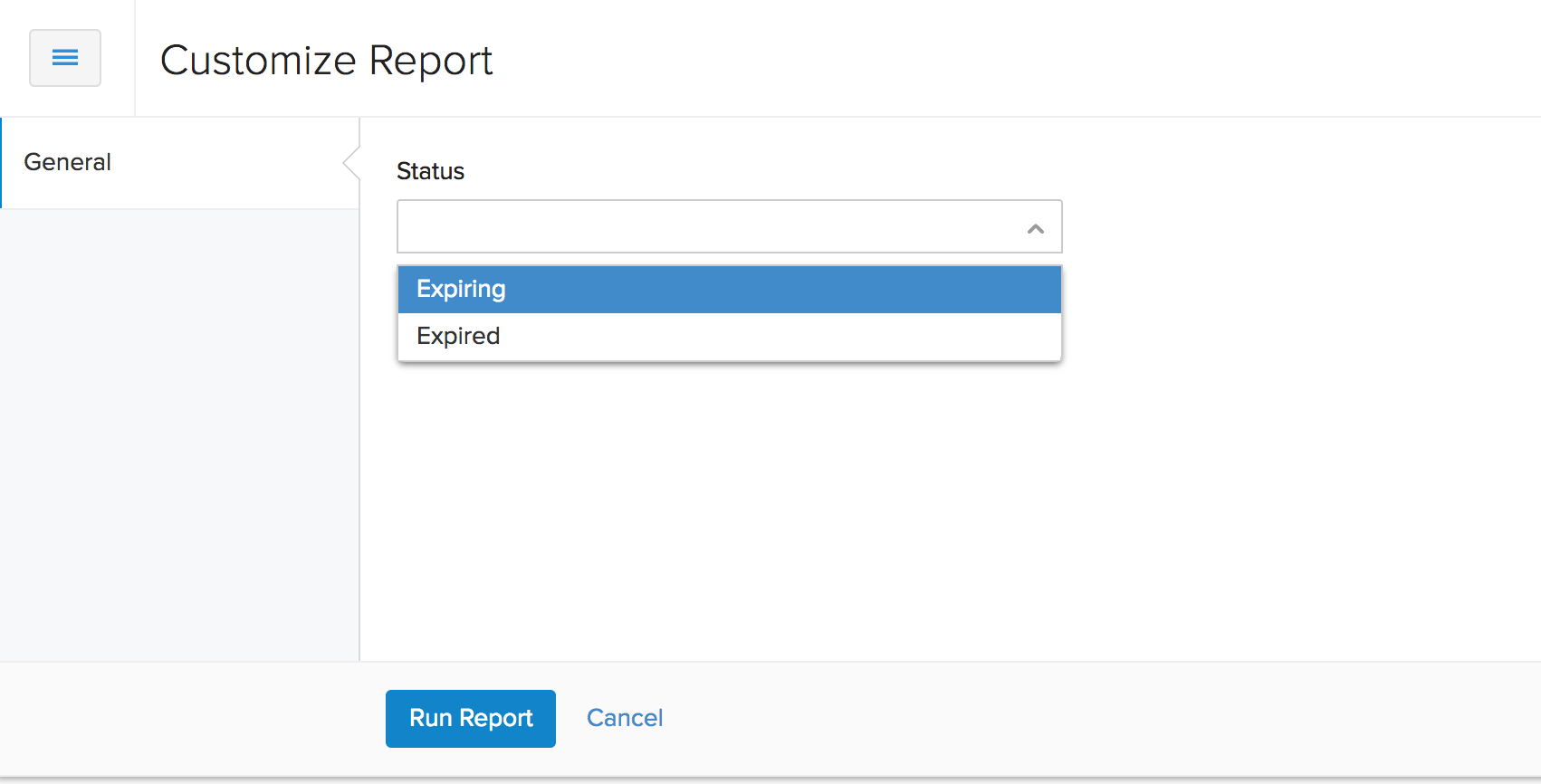
You can print this report by clicking the Print icon in the top-right corner. You can also export it as a PDF.

You can also view this report in Zoho Sheets.
 Yes
Yes
You might also find these helpful
Use Report Functions
Learn how to filter, group, sort, customize, schedule, and export reports in Zoho Invoice.
Create a Recurring Invoice
Learn how to create and manage recurring invoices for your customers in Zoho Invoice.
View Receivable Reports
Learn how to track outstanding invoices and customer balances using Receivable reports in Zoho Invoice.