


How do I assign a Super Admin in my Zoho Books organization?

If your Zoho Books organisation does not have a Super Admin, you can assign an eligible admin, that is, a user who is an active admin across all Zoho Finance apps in your organisation. Here’s how:
- Go to Settings.
- Under Organisation Settings, select Users under Users & Roles.
- Click Assign Super Admin in the banner displayed at the top of the page.
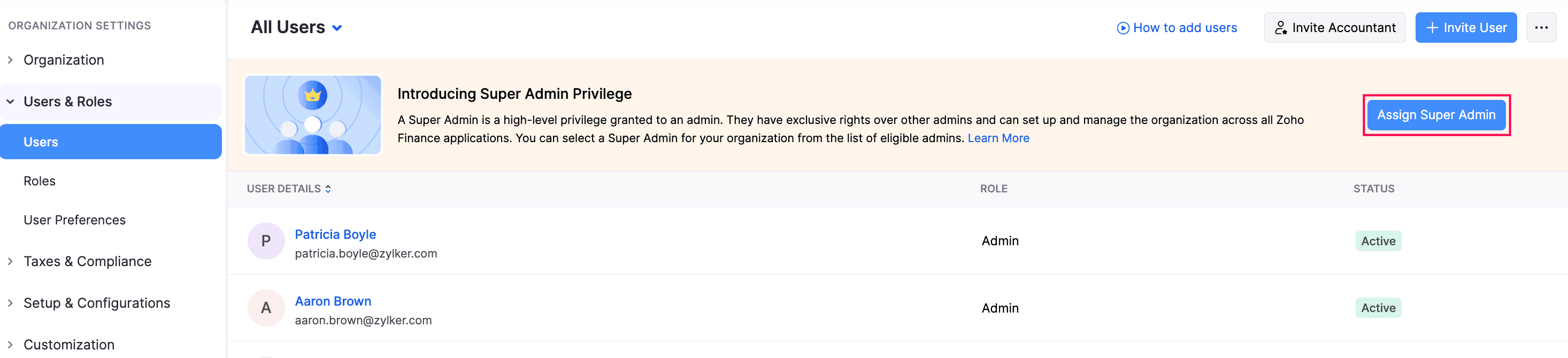
- In the pop-up that appears, select the required eligible admin.
- Click Make Super Admin.
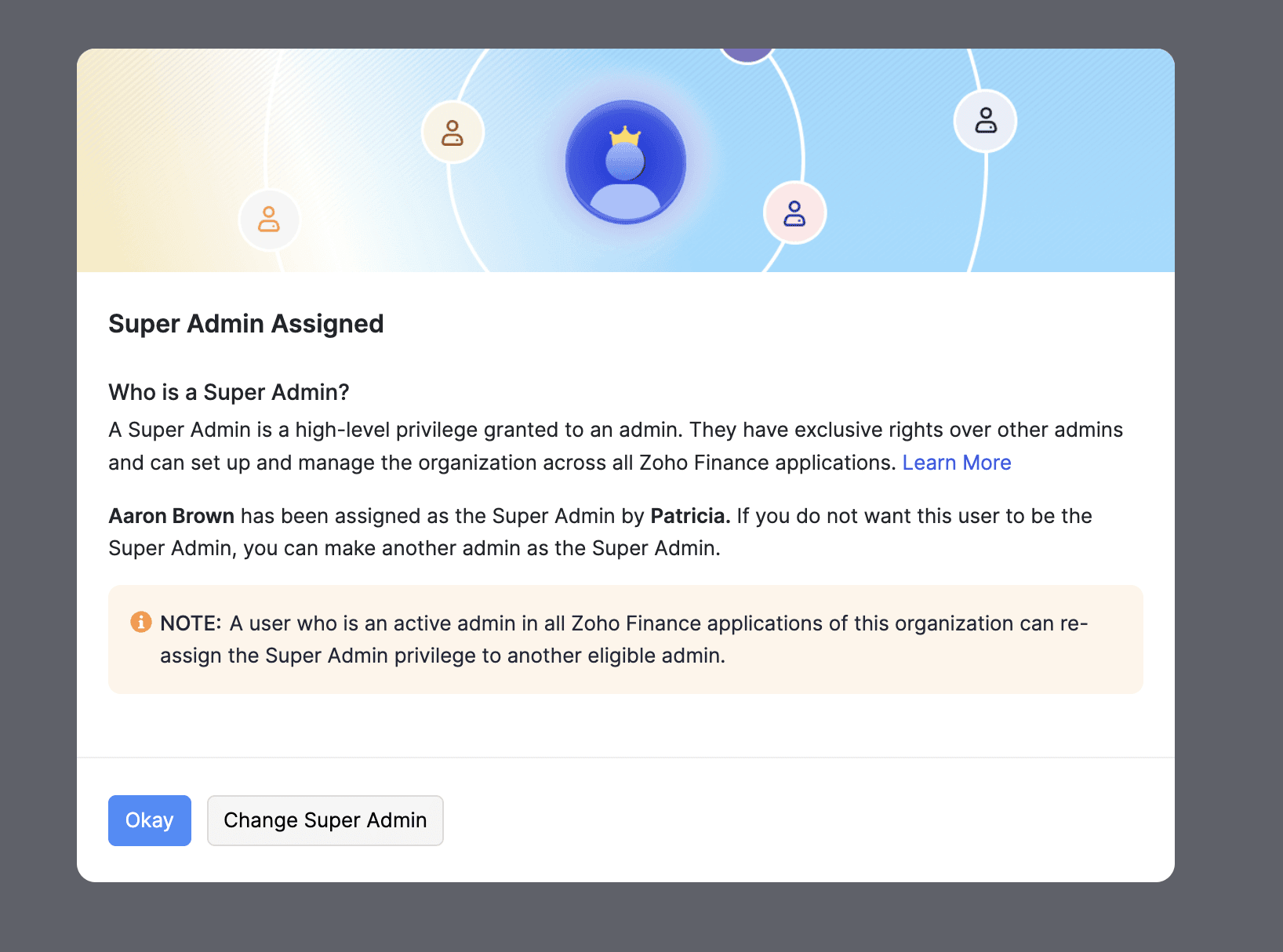
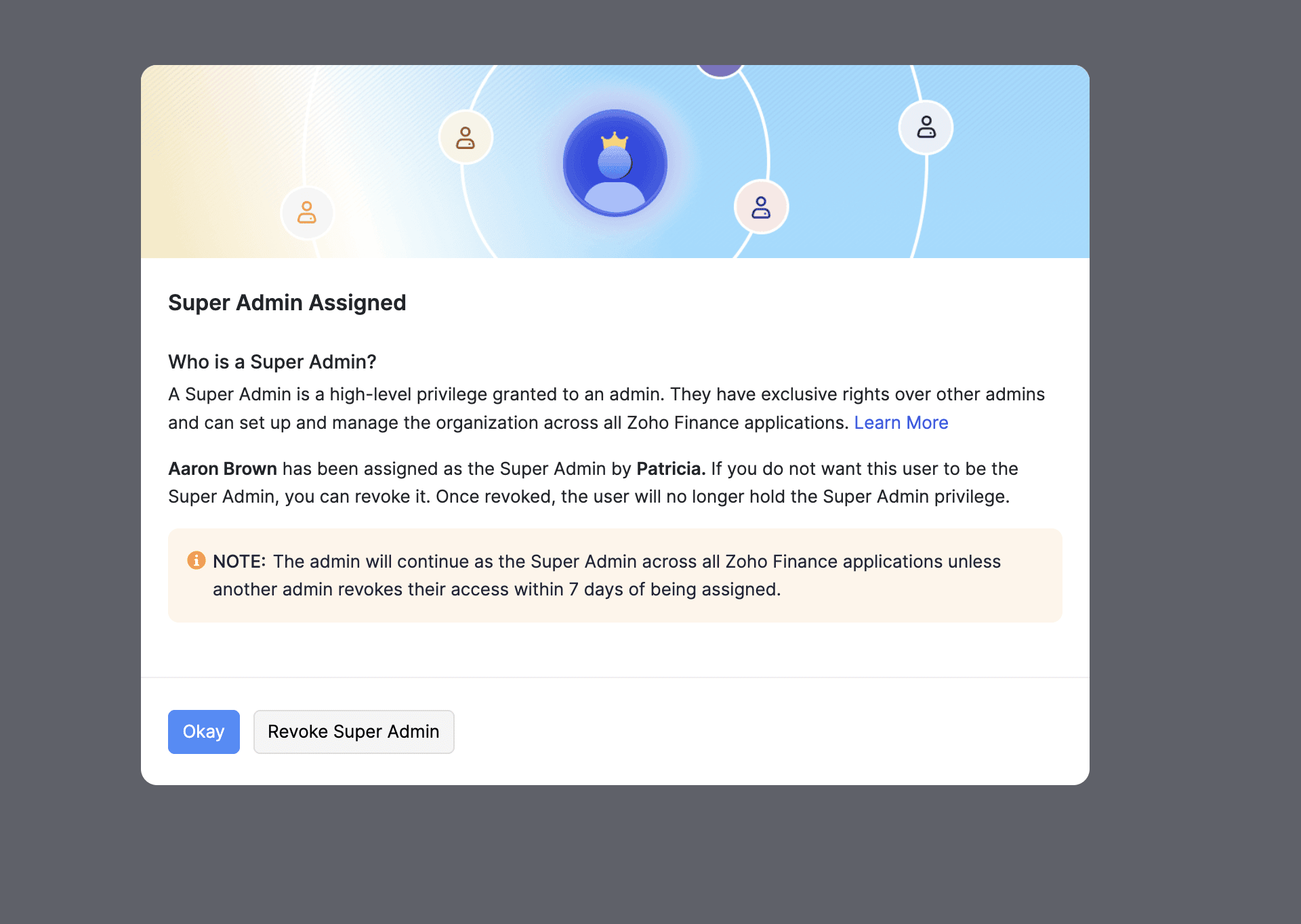
The selected admin will now become the Super Admin of your organisation. All admins in your organisation will receive an email about this. A pop-up will also be displayed in the app, where they can complete one of the following actions in 7 days:
- Click Okay to accept the new Super Admin.
- Click Change Super Admin to assign a different one. This option is available only to eligible admins in your organisation.
- Click Revoke to remove the assigned Super Admin. This option is available to non-eligible admins in your organisation.
 Yes
Yes