Project Management Software » Zoho Projects for Google Apps
Add to Google Apps

Zoho Projects for Google Apps

Customer Speak

“ We have used their product for many years. I would say our productivity increased dramatically with our migration to Google Apps and use of Zoho Projects. It is now possible for our teams and clients scattered around the world to work seamlessly. It is possible to convert a Google email to a Zoho project task with just a click of a button. I think it is a fantastic time saving, productivity improving feature. Great job. ”

- Sudheer Marisetti, President, Abacus Concepts

Loved By...

Add to Google Apps

Bring Project Management and Collaboration Capabilities to Google Apps

Zoho Projects takes your Google Apps experience to the next level by providing you with an integrated environment where your teams can better communicate, collaborate and manage projects

While customers enjoy the e-mail and calendaring functionality that Google Apps provides, they also recognize the need for a robust collaboration and project management solution. Zoho Projects complements the Google Apps experience by offering a dedicated team collaboration and project management solution that allows teams to plan, track and collaborate everything from everyday on-going activities to big projects with external customers.

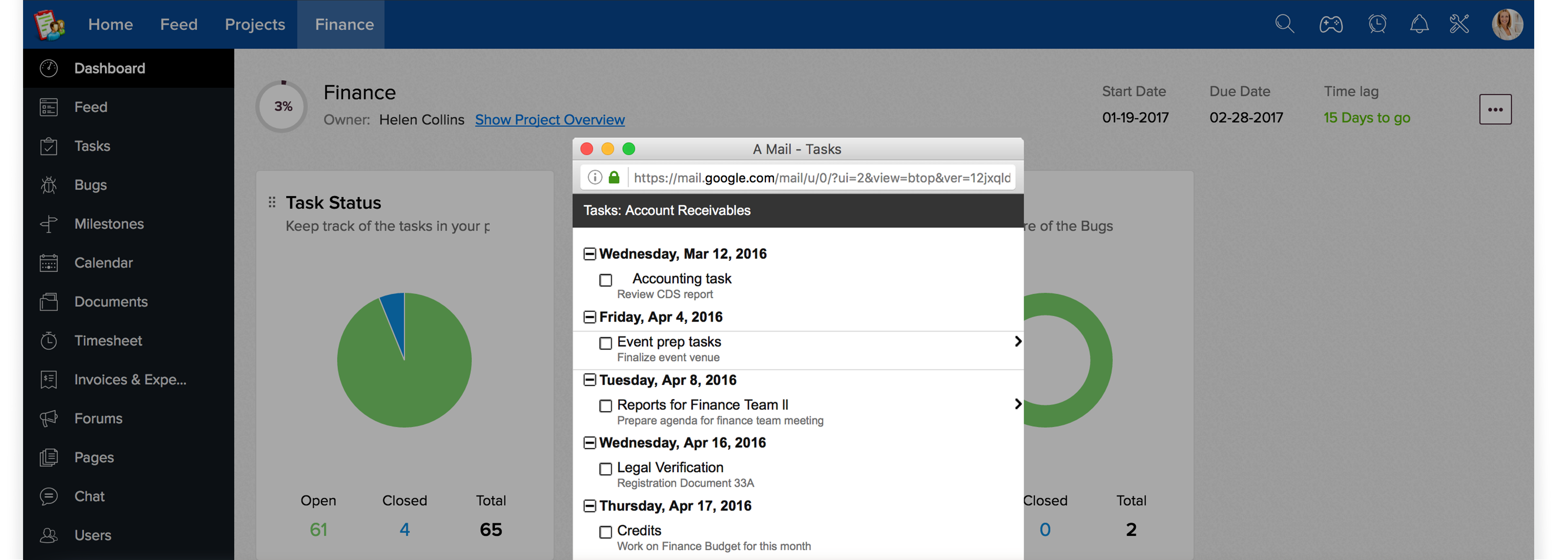
Zoho Projects Gmail Gadgets greatly accelerates user adoption by bringing the application directly to the user in context with their project work flow. In addition, it drastically improves productivity, saves lot of time and makes it much easier to see the benefits for your project management team.

Find out how Zoho for Google Apps can improve your business productivity

Key Business Benefits for Google Apps Users

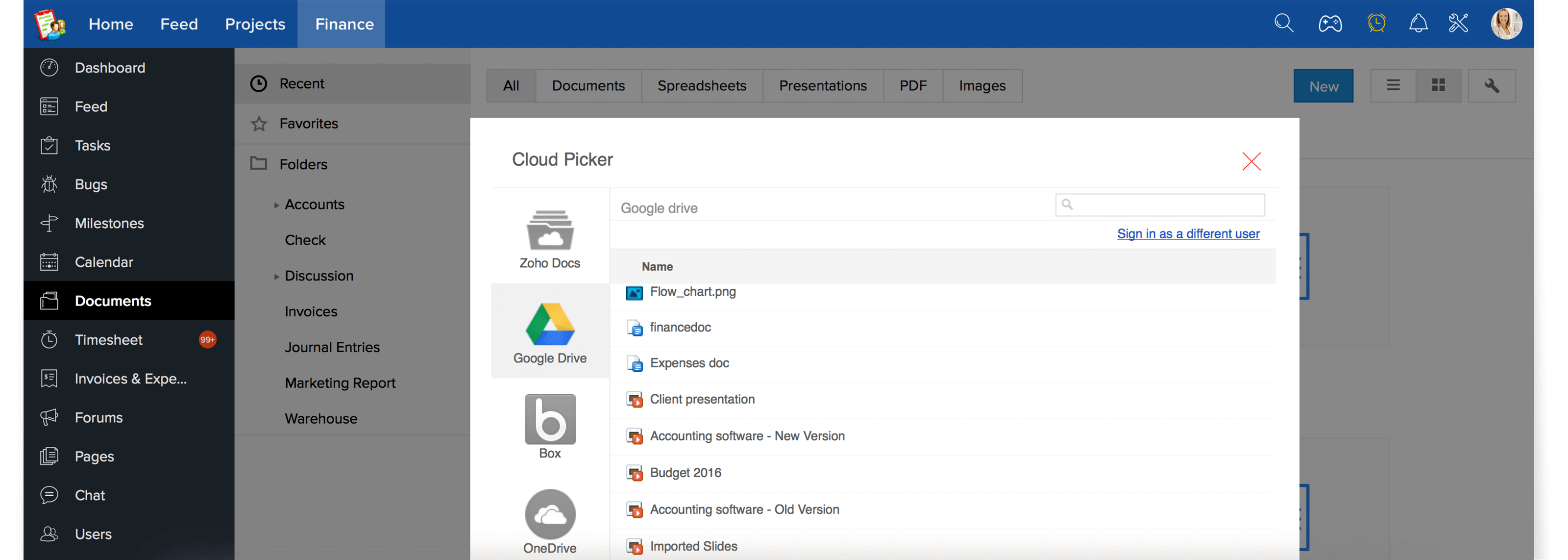
  1. Import documents from Google Docs into Zoho Projects by this remove the hassles of email attachments
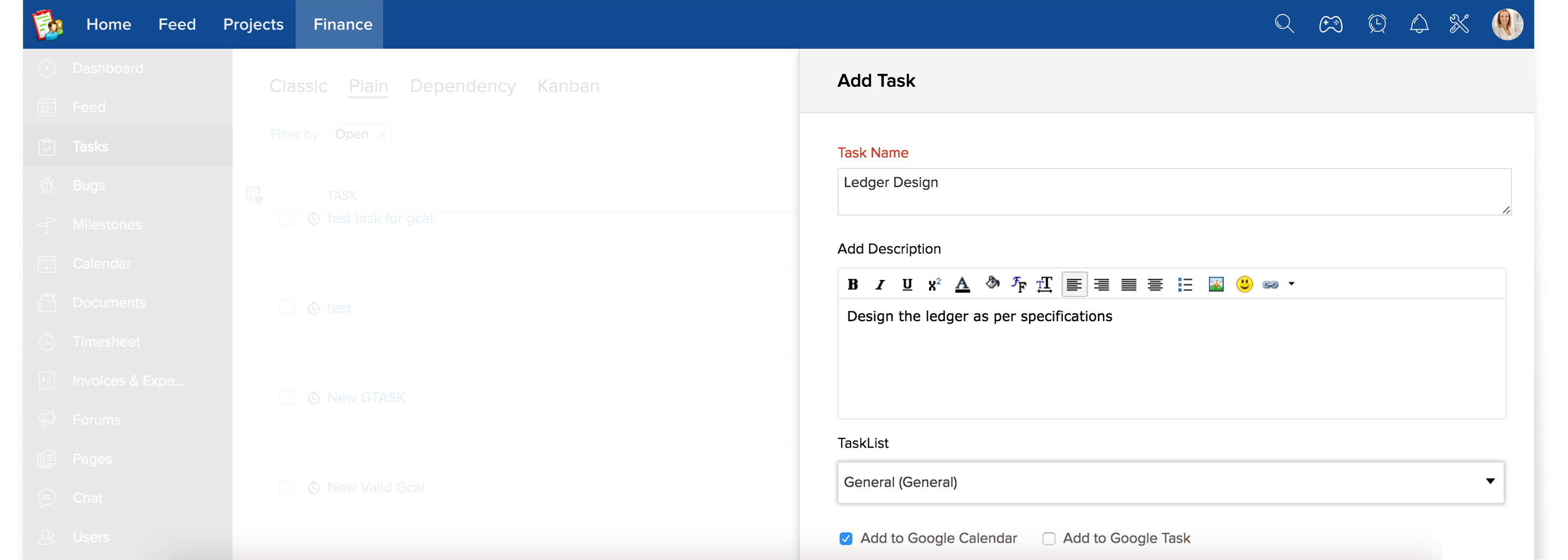
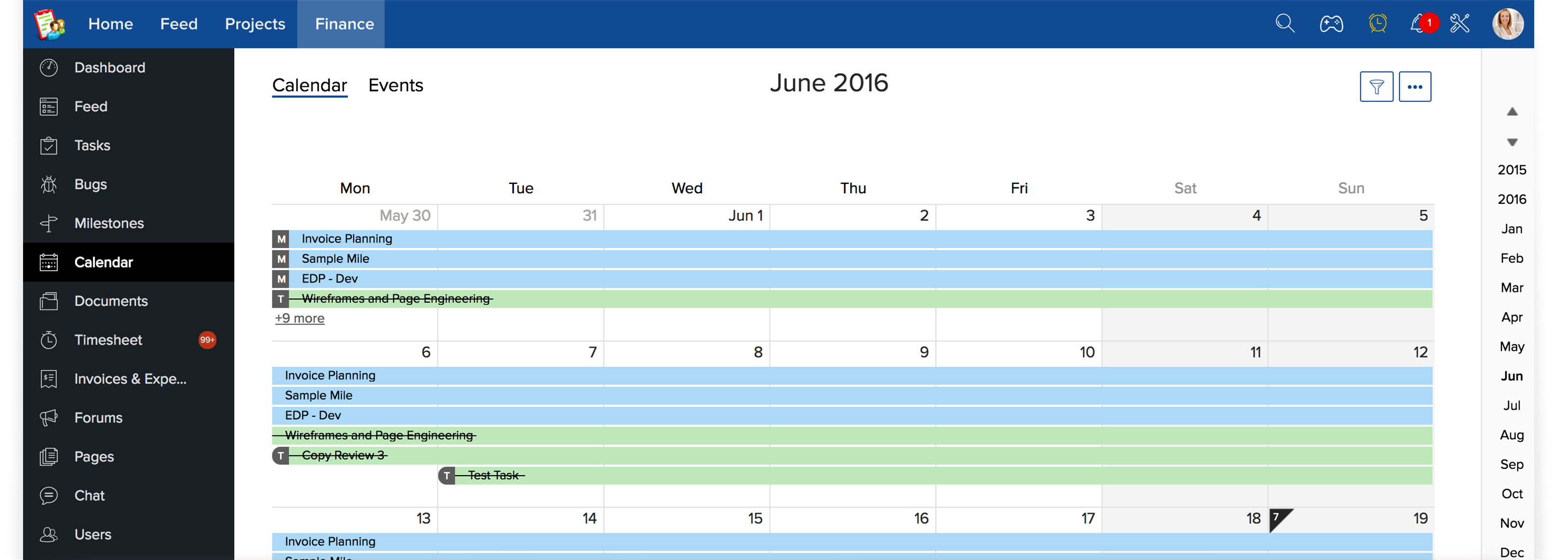
  2. Keep track of your project events that is of high priority by exporting them to your Google Calendar
  3. Export and Sync your project tasks two-way from and into Gmail and Zoho Projects
  4. Easily embed project gadgets and get updates on latest project activities within your Gmail
  5. Create a project in Zoho Projects from your email without leaving your Gmail inbox
  6. Transform an email message into an actionable task in Zoho Projects
  7. Convert an intelligent idea sent via an email into a forum post and brainstorm with the team
  8. Record your working hours in timesheet right from within your Gmail
  9. Log in to Zoho Projects from Google's universal navigation with your Google Apps credentials

Here's short video that explains how to activate Zoho Projects for your Google Apps domain

Zoho Projects for Google Apps Includes :

Tasks Management

Dashboard

Keep work organized with tasks and sub tasks Dashboard gives you a quick view of latest activities

Project Milestones

Document Sharing

Milestones are a great way to monitor progress Manage all files in one place with documents area

Task Dependency

Forum Discussions

Comprehensive view of dependent tasks. Interactive message boards to keep conversation flowing

Project Reports

Team Intranet

Gantt charts visually represents project progress Wikis offer a simple way to create web pages

Time Tracking

Chat Rooms

Timesheet streamlines the performance of a project Discuss topics & make decision faster with chat rooms
   

Add Zoho Projects To Google Apps


Add Zoho Projects to Google Apps