Fix issues fast with IssueTracker
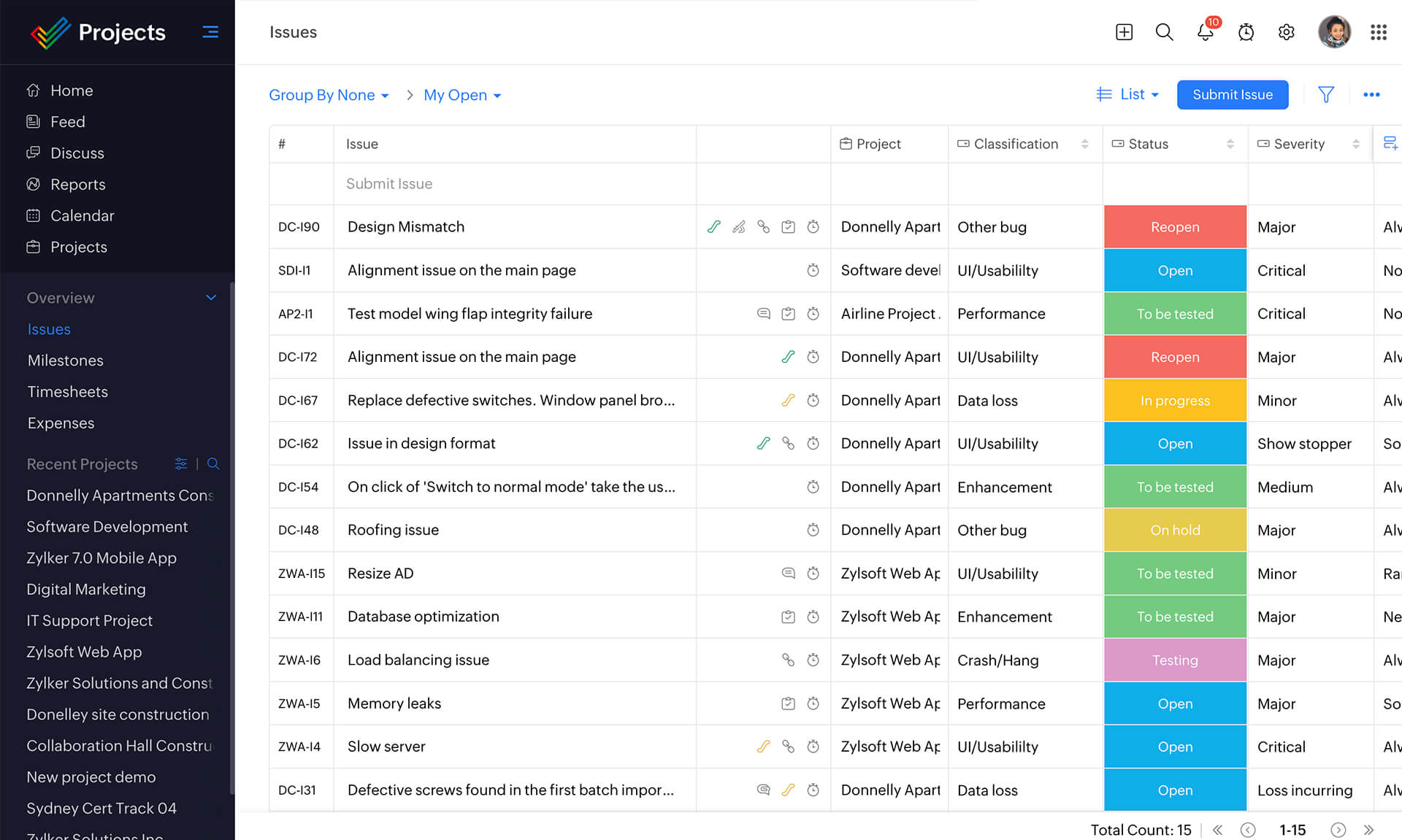
Projects, be it software or others, are bound to generate issues over their lifecycle. Simply listing down and tracking such bugs over excel sheets would not be the best way to manage them, as something is bound to slip through the cracks every now and then. That's why we built the issue tracker module in Zoho Projects— submit, track and fix issues most efficiently with the help of numerous customizations, easy-to-set-up automations and more.

Submit and organize issues
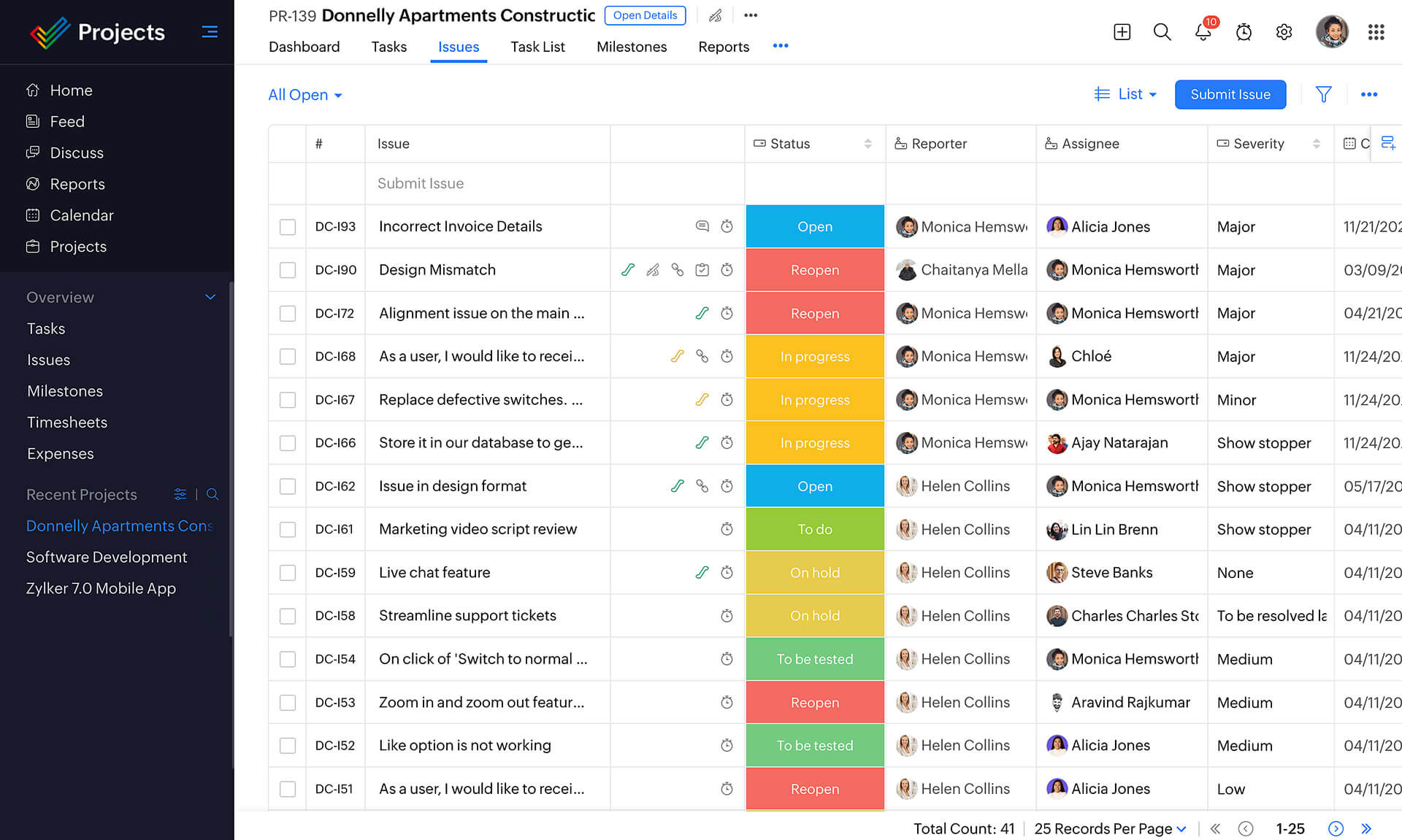
Zoho Projects issue tracking system allows administrators to configure permissions based on status, change the issue status as work progresses, or delete the issue. Manage both tasks and issues easily and make sure your projects are always on track.
Create custom workflows
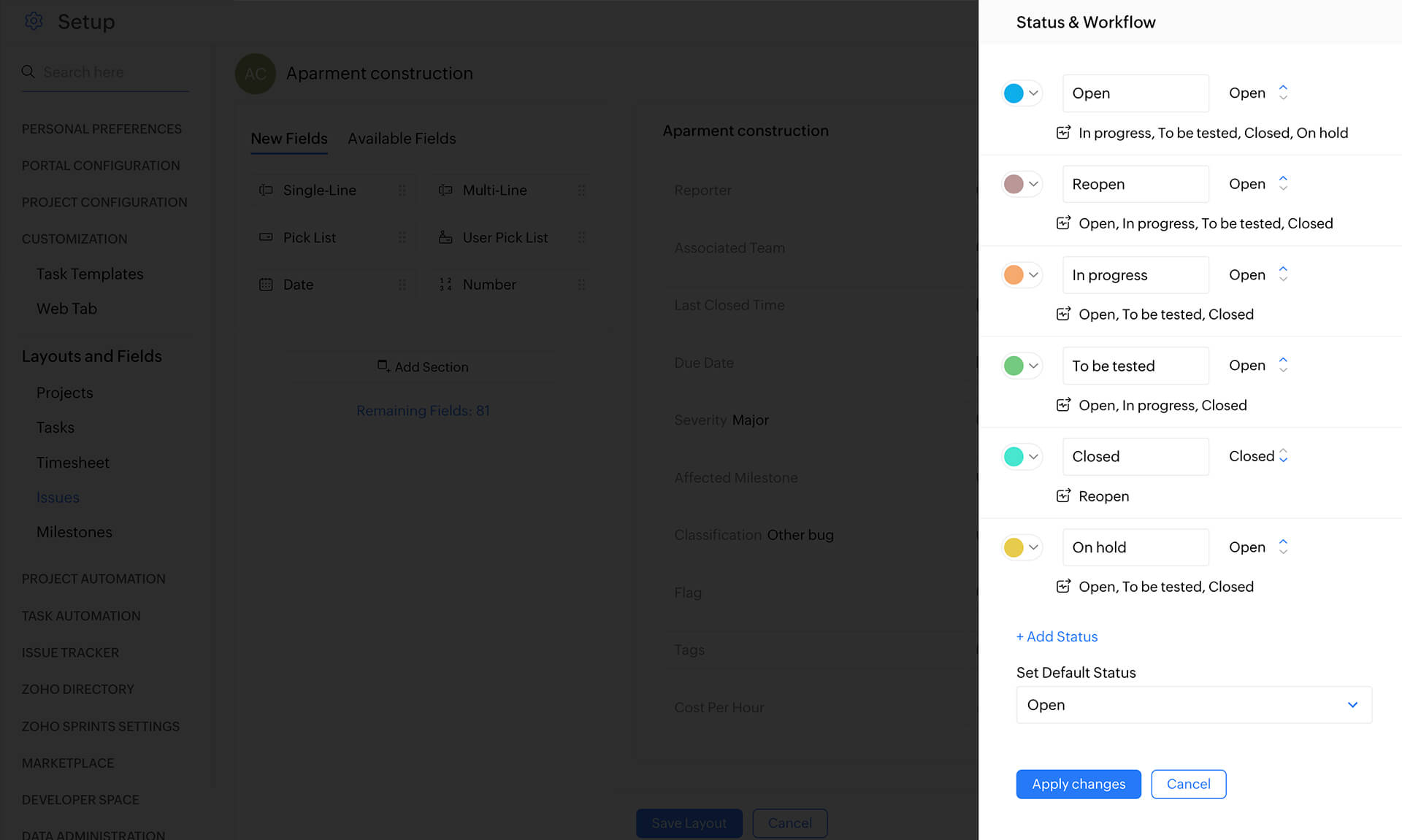
Issue tracker lets you create custom workflows for your issues to better convey the issue status. Each workflow can have as many steps as required. You can configure these workflows to reflect your company's unique needs.
Configure notifications
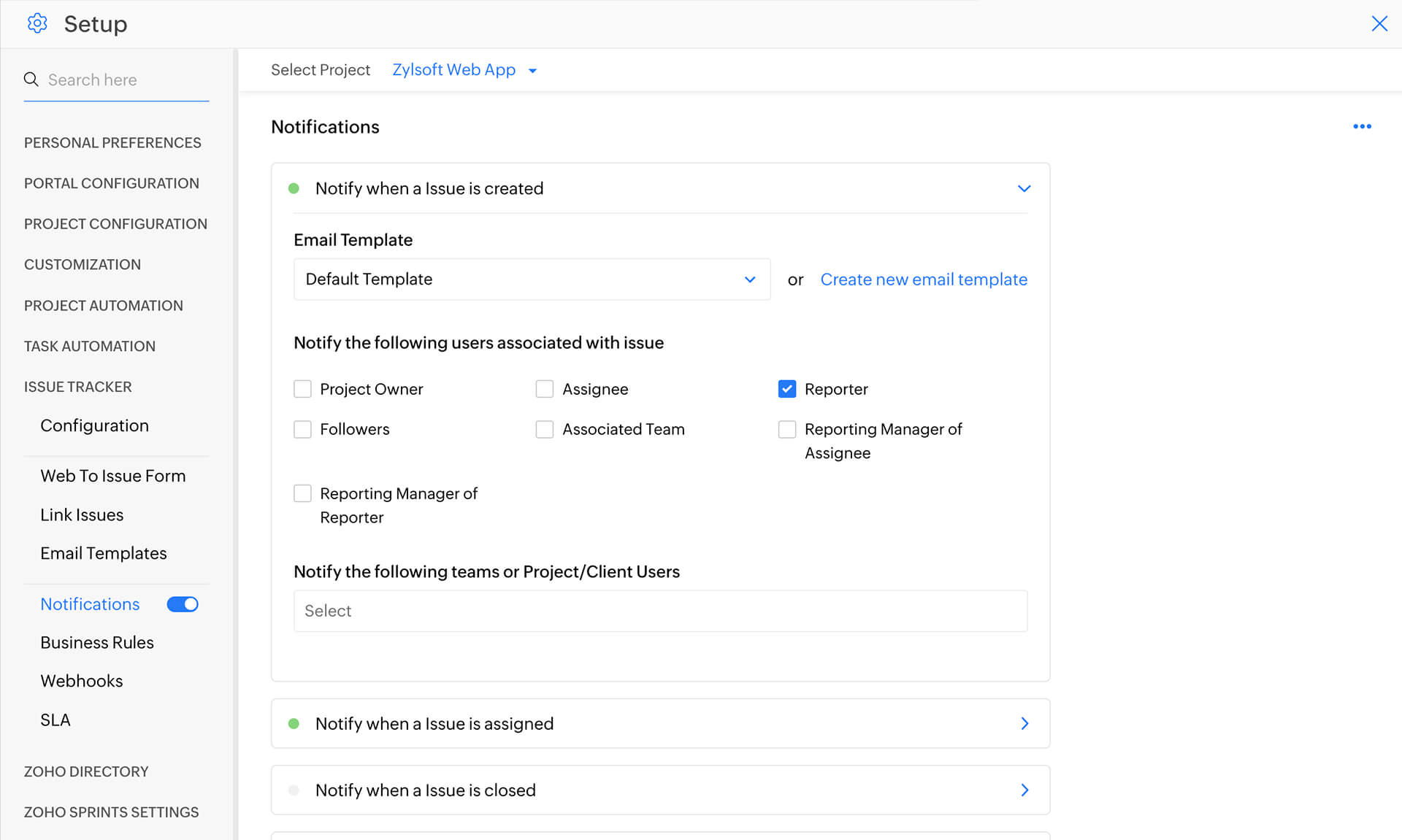
Send e-mail notifications to users for various events happening during the issue tracking life cycle of a project. You can decide who to be notified and when, and configure notifications for when an issue is assigned, created or resolved.
Define business rules
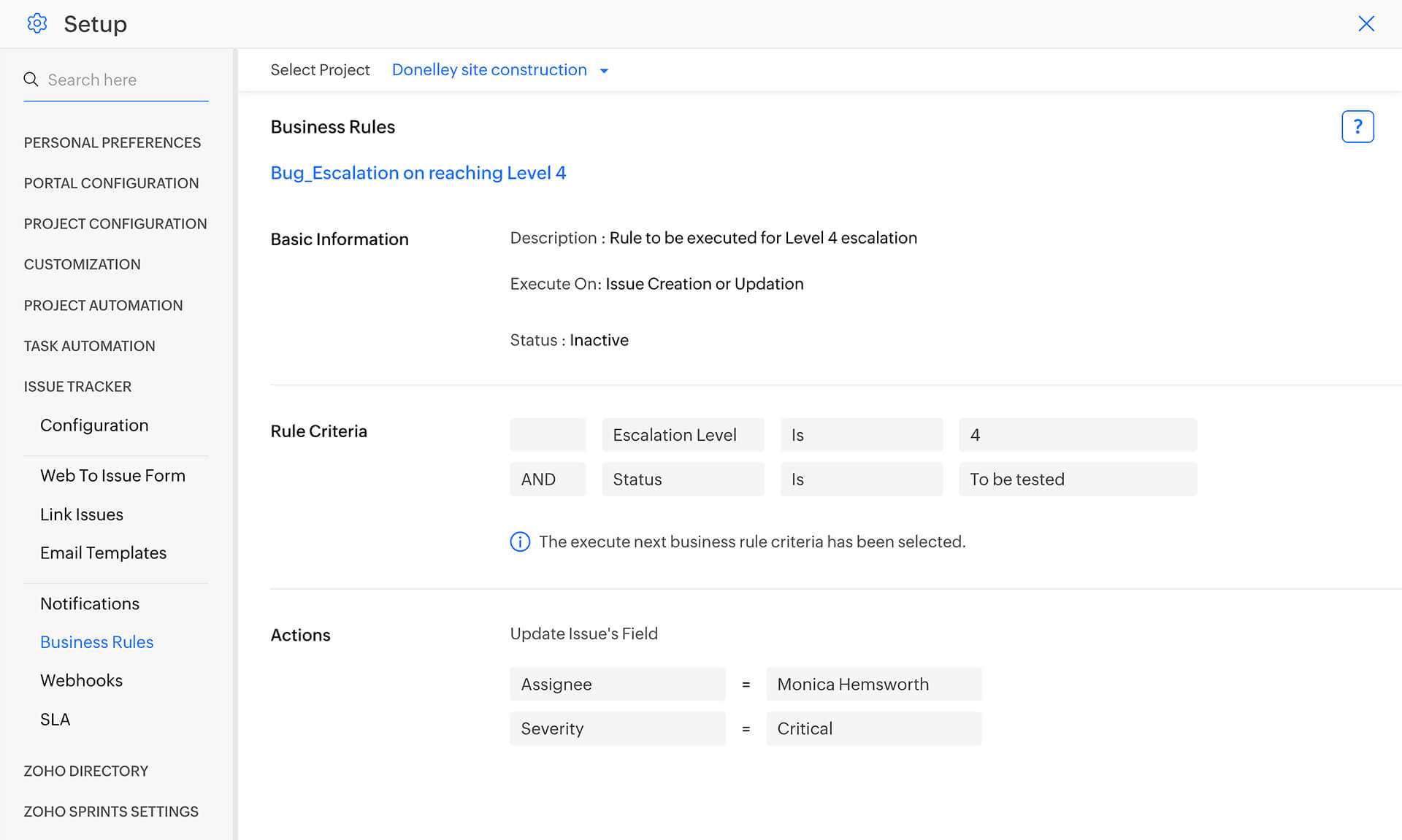
Define Business Rules to help you to automatically perform actions such as assigning the issue to a user or changing the severity, priority, module, or issue type when certain criteria are met.
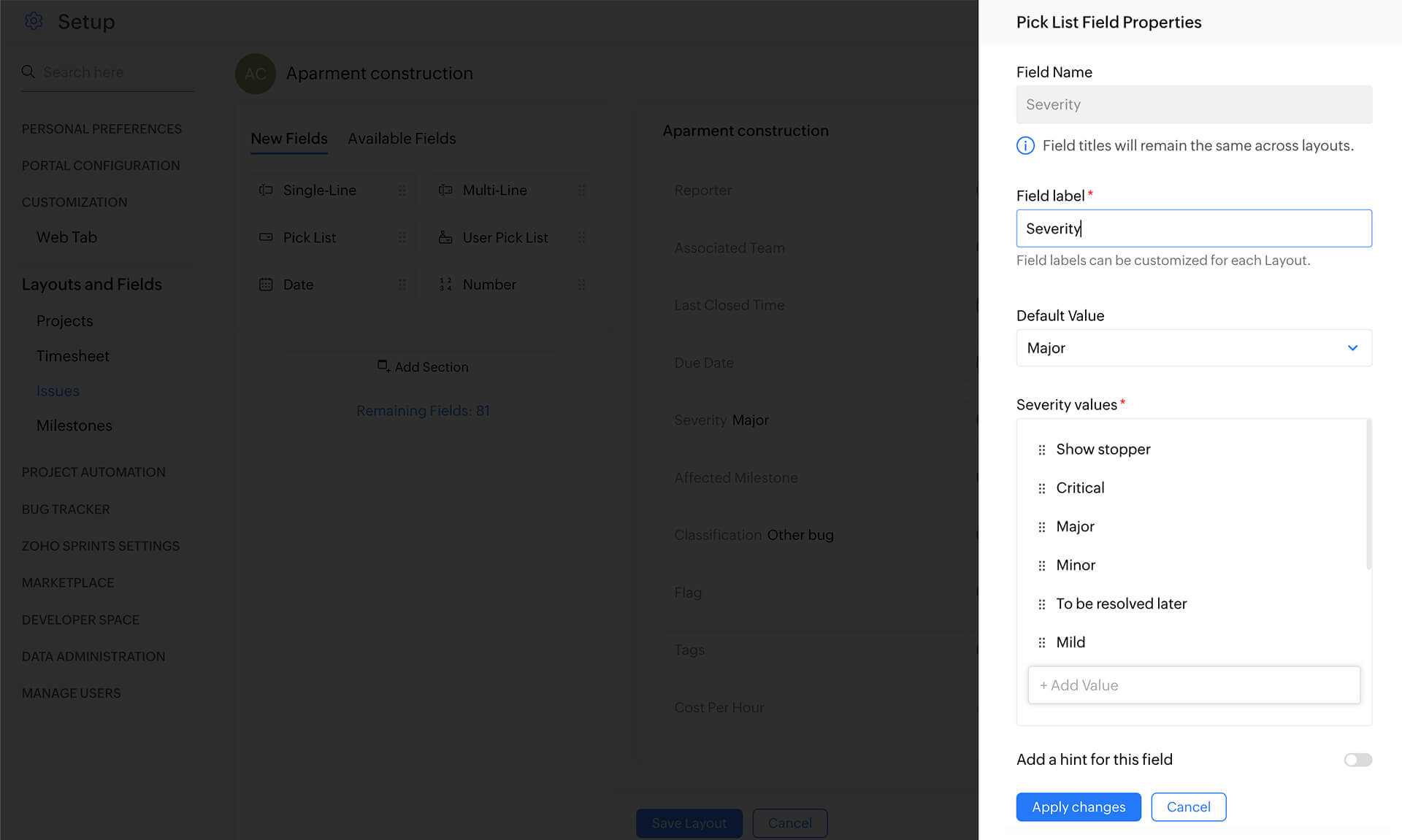
Set Severity
Severity is the measurement of how serious a particular issue is or how big its impact. You can create your own labels and group the issues accordingly.
My Issues view
My Issues view provides a consolidated view of issues reported by or assigned to you. This helps you organize your work better, focus your time on issues according to their priority and not let bugs slip through.