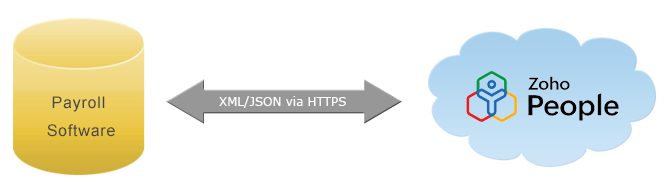
As you know, Zoho People is a simple online HRIS tool designed to manage and access all your employee data. In order to manage the employee database, forms are being used, which is an important entity of Zoho People. Forms consists of sections and tabular sections which is a collection of fields. For easy accessibility, we have provided pre-defined forms like Employee, Department, Designation etc., If you would like to have your own forms, you can create custom forms to build a new module.
Note:
To know the total record counts of an employee form, use the API below.
https://people.zoho.com/people/api/employee/counts?authtoken=<token>
To pull up the employee records by month & year, specify the value accordingly as given in the below example URL.
https://people.zoho.com/people/api/employee/counts?authtoken=<token>&month=2&year=2013
| authtoken | Specify the authentication token |
| month | Specify the month |
| year | Specify the year |
<Response status=1><Count>1752</Count></Response>
[{"Count":1752}]
To know the list of forms and its details available in your Zoho People account, use the API below.
https://people.zoho.com/people/api/forms?authtoken=<token>
| authtoken | Specify the authentication token |
<Response Status="1">
<Forms>
<Form>
<isVisible>true</isVisible>
<displayName>Employee</displayName>
<componentId>6000000015673</componentId>
<iscustom>false</iscustom>
<formLinkName>P_Employee</formLinkName>
</Form>
<Form>
<isVisible>true</isVisible>
<displayName>Department</displayName>
<componentId>6000000015675</componentId>
<iscustom>false</iscustom>
<formLinkName>P_Department</formLinkName>
</Form>
<Form>
<isVisible>true</isVisible>
<displayName>Designation</displayName>
<componentId>6000000015677</componentId>
<iscustom>false</iscustom>
<formLinkName>P_Designation</formLinkName>
</Form>
<Form>
<isVisible>true</isVisible>
<displayName>Company Policy</displayName>
<componentId>6000000015681</componentId>
<iscustom>false</iscustom>
<formLinkName>P_Policy</formLinkName>
</Form>
<Form>
<isVisible>true</isVisible>
<displayName>Leave</displayName>
<componentId>6000000015685</componentId>
<iscustom>false</iscustom>
<formLinkName>P_ApplyLeave</formLinkName>
</Form>
<Form>
<isVisible>true</isVisible>
<displayName>Holidays</displayName>
<componentId>6000000015689</componentId>
<iscustom>false</iscustom>
<formLinkName>P_Holidays</formLinkName>
</Form>
</Forms>
</Response>
[{"Forms":{"Form":[{"isVisible":"true","displayName":"Employee","componentId":"6000000015673","iscustom":"false","formLinkName":"P_Employee"},{"isVisible":"true","displayName":"Department","componentId":"6000000015675","iscustom":"false","formLinkName":"P_Department"},{"isVisible":"true","displayName":"Designation","componentId":"6000000015677","iscustom":"false","formLinkName":"P_Designation"},{"isVisible":"true","displayName":"Company Policy","componentId":"6000000015681","iscustom":"false","formLinkName":"P_Policy"},{"isVisible":"true","displayName":"Leave","componentId":"6000000015685","iscustom":"false","formLinkName":"P_ApplyLeave"},{"isVisible":"true","displayName":"Holidays","componentId":"6000000015689","iscustom":"false","formLinkName":"P_Holidays"},{"isVisible":"true","displayName":"Leave Type","componentId":"6000000015693","iscustom":"false","formLinkName":"P_LeaveType"}]}}]
To know the details of the components available in a form, use the API below.
https://people.zoho.com/people/api/forms/<formLinkName>/components?authtoken=<token>
| formLinkName | To get formLinkName,use fetch forms API |
| authtoken | Specify the authentication token |
[{"labelname":"Department","ismandatory":"true","ishidden":"false","comptype":"1","displayname":"Department Name"},{"labelname":"MailAlias","ismandatory":"true","ishidden":"false","comptype":"4","displayname":"Mail Alias"},{"labelname":"Department_Lead","ismandatory":"false","ishidden":"false","comptype":"26","displayname":"Department Lead"},{"labelname":"Parent_Department","ismandatory":"false","ishidden":"false","comptype":"26","displayname":"Parent Department"},{"labelname":"testing","ismandatory":"true","ishidden":"false","comptype":"1","displayname":"testing "}]
Views are the grid collection of records. It will list various fields that are available in the views of a form.
Every form has a default view which displays the original set of records(also called the master data). However, you can create a custom view to filter out the records based on the specified field level condition.
To know the list of views available for all forms, use the API below.
https://people.zoho.com/people/api/views?authtoken=<token>
| authtoken | Specify the authentication token |
[{"P_Employee":[{"viewName":"P_EmployeeView","displayName":"Employee View","viewId":"6000000015697"},{"viewName":"DowngradedEmployeeView","displayName":"Disabled Employee View","viewId":"6000000015783"},{"viewName":"EmployeeInactiveView","displayName":"Inactive Employees View","viewId":"6000000015785"},{"viewName":"P_Employee_ViewForAPI","displayName":"Api Employees View","viewId":"6000000015787"},{"viewName":"ok","displayName":"ok","viewId":"6000000040003"},{"viewName":"test","displayName":"test","viewId":"6000000041003"},{"viewName":"test","displayName":"test","viewId":"6000000041003"},{"viewName":"simple_view","displayName":"simple view","viewId":"6000000066025"},{"viewName":"simple_view","displayName":"simple view","viewId":"6000000066025"},{"viewName":"panch_user_vpersonal_view","displayName":"panch user vpersonal view","viewId":"6000000075003"},{"viewName":"new_view","displayName":"new view","viewId":"6000000075067"},{"viewName":"checking_view_order","displayName":"checking view order","viewId":"6000000239003"},{"viewName":"panchuuddd","displayName":"panchuuddd","viewId":"6000000436005"}]}, {"P_Department": [{"viewName":"P_DepartmentView","displayName":"Department View","viewId":"6000000015699"},{"viewName":"P_Department_ViewForAPI","displayName":"Api Department View","viewId":"6000000015789"},{"viewName":"test","displayName":"test","viewId":"6000000041003"}]},{"P_Designation":[{"viewName":"P_DesignationView","displayName":"Designation View","viewId":"6000000015701"},{"viewName":"P_Designation_ViewForAPI","displayName":"Api Designation View","viewId":"6000000015791"},{"viewName":"test","displayName":"test","viewId":"6000000041003"},{"viewName":"simple_view","displayName":"simple view","viewId":"6000000066025"}]}]
To know the list of views available in a specific form, use the API below by specifying the 'formLinkName'.
https://people.zoho.com/people/api/forms/<formLinkName>/views?authtoken=<token>
| formLinkName | To get the formlinkname, use the fetch form API. |
| authtoken | Specify the authentication token |
[{"viewName":"P_DepartmentView","displayName":"Department View","viewId":"6000000015699"},{"viewName":"Support","displayName":"Support","viewId":"6000000041003"}]
To add a record of a form, use the API below
https://people.zoho.com/people/api/forms/<formLinkName>/records?authtoken=<token>&xmlData=<xmlData>
Note:
| xmlData | sample input: <Request><Record><field name="Labelname"></field><field name="LabelName1"></field><field name="Labelname2"></field></Record></Request> |
| authtoken | Specify the authentication token |
| formLinkName | To get formlinkname,use the fetch form API. |
https://people.zoho.com/people/api/forms/P_Employee/records?authtoken=7d985878998943g4j09h43dd0b167dda34b&xmlData=<Request><Record><field name='EmployeeID'>011</field><field name='FirstName'>steves</field><field name='LastName'>V</field><field name='EmailID'>steves@domain.com</field><field name='Marital_status'>Married</field></Record></Request>
[{"message":"Successfully Added","Response":1}]
We have provided default APIs for adding Employee, Department and Leave records. If you need specific APIs for other default forms, contact us at support@zohopeople.com.
To add an employee to your organization, use the below API and mention the keyword 'employee' in place of the 'formLinkName'.
https://people.zoho.com/people/api/employee/records?authtoken=<token>&xmlData=<xmlData>
| xmlData | sample input: <Request><Record><field name="Labelname"></field><field name="LabelName1"></field><field name="Labelname2"></field></Record></Request> |
| authtoken | Specify the authentication token |
https://people.zoho.com/people/api/employee/records?authtoken=7d985878998943g4j09h43dd0b167dda34b &xmlData=<Request><Record><field name='EmployeeID'>011</field><field name='FirstName'>steves</field><field name='LastName'>V</field><field name='EmailID'>steves@domain.com</field><field name='Marital_status'>Married</field></Record></Request>
[{"message":"Successfully Added","Response":1}]
Zoho People offers you an additional feature of keeping your favorite employees under favorites list for easy access.
The favorites list holds all your favorite employees' details. Just mark them as favorite and you can view them under the favorites list.
Note
https://people.zoho.com/people/api/employee/records/<recordId>?favStatus=true&authtoken=<token>
| recordId | Specify the user record ID of the record being added |
| authtoken | Specify the authentication token |
| favStatus | Specify true to tag an employee as favorite |
[{"message":"Successfully added","Response":1}]
It will fetch and list all your favorite employees' details like Erecno, Employee ID and Email ID.
https://people.zoho.com/people/api/employee/records/favorites?authtoken=<token>
| authtoken | Specify the authentication token |
[{"Erecno":6000000026007,"EmployeeLastname":"lokesh","EmployeemailId":"lokesh@domain.com","EmployeeFirstname":"lokesh","Departmentname":"Support","ResidentialPhone":"","workExtn":"6543","workPhone":"3453","mobile":"9987898789","EmployeeId":"4"}]
You can unmark/remove an employee from the favorites list any time, if you want to.
https://people.zoho.com/people/api/employee/records/<recordId>?favStatus=false?authtoken=<token>
| recordid | Specify the user record ID of the record being added |
| authtoken | Specify the authentication token |
| favStatus | Specify false to unmark |
[{"message":"Successfully removed","Response":1}]
You can add various departments one by one in Zoho People using the API below.
https://people.zoho.com/people/api/department/records?authtoken=<token>&xmlData=<xmlData>
| xmlData | sample input: <Request><Record><field name="Labelname"></field><field name="LabelName1"></field><field name="Labelname2"></field></Record></Request> |
| authtoken | Specify the authentication token |
[{"message":"Successfully Added","Response":1}]
You can add leave records using the API below and mention the keyword 'leave' in place of the 'formLinkName'.
https://people.zoho.com/people/api/leave/records?authtoken=<token>&xmlData=<xmlData>
| xmlData | sample input: <Request><Record><field name="Labelname"></field><field name="LabelName1"></field><field name="Labelname2"></field></Record></Request> |
| authtoken | Specify the authentication token |
https://people.zoho.com/people/xml/addLeave?authtoken=7d985878998943g4j09h43dd0b167dda34b &xmlData=<Request><Record><field name='Employee_ID'>17</field><field name='To'>30-Jan-2013</field><field name='From'>30-Jan-2013</field><field name='Leavetype'>Vacation</field></Record></Request>
[{"message":"Successfully Added","Response":1}]
This API will display the records of a form based on the 'view name' specified.
https://people.zoho.com/people/api/forms/<viewName>/records?authtoken=<token>
| authtoken | Specify the authentication token |
| viewName | To get the view name, use 'views' API. |
| sIndex | Starting Index |
| rec_limit | Number of records to be fetched |
Note:
https://people.zoho.com/people/api/forms/records?authtoken=<token>&sIndex=50&rec_limit=60
The above API will fetch records from 50 to 110.
[{"EmployeeID":"17","recordId":6000000043063,"Status":"","Tags":"tech support","Employee Role":"Team member","Reporting To":"","Employee Status":"Active","Email ID":"Charles@domain.com","Last Name":"Charles","First Name":"Sujitha"}, {"EmployeeID":"14","recordId":6000000039075,"Status":"","Tags":"","Employee Role":"Admin","Reporting To":"5 arun arun1","Employee Status":"Active","Email ID":"mike@domain.com","Last Name":"Jerry","First Name":"Micheal"}]
This API will display the record of a specific form indexed using a 'Record ID'.
https://people.zoho.com/people/api/forms/formLinkName>/records/<recordId>?authtoken=<token>
| recordid | Specifies the record ID of the record being fetched. The record ID can be identified using the fetch Records API. |
| Authtoken | Specify the authentication token |
| formLinkName | To get formlinkname, you can use fetchFormdetails API. |
https://people.zoho.com/people/api/forms/employee/6000000043063?authtoken=7d985878998943g4j09h43dd0b167dda34b
[{"tabularSections":{"Dependent":[{"Name":"","DependentDOB":"","DependentRelationship":""}],"Education":[{"Yearofgraduation":"","Education_AdditionalNotes":" ","Degree":"","Specialization":"","Interests":" ","College":""}],"Work experience":[{"Todate":"","Previous_JobDesc":" ","FromDate":"","Employer":"","Jobtitle":""}]},"Summary":{"Gender":"Female","Current_Job_Description":"","Bloodgroup":"AB -ve","Expertise":"","AboutMe":""},"Personal":{"Tags":"","Date_of_birth":"07-Feb-1985","Marital_status":"Single","Address":"","Other_Email":"","Mobile":"99405233220"},"Basic Info":{"TestingN1":"Test field","Location_Awareness":"In","LastName":"Charles","Current_Location":"CHENNAI","Nick_Name":"mark","EmployeeID":"902","FirstName":"Mark","EmailID":"mcharles@domain.com"},"Work":{"Extension":"","Work_location":"8EH34","Work_phone":"","Role":"Admin","Employee_type":"Permanent","Dateofjoining":"11-Sep-2011","Department":"people","Employeestatus":"Active","Designation":"ET","Reporting_To":"arun arun1 5"}}]
This API is used for modifying the field values of the specified record. i.e., you can edit the data of a record.
https://people.zoho.com/people/api/forms/<formLinkName>/records/<recordId>?mode=<updateRecord>&authtoken=<token>&xmlData=<xmlData>
| recordId | Specifies the user record ID of the record being edited |
| xmlData | sample input: <Request><Record><field name="Labelname"></field><field name="LabelName1"></field><field name="Labelname2"></field></Record></Request> |
| authtoken | Specify the authentication token |
| formLinkName | To get formlinkname, use the fetchFormdetails API |
https://people.zoho.com/people/api/forms/employee/records/6000000043063?authtoken=7d985878998943g4j09h43dd0b167dda34b&xmlData=<Request><Record><field name='Tags'>support</field></Record></Request>
[{"message":"Successfully Updated","Response":1}]