Introduction:
The dashboard in Zoho People comes with various widgets that provides the user with quick access to a lot of important information. Based on the role, the types of widgets that can be used will vary.
List of widgets available on the dashboard:
- Leave Report
- Birthdays
- Favorites
- Upcoming Holidays
- Attendance
- My Pending Jobs
- Announcements
- My Timelogs
- Request For Approval
- Quick Links
- Cases
- My Timesheets
- My Files
- New Hires
- My Pending Tasks
- Billable/ Non-Billable
- Work Anniversary
- Wedding Anniversary
- On Leave Today
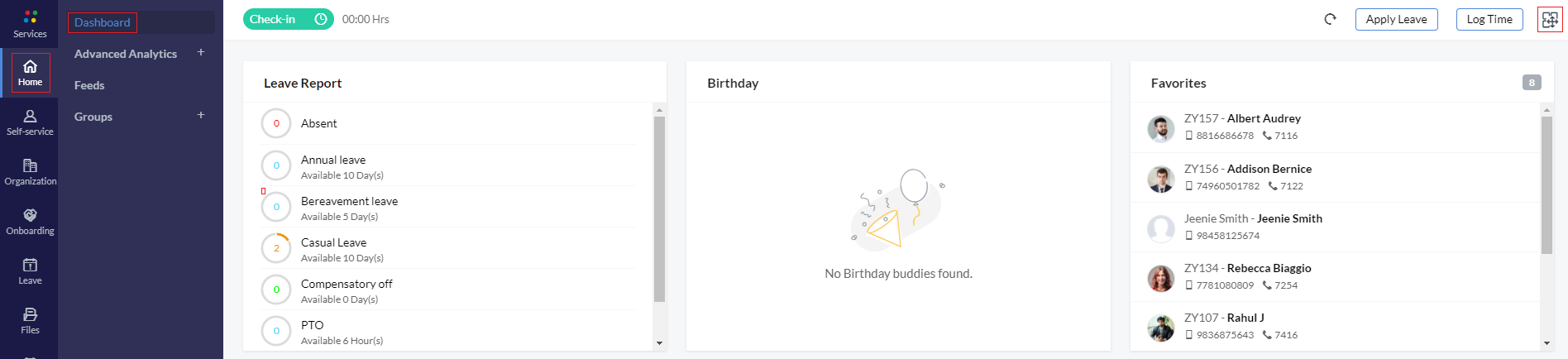
Apart from the widgets that you can also
- Log time - Click here to know how to log time for jobs
- Apply Leave - Click here to know how to apply for leave
Note: Admin dashboard widgets can be accessed under Employee Information Reports
Dashboard Customization:
Personalize your dashboard with the widgets you want. Drag and drop, enable and disable, and reorder your widgets. For example, if you want to have web check-in, pending goals, and pending tasks widgets to appear at the top of your dashboard, drag and move them to the top. If you don't want birthday and anniversary widgets, you can disable them.
To customize your dashboard:
- Click on the Customize Widgets icon on the top right corner
- Go to the respective widget you want to enable or disable
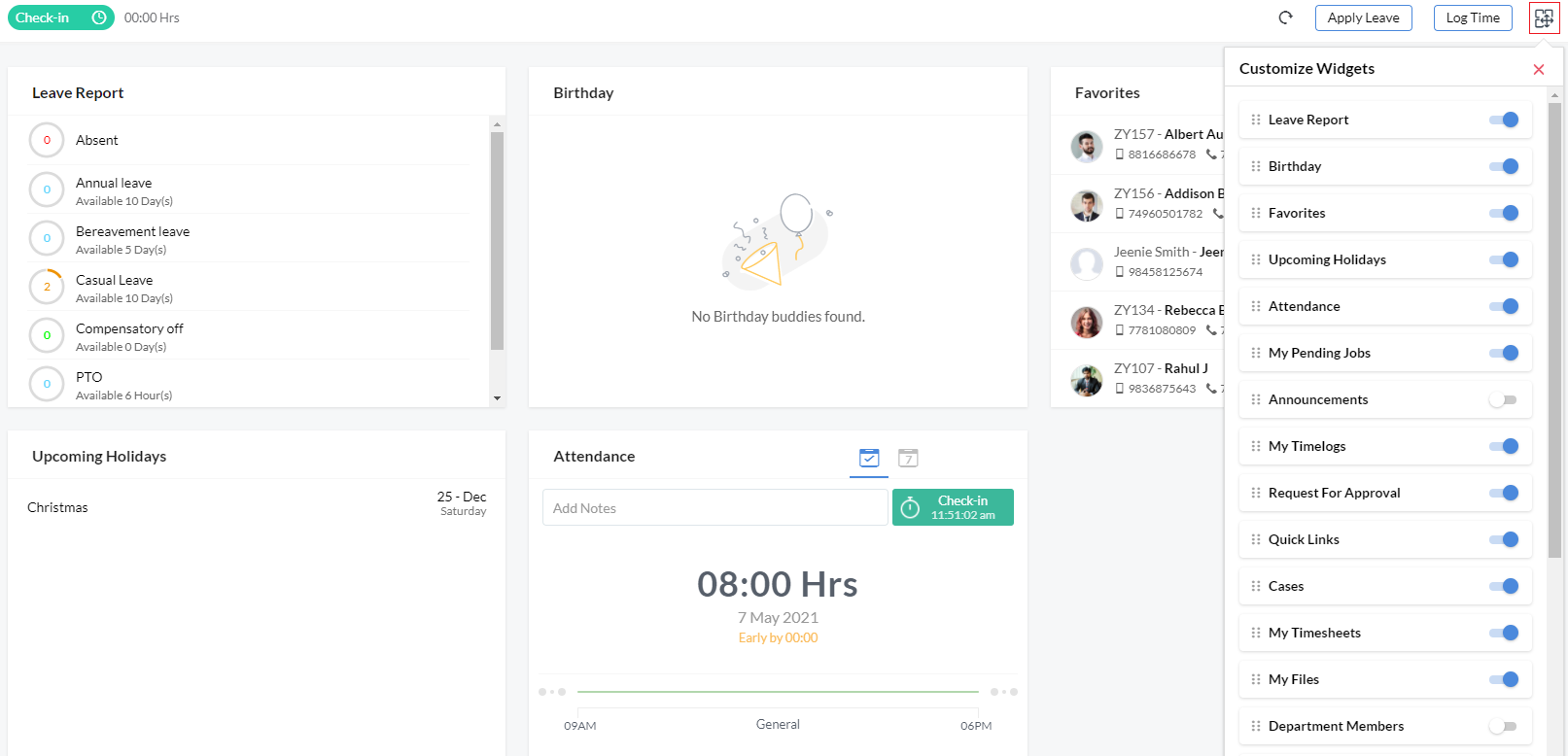
- Drag and drop the widgets according to the order you want

Organization-wide dashboard
Some organizations prefer to have one common dashboard that will be viewable to all employees while some prefer to provide the flexibility for their employees to customize their own dashboard.
To have a common dashboard configured by the Administrators in the organization,
- Go to Settings > Customization > Dashboard Widgets
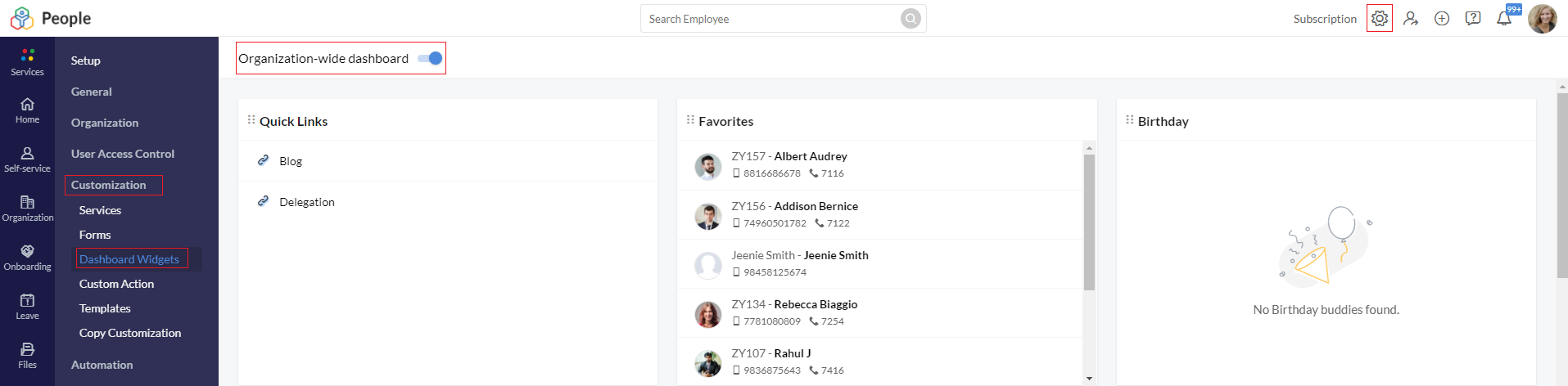
- Enable Organization-wide dashboard
- Customize the dashboard that all users will see
Once this option is enabled, the settings will be applied to all users in the organization. It will override existing employees' customizations and they will no longer be able to customize their dashboard.
To have dashboard customization enabled for all employees,
- Go to Settings > Customization > Dashboard Widgets
- Disable Organization-wide dashboard
Once this option is disabled, all settings will be reset and employees will be able to customize their dashboard.
Feeds:
Feeds can be filtered and viewed depending on your need. For example, if you would like to view the feed's post pertaining to HR Cases or Feedback or Jobs alone, you can click on them to see the list of posts that are posted.
To see the messages posted to your department, you can navigate to the 'Department' section of the Feeds and view them.
Click here to learn more about Feeds.
Announcements:
All the announcements that are posted (Including Sticky announcements) can be viewed by clicking on the 'Announcements'.
Click here to learn more about Announcements.
Groups:
As an administrator, you will be able to view all the groups of your organization here.
To add a group,
- Click on the + icon next to 'Groups'
- Give a name for the group
- Give a description if needed
- Enter the group email id
- Type in the employee name in the employee search bar and add them either as Members or as Administrators of the group
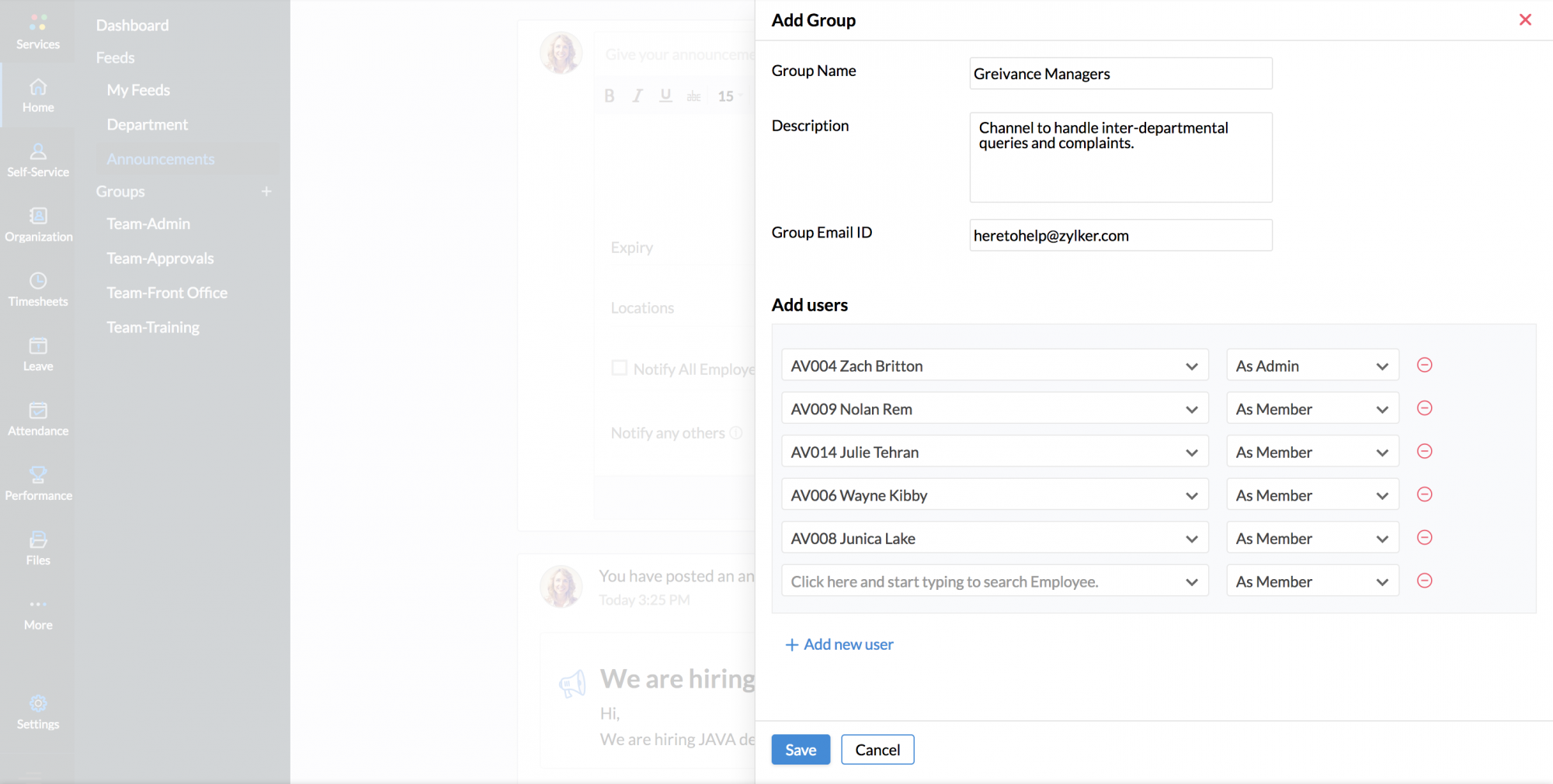
Only the administrator of the group has the permission to add a member to that group.