Zoho People is an online Human Resource Management System designed to manage and access all your employee data from a centralized location. To get started, all you need is a device with an internet connection and a Zoho account. There is no software installation required. With its wide spectrum of modules, Zoho People is an apt fit for companies of various sizes.
Here is a list of modules and features that are offered by Zoho People.
- Employee self-service
- Leave management
- Timesheets
- Attendance management
- Intuitive Form builder
- Performance appraisal management
- HR Process automation
- In-built HR forms
- Data view and Reports integration
- Mobile App
Overview
Zoho People has extensive employee management features and is a good fit for companies of all sizes. Here is a quick overview of the key features of Zoho People.
| Dashboard | Customizable dashboard with quick access to actions for an enhanced user experience | Self Service | Your complete employee profile with quick add-ons to various services |
| Cases | Manage your employee queries and questions with an efficient case management tool | Services | A consolidated platform for all your varied HR operations |
| Add Users | Add employees, users in many possible ways as adding users directly, inviting users, and importing users. Organize all information about users in one location and retrieve them quickly as and when needed. | Organization Settings | Add your company details like organization name, website address and company address. Define the super administrator and personalize your company logo. |
| User Access Control | Define and assign roles to employees in your organization. Set up role-based permissions and determine what a user can and cannot access viz, assigning permissions for particular fields, adding IP restrictions, etc., | Leave | Define various leave types for your organization. Generate custom leave reports for your employees and manage their leave information more effectively. |
| Timesheet | Easily record time spent on various activities. Log daily and weekly timesheets and generate custom reports. | Track your employees' time, attendance, overtime, comp-off and much more. | |
| Files | Share all your personal and company files online in one central place. | Reminders | This date based execution option lets you pick a date field from a record in the form and allows you to define the day and time for the rule to be triggered. |
| Forms and Services | Drag and drop tools to create new custom forms. Add fields, quickly modify, delete and re-order them as per your requirements. | Data View and Reports Integration | Create new views to filter out the records that satisfy the specified constraint. Also, customize the views to view the required set of fields for the reporting purpose. |
| Mail alerts | Configure automatic email alerts to improve your workflow and be instantly notified of specific actions such as requests, status updates, edits, and approvals. | Approval | Configure multi-level approval process for all forms and records in your organizational account and get them approved. |
| Checklists | Define your HR processes as checklists and track them regularly. Schedule your time to be more efficient and productive. | Announcements | Post and share concise organizational announcements regularly to keep your employees up-to-date. |
| Website Integration | Publish web forms online and add the records to the Zoho People forms directly from your website. | Mobile App | Stay connected with Zoho People's mobile app. If you're working away from your work area or working from a client's location, check-in, and check-out right away. |
| Performance Management | Make use of modules like KRA, Goals, Skill Set etc and embrace an easy to use method of managing your Employees' Performance | Payroll Integration | Complete payroll processing with ease by having key payroll data pushed from Zoho People to Zoho Payroll.ss |
Subscription and License related information about your account
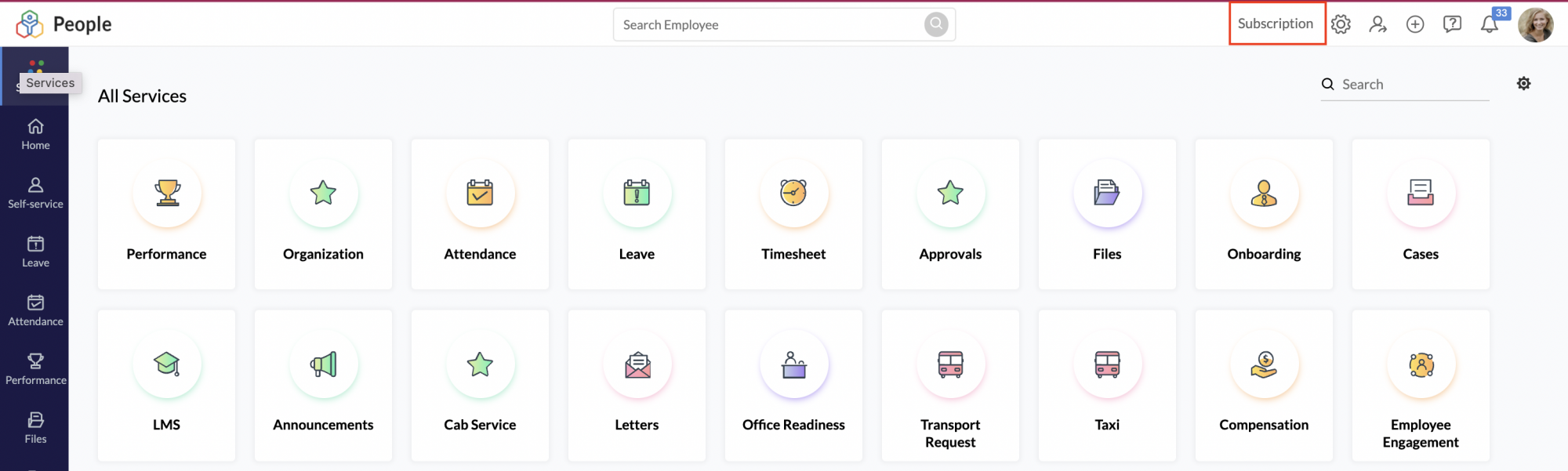
To view details about the current subscription plan of your account, navigate to the top right corner of your screen and click Subscription.
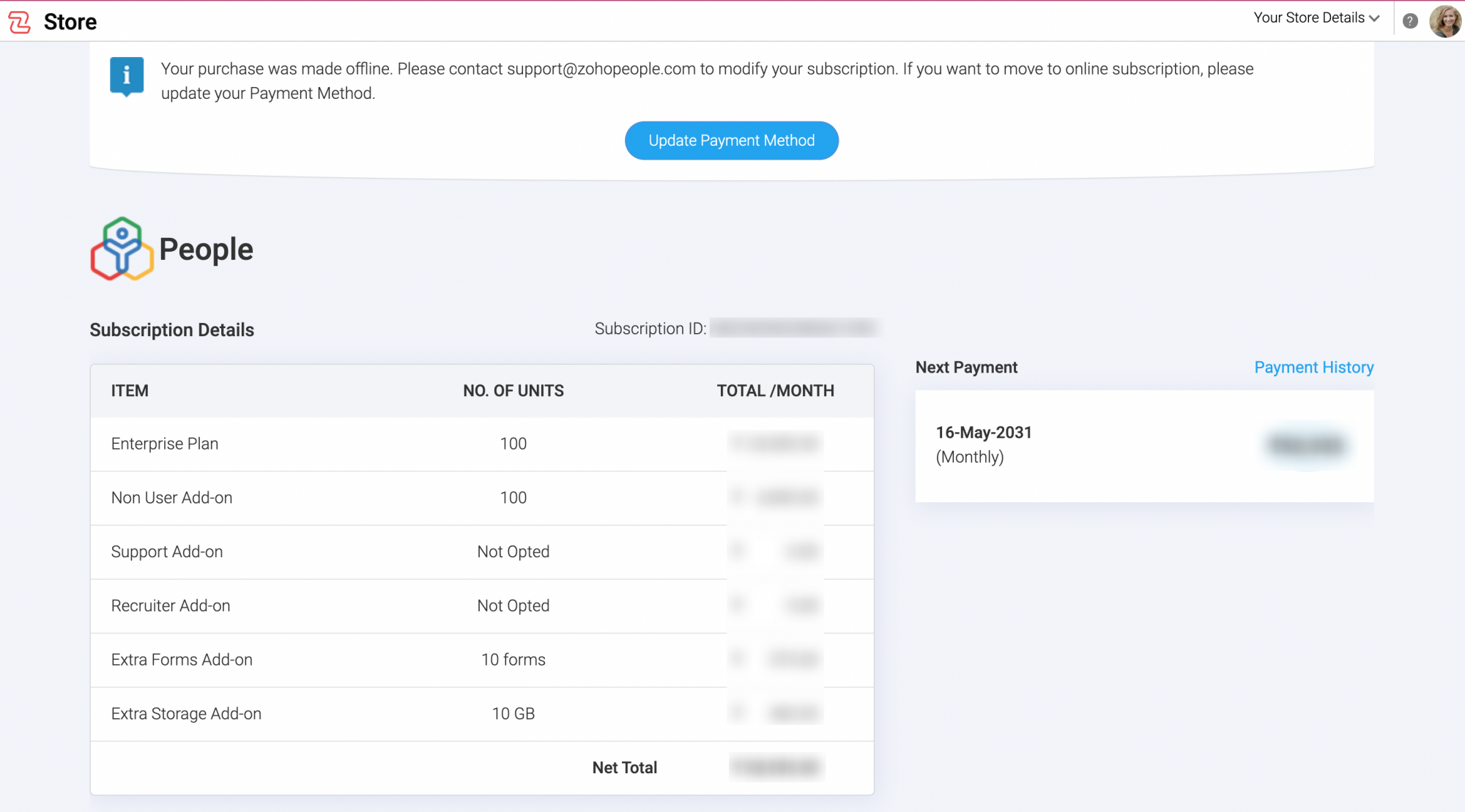
You will be redirected to your Zoho Payments account and will be able to see the details of your subscription.
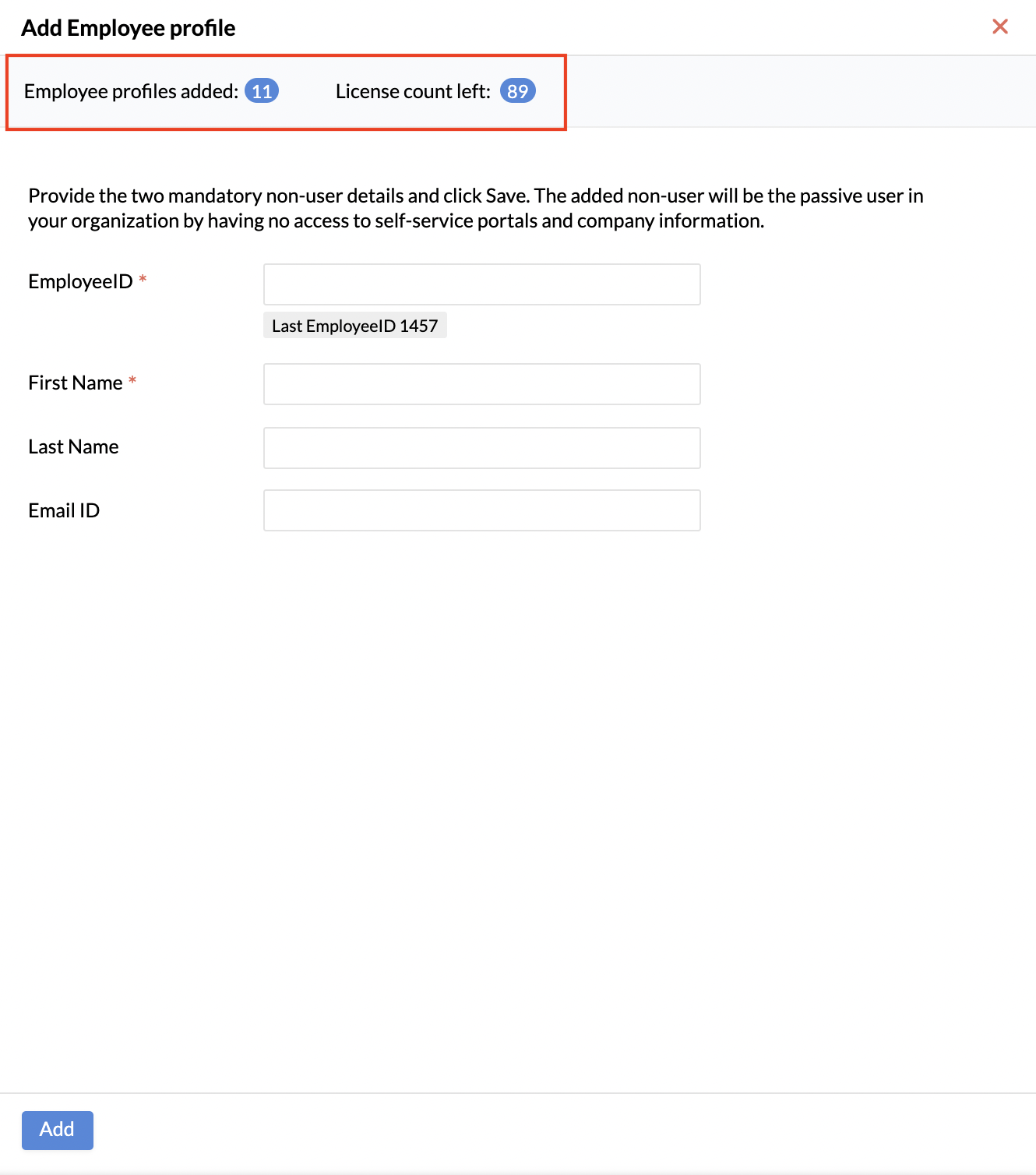
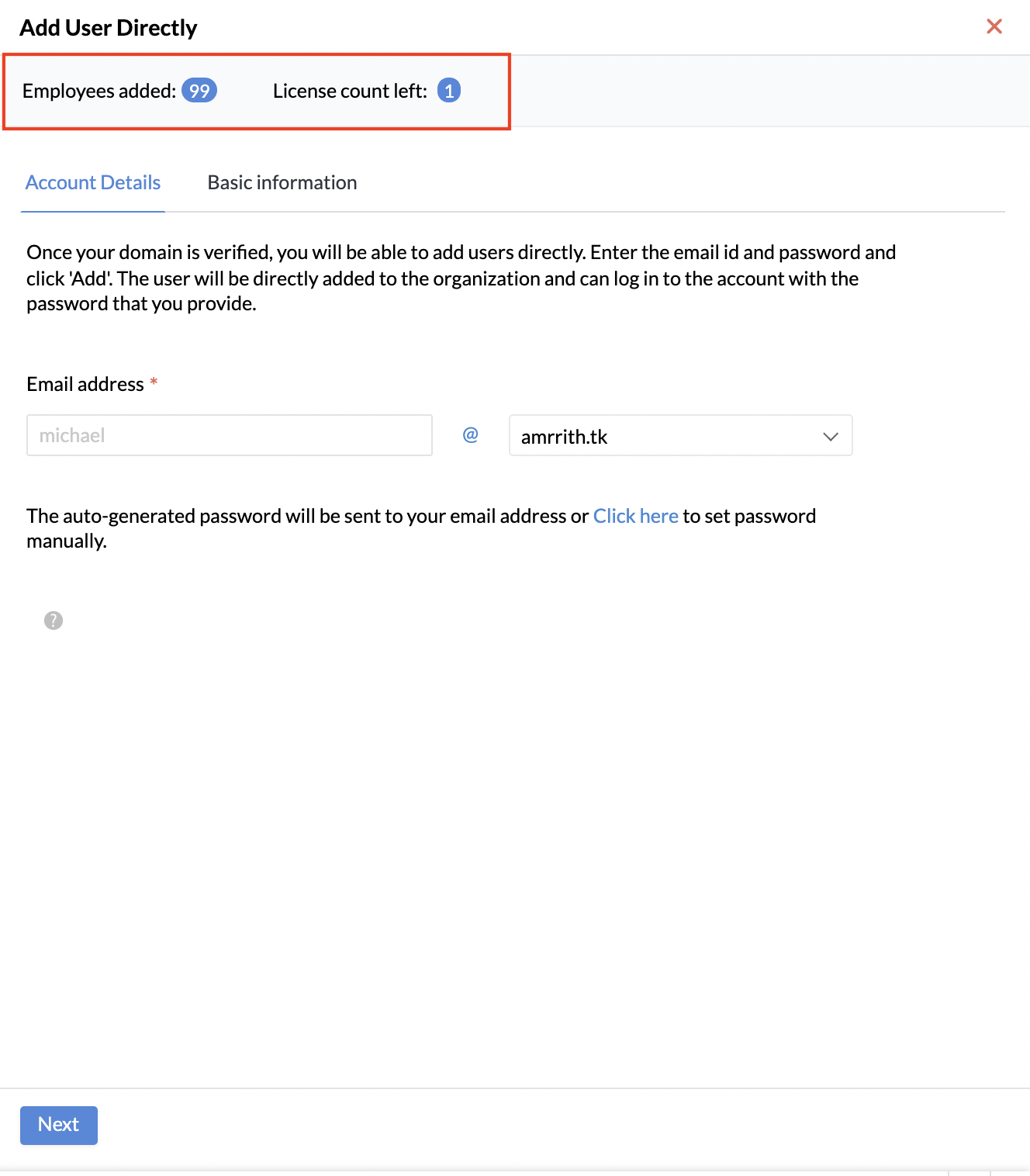
To know the current count of used user licenses and available user licenses, click on one of the options for adding users ( Settings > Organization > Users ) and the count will be displayed at the top of the popup screen.
Similarly, to know the current count of used employee profile licenses and available employee profile licenses, go to Settings > Organization > Employee Profiles and click Add Employee Profile. The count will be displayed at the top of the popup screen.