Managing Attachments
Zoho Mail provides multiple options to manage the attachments you receive in your emails. You can view different types of attached files like Documents, Spreadsheets, Presentations, Images, PDF, Text files directly in the browser, or Zoho Applications for compatible format files. The received files can be uploaded to cloud storage or downloaded to your device or perform other actions.
All the attachments in your email are available in the 'Attachment Viewer' to view them all in one place. Attachment viewer further supports quick actions, filters etc, to locate the files without worrying about the emails that have them.
View Attachments
Zoho Mail provides a quick view of most of the common types of attachments you receive. Files such as Documents, Spreadsheets, Presentations can be viewed using the Zoho office suite apps. The common files such as pdf, images, text files, videos, and other media you receive can also be previewed in the browser itself, based on the built-in preview options supported by the browser you use.
This helps you to view the file, without having to download the file and search for specific software to view the same. Further, you can use the Add to Zoho Workdrive option, in case you want to make revisions to the office type of attachments you receive. You can thus view the attachments from any device, without the complications of installed software applications. You can also drag and drop these attachments into an open Zoho Cliq chat window in Zoho Mail.
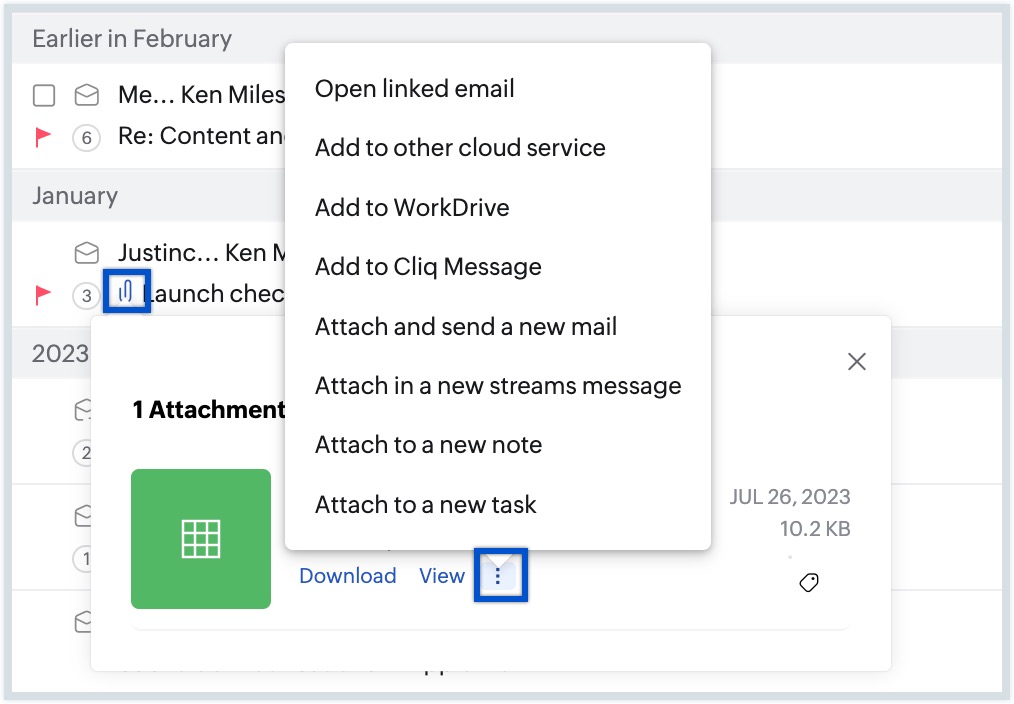
From the email listing, you can click the attachment icon to directly view the attachments in that particular email. Clicking the attachment icon for the header row in a conversation lists all the attachments in the entire conversation. You can also use the More options to perform actions.
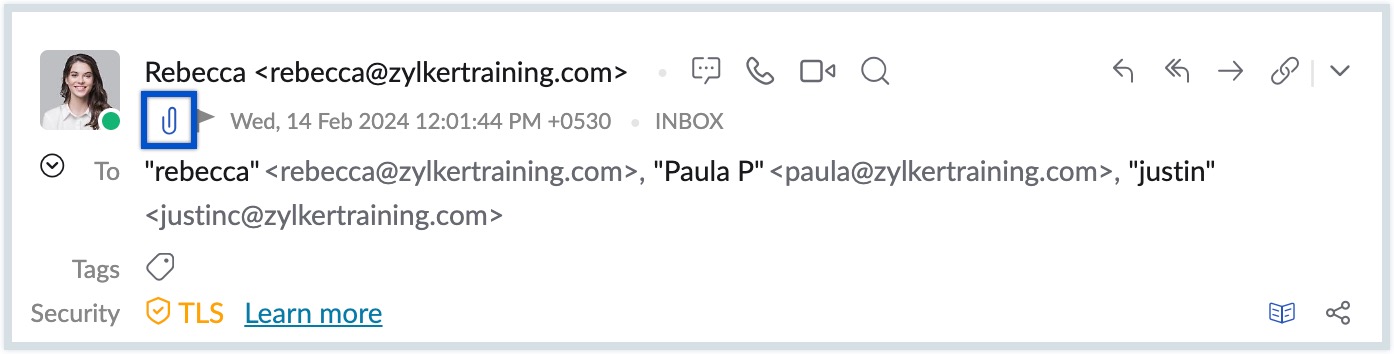
Click the Attachment icon, in the header region of the email preview pane to directly navigate to the Attachments area in the email.
The following table provides you the list of attachment types and the Zoho Viewer used for viewing the file on the go.
| Attachment Type | View Option |
| xlsx, xls, sxc, ods, csv, tsv | Zoho Sheet |
| docx, doc, sxw, odt, rtf | Zoho Writer |
| ppt, pps, odp, sxi | Zoho Show |
| pdf, jpg, jpeg, gif, png, bmp, htm,html, eml, msg | Preview in the Attachment viewer |
| mp4, mp3, wav, mov | Plays in Attachment viewer |
| ics | View in the email, Add to Zoho Calendar |
Further, You can drag and drop the email attachments to Zoho Cliq using the in-built chat messenger in Zoho Mail. You can also save these files to Zoho WorkDrive if you want to make changes to the received files and send it to someone. In case the received attachment is a document, you can use the Copy to Zoho Writer option to edit the document before sending it to others.
Download Attachments
You have the option to download the attachments to your device. When you have multiple attachments in an email, you can select either a few or all the attachments using the respective checkboxes, and Download as Zip. The selected attachments will be downloaded as a zip file. You can later extract the files individually to the desired destination folder.
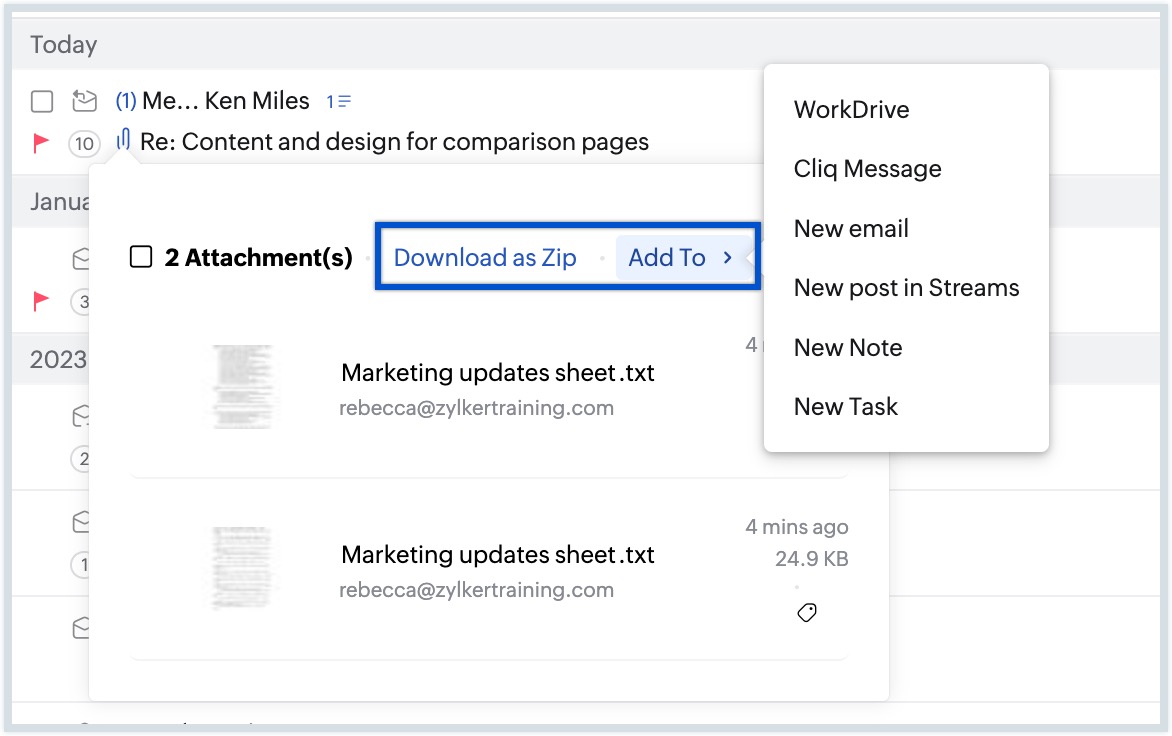
You can also select attachments, and choose an action from the list of options in the Add To menu.
.EML and .MSG attachments can be downloaded as an EML or HTML file using the Save as HTML file and Save as EML file options in the Preview.
In the More options menu, you can find options to Add to other cloud service, Add to Cliq Message, Attach in a new streams message, Attach and send a new email, Attach to a new note and Attach to a new task. You can send the email attachment in chat using the Add to Cliq Message option. The Attach in a new streams message option lets you post a new message in Streams with the selected attachment. Similarly, you can use the Attach and send a new email option to compose a new email with the selected file as an attachment.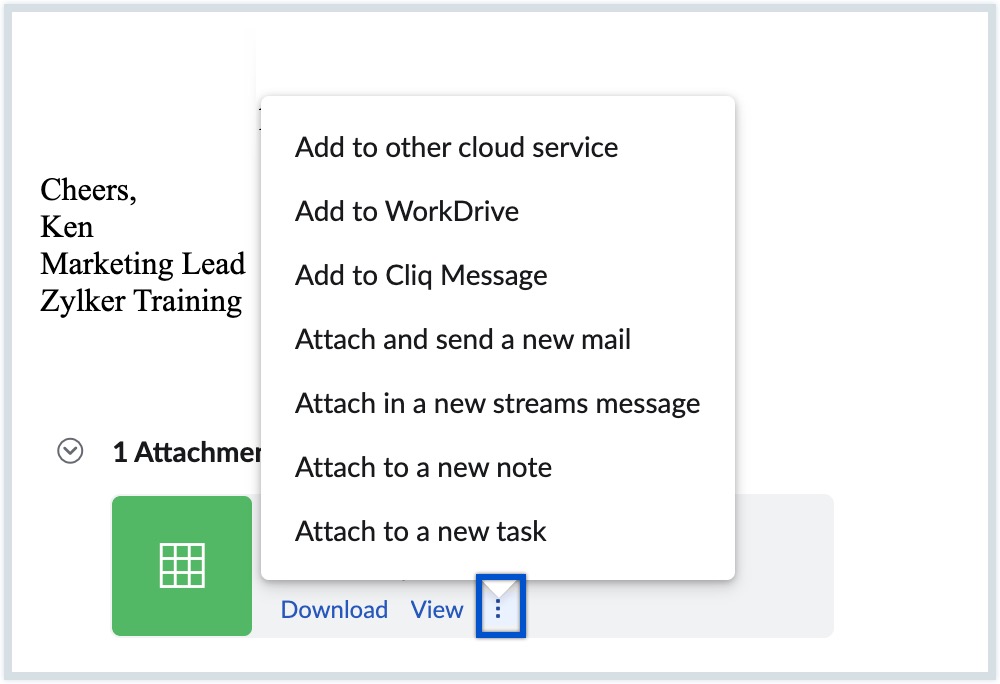
You can upload the files directly to Zoho WorkDrive, or other cloud services of your choice to collaborate or share further using the Add to Cloud option.
Editing email attachments
You can edit email attachments and collaborate on them (documents/ spreadsheets/ presentations) effortlessly using the Zoho Writer, Zoho Sheets, and Zoho Show applications. Zoho Writer lets you work on documents and text files while you can use Zoho Sheets and Zoho Show to edit spreadsheets and presentations respectively.
Steps to edit email attachments
Let's say you wish to edit a presentation.
- Move your cursor over the attachment in the email view pane.
- Click the View button within the attachment.
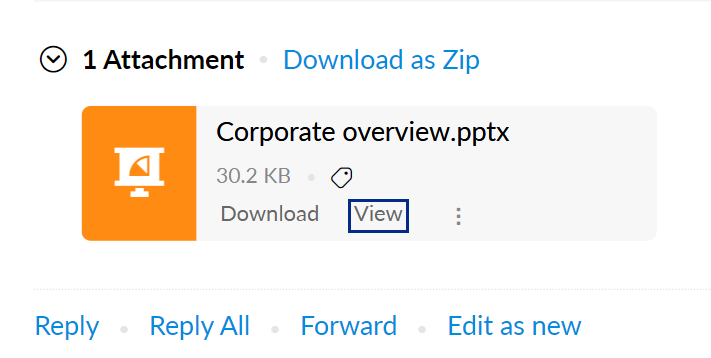
- You will be redirected to the attachment preview. In the preview, click the Copy to Zoho Show button. Your attachment will be copied and you will be redirected to a different tab with your attachment open in Zoho Show. You can use it as a usual Show file.



Note:
Once you've made a copy, the option changes to Edit with Zoho Show in the attachment preview pane. Whenever you click the Edit with Zoho Show button of the respective attachment, it will automatically redirect you to the copy you first created. 
In case of documents, the button will be labelled as Copy to Zoho Writer, and for spreadsheets, click on Copy to Zoho Sheets button. Once a copy is created, the options are changed into Edit with Zoho Writer and Edit with Zoho Sheets respectively in the attachment preview pane.
Upload to Zoho WorkDrive
You can directly upload the attachment to Zoho WorkDrive. This helps you to access or share files from anywhere. This also removes any dependency on installed software to access or work on such files on the move.
- Move your cursor over the attachment in the mail view pane.
- Click the More option, and choose Add to WorkDrive from the listing.
- Select Add to WorkDrive.
- Workdrive app will open in the eWidget pane.
- Select the specific folder you want to add the attachment to.
- You can also create a new folder by clicking on the New Folder icon on the bottom right corner.
- Click Add.
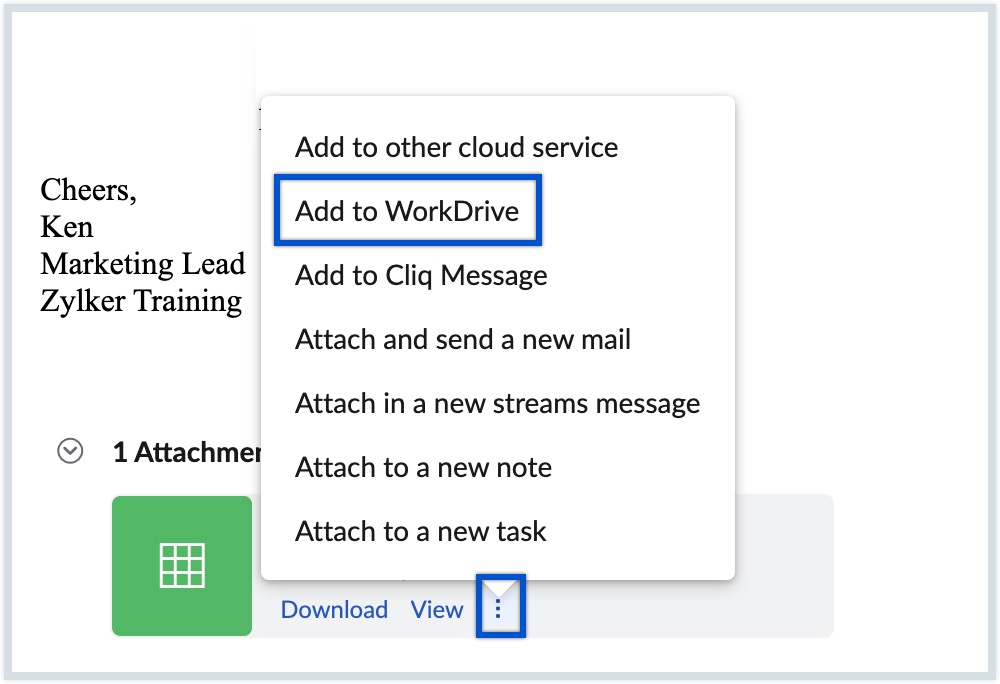

Once you save the file to Zoho Workdrive, you can share it as a link (files in Zoho format) or email attachment to other users from eWidget.
Migrate from Zoho Docs to Zoho WorkDrive
Zoho Docs has now been revamped into the all-new Zoho WorkDrive with enhanced features, customizations, and a new interface.
If your Workplace account is part of an organization, the Super Admin of your organization Docs account can initiate the migration to Zoho WorkDrive.
If you are an existing WorkDrive user, follow the below steps for migration from Zoho Docs:
- Sign in to your Zoho Docs account.
- Click WorkDrive Migration in the Admin Console page.
- The Team associated with the Super Admin will be selected automatically.
- Select Migrate all users and their data.
- Select the date and time to schedule your migration.
- Click Proceed to migrate all users and their data, as per the schedule.
- A new screen will open, informing you that the migration has been scheduled on the given date and time.
Follow the instructions in this help page for detailed migration instructions and for instructions on migration if you are a new WorkDrive user. For questions on migrating from Zoho Docs to Zoho WorkDrive, follow this help page.
Upload to Other Cloud Services
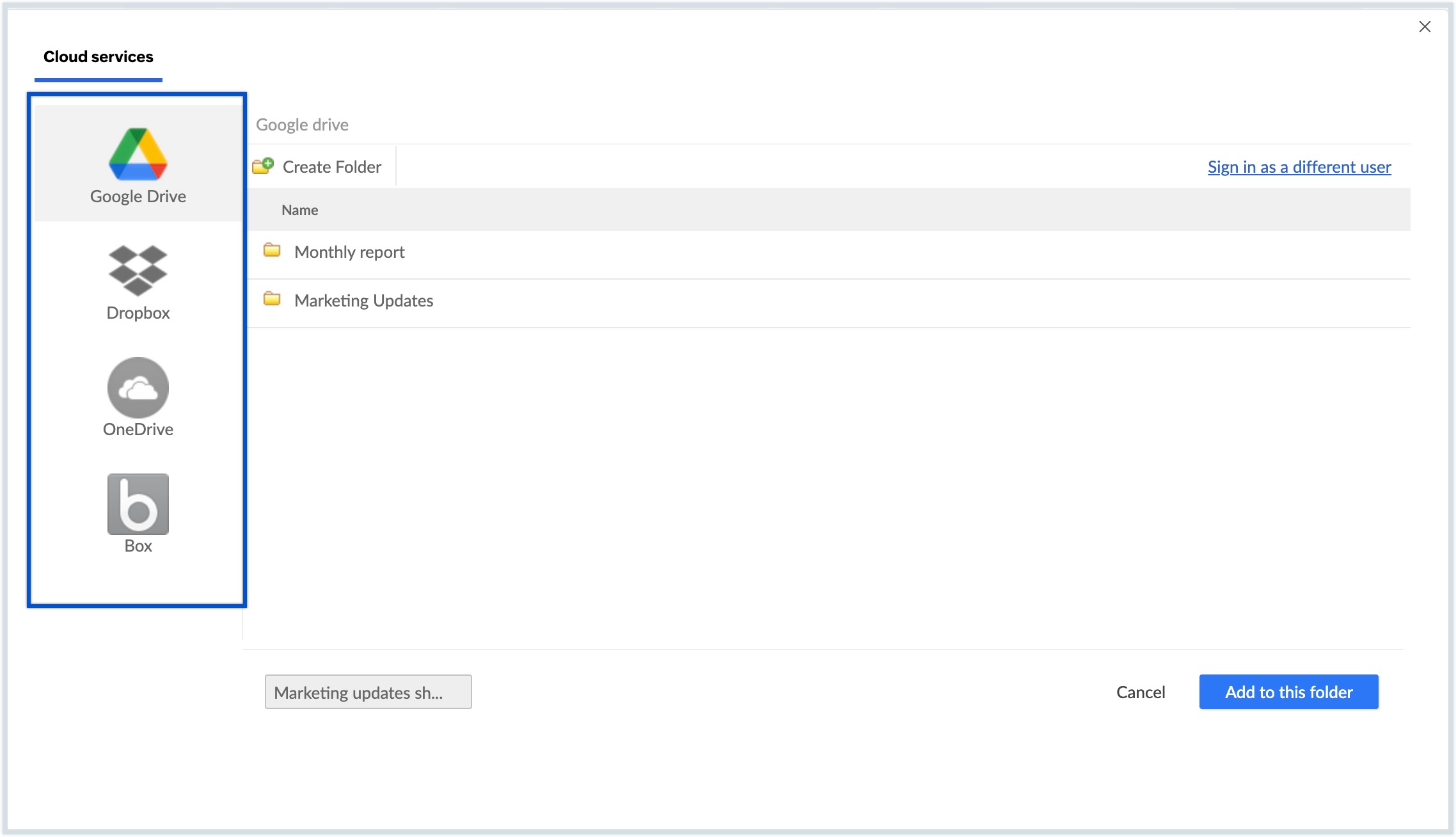
Zoho Mail provides you the option to upload the files to Cloud File Service of your choice. For all the emails with attachments, you can use Cloud Uploader to add emails to cloud file management services. You can choose to upload your file to Google Drive or DropBox or even OneDrive. Zoho Mail provides two-way integration with all these cloud storage services, which helps you to upload the attachments or add attachments from these services on the move.
Upload to Google Drive
Similar to Zoho WorkDrive, you can upload the attachments to Google Drive, using the Cloud Uploader. You need to authenticate and grant access to Zoho Mail, the very first time you use Google Drive. Learn more.
Upload to DropBox
You can upload the attachments to DropBox from Zoho Mail using the Cloud Uploader. You need to authenticate and allow Zoho Mail, the first time you use Zoho Mail with DropBox.
You can also add an attachment to your email from your DropBox account.
Note:
The received attachments can also be uploaded to OneDrive and Box.