Keyboard Shortcuts
Zoho Mail provides a multitude of keyboard shortcuts to perform certain repeated actions faster. These keyboard shortcuts facilitate easier navigation while composing your email and within your inbox.
Three main types of shortcuts are available in Zoho Mail:
- Global Shortcuts - Shortcuts that can be used globally in your mailbox
- Mail Shortcuts - Shortcuts that act upon your emails within your mailbox
- Mail Compose Shortcuts - Shortcuts that work in the compose window
Steps to view Keyboard Shortcuts
- Click on the Settings icon
- Go To Mail Settings > Keyboard Shortcuts
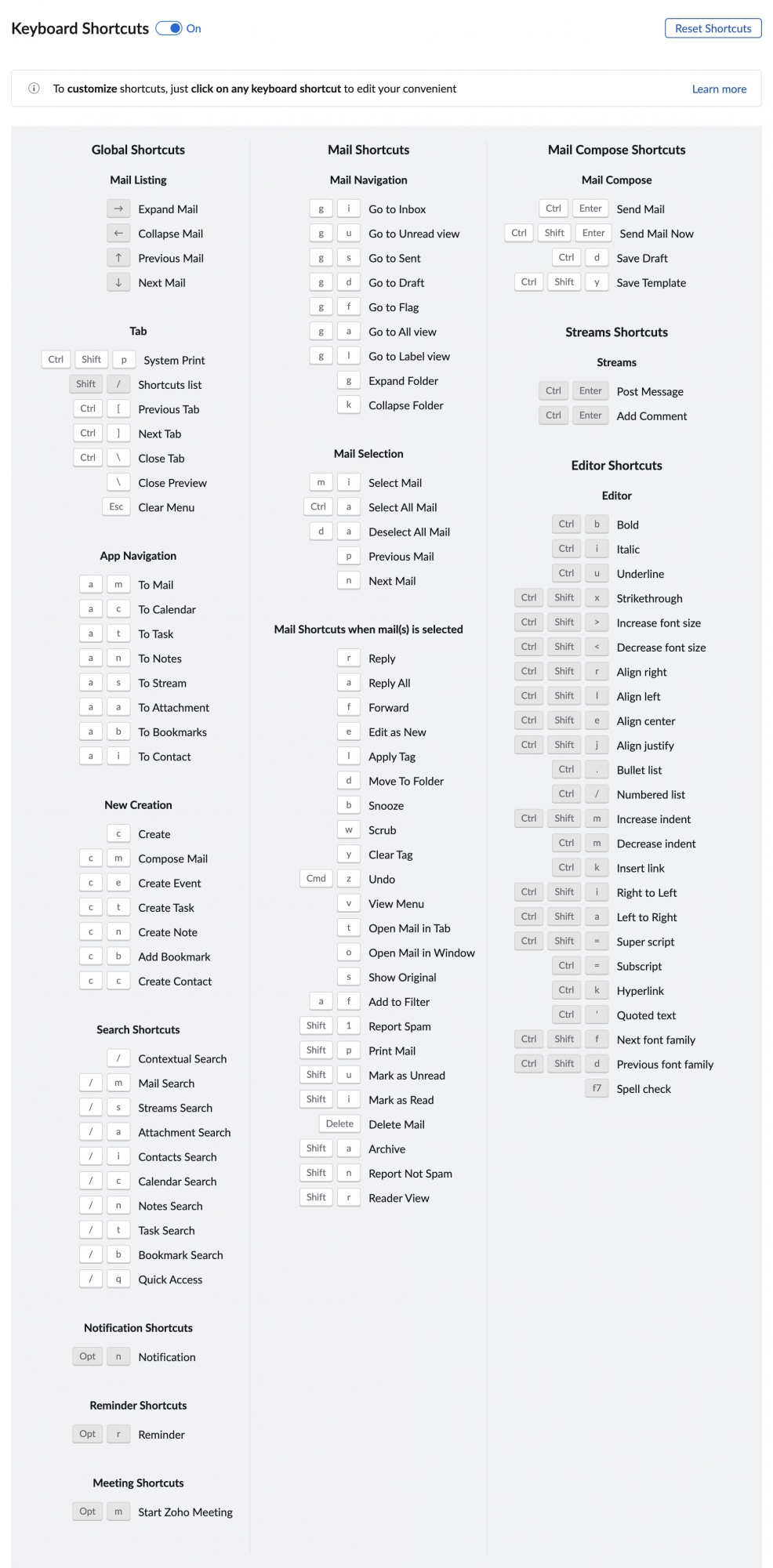
- You can see the list of pre-defined keyboard shortcuts with the corresponding descriptions on the screen
- They are classified into Global, Mail, Mail Compose shortcuts, and much more.
- Look up the shortcuts that you want to use and apply them in your mailbox

Editing Keyboard Shortcuts
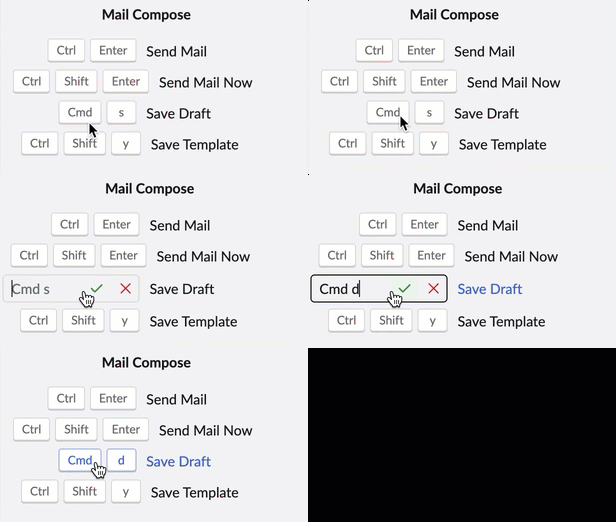
You can edit the shortcuts that are in bold in the keyboard shortcut list. On clicking on any of these shortcuts, a text box will appear. Enter the desired shortcut key combination and click on the tick icon.
Hotkeys
You can create custom text shortcuts using Hotkeys in Zoho Mail. Hotkeys can be used to expand and replace easy abbreviations of your choice with full words and phrases as you type in the mail composer.
Steps to add Hotkeys
- Login to your Zoho Mail account
- Click on the Settings icon
- Navigate to Mail > Hotkeys section.
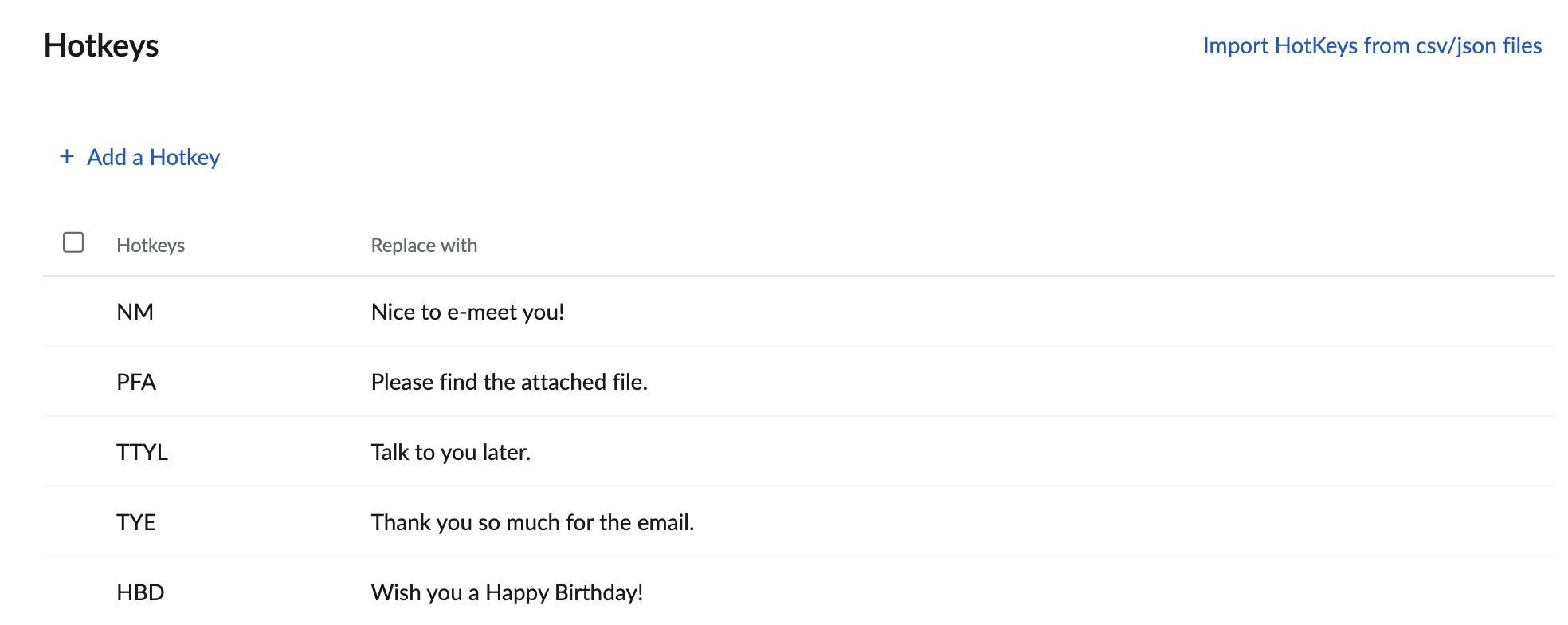
- Click + Add hot key.
- Provide the Hotkey of your choice and its replacement text in the appropriate fields.
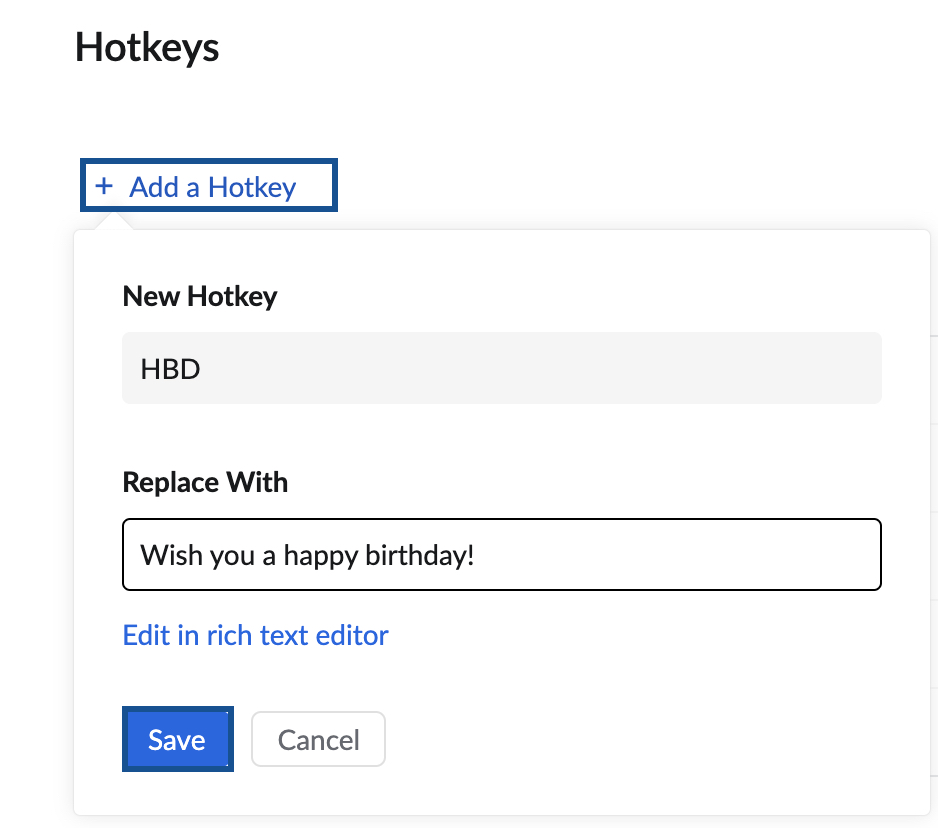
- Click Save to add the hotkey.


You can also use the import hotkeys option to import your existing hotkeys into Zoho Mail.

Using Hotkeys
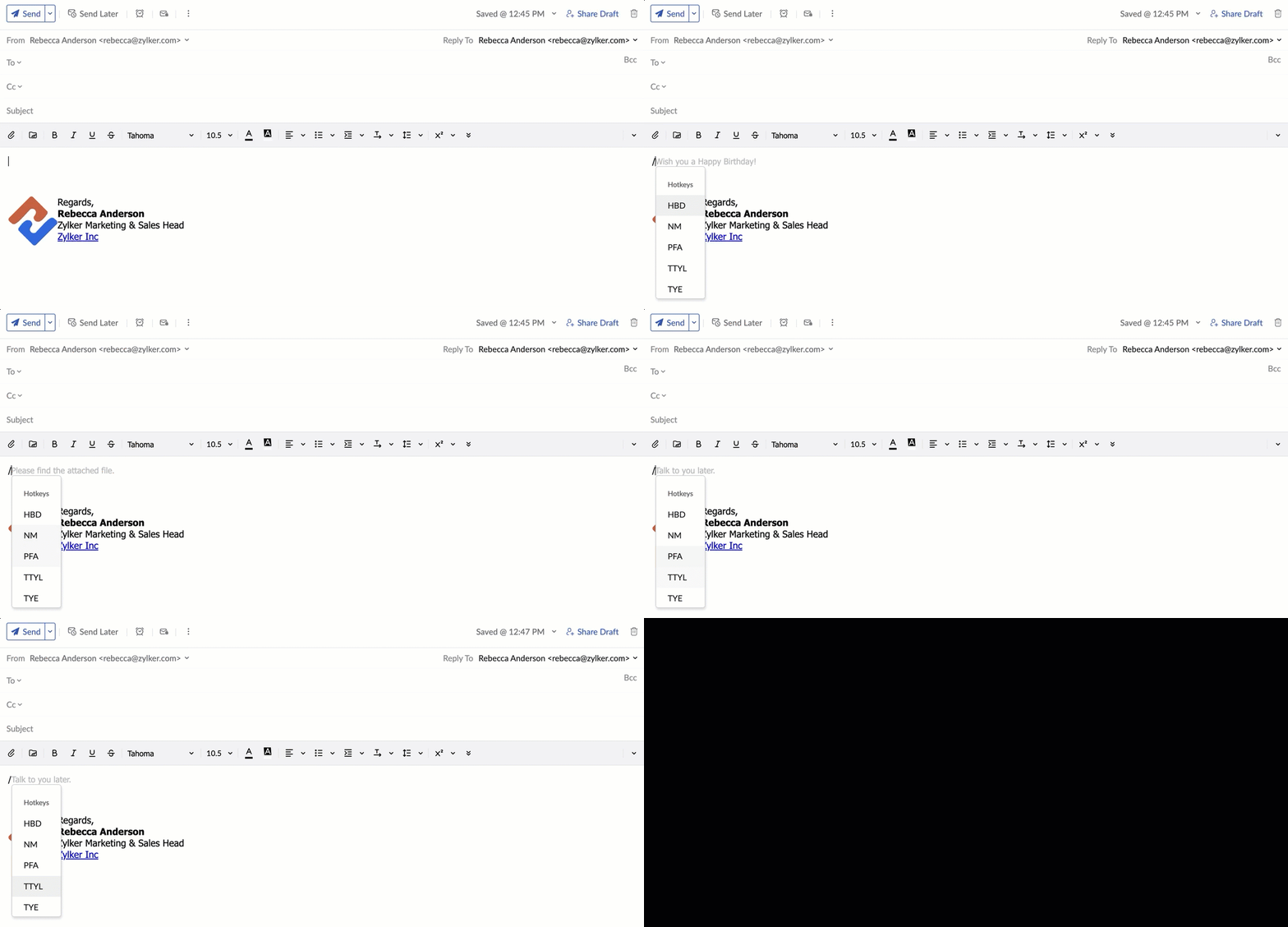
- In the composer, type '/' (forward slash), and all your Hotkeys will be listed.
- You can either choose from the list (mouse click or arrow keys) or continue to type the hotkey. The associated text replacements will be visible in the composer.
- Press Tab / Enter / Right arrow key to insert the desired replacement text in the composer.