Configure in Blackberry
Steps to Configure Zoho Mail in Blackberry Mobile Device as POP
- Enable POP Access in the Zoho Mail Web interface.
- You need to have a Blackberry service account before you setup an email account in blackberry.
- Log-in the appropriate Blackberry website, depending on the service provider.
- Select Add Mail Account.
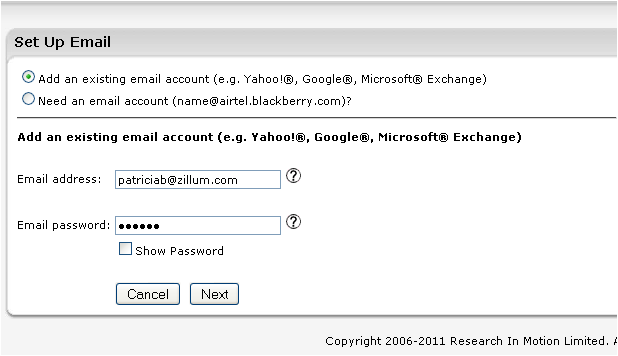
- Provide your Zoho Email address and password and Click 'Next'. You may require an 'Application Specific Password' in case you have Two Factor Authentication turned on for your account.
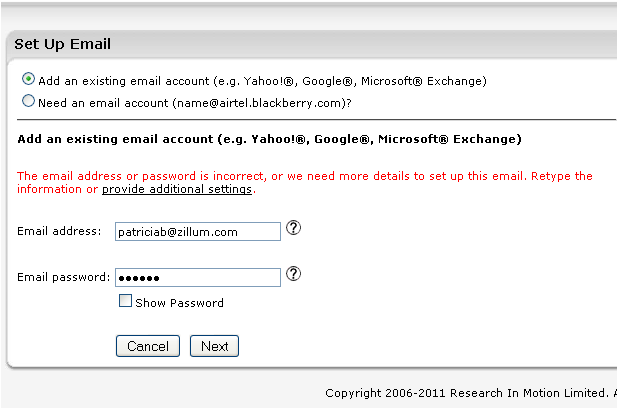
- You will get an alert message with an option to provide additional settings. Click 'Provide Additional Settings'
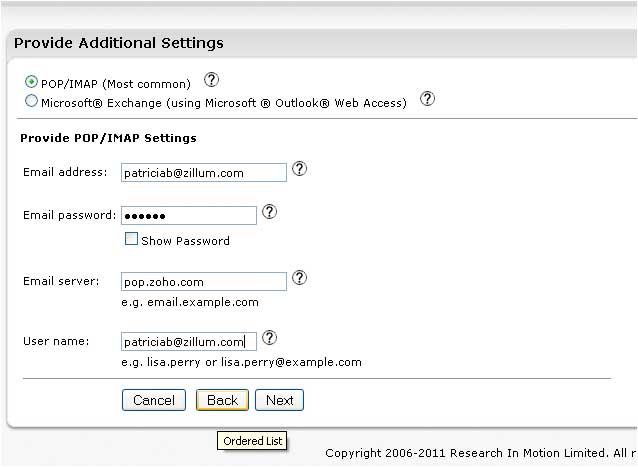
- In the Additional Settings page provide the information listed below:
- Select the Radio button 'POP/IMAP'.
- Email Address : Provide your complete Email Address
- Password : Provide your correct account password here.
You may require 'Application Specific password' to set up the account in other devices, if Two Factor Authentication is enabled for your account. - Email Server : Specify 'pop.zoho.com'
- User name : Provide your complete email address and click Next
- Your account would be successfully setup. Click Finish.
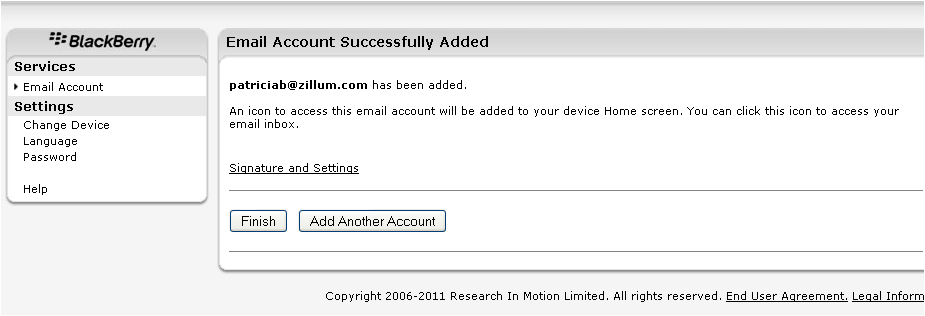
- You can then check your email in your BB device without any issues.




Note:
Blackberry device does not use custom SMTP details to send emails. Hence when you send emails from the Blackberry device, it will not be sent through Zoho and hence will not be available in your web mail account. You may have to manually copy yourself, to have the email in your webmail also.