Why is Zoho CRM + Google Workspace integration necessary?
Your sales team just don't use CRM in their day-to-day operations. Most likely, they are using a host of other applications like Gmail, Docs, Drive, and Calendar. Using this group of apps to handle your business data can come with its own share of troubles — unorganized data, scattered contacts, manual data entry, and disconnected marketing sources. With the Zoho CRM and Google Workspace integration, your sales teams can close deals from one single space and access all their favourite tools without having to jump between different platforms.
Powerful features which supercharge your Zoho experience
Zoho CRM for Google Workspace ensures that all your important information moves between your apps automatically.
Single Sign On
Use your Google Credentials to log into Zoho CRM. Don't worry about remembering multiple passwords to log into your system.
Google Ads
Add leads to your CRM database when visitors fill out web forms on your site. Find out which AdWords campaigns, ad groups, and keywords lead to the most conversions. Track offline conversions by capturing the GCLID every time a prospect clicks your ad and fills out the form.
Google Calendar
Stay on top of your events, meetings, and tasks by bringing them all together in one calendar. With two-way synchronization, you can keep using your preference of Google Calendar or Zoho Calendar and have both calendars updated at all times.
Google Contacts
All contacts in your Google account, along with any associated notes, will be imported to Zoho CRM. They'll stay synced at all times – for example, if you create a new contact in Google, it will be updated in Zoho CRM, and vice versa, in real time.
Google Drive
Access all the files stored in your Google Drive account using Zoho CRM. Attach any Google Drive file to the work you've done in Zoho CRM without the hassle of transferring it.
Gmail
View mail conversations from your customers and reply to them inside Zoho CRM. You don't have to worry about missing out on important emails from your customers while working.
Google Tasks
Keep all your tasks in Zoho CRM and Google Tasks updated with two-way synchronization. Plan your time, hit your deadlines, and ensure important work doesn’t fall through the cracks.
Google Sites
Create forms in Zoho CRM, and publish them on your Google Sites to generate leads online. Use the published webforms on your website to collect visitor data. Push this data to your CRM and jumpstart your sales.
Manage Zoho CRM right from your Gmail Inbox with the Chrome extension.
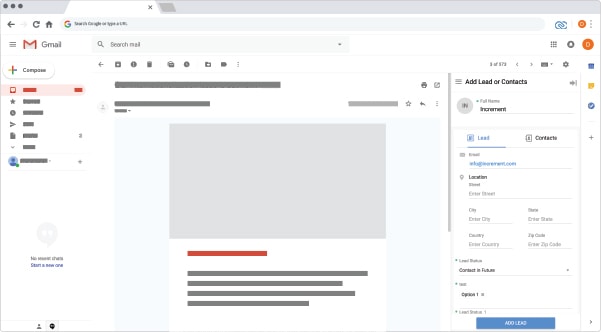

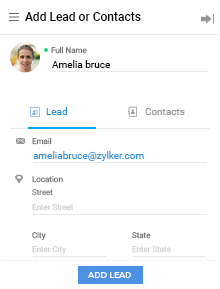
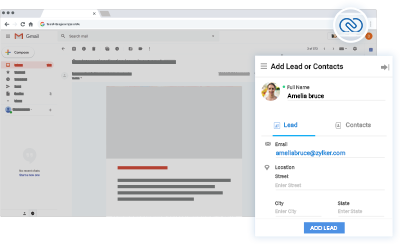
You can create new Contacts and Leads, log calls, add events, and keep better track of prospective deals and customers using the Zoho CRM Gmail Chrome extension. You can also convert leads to contacts directly from your inbox.
Android for work
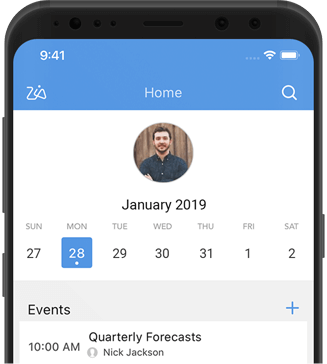
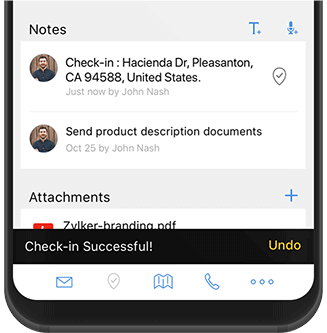
Zoho's mobile CRM app acts as your personal sales tool, keeping you in the know whether you're at your desk or on the move. Allow your team to access Zoho CRM on your Android for Work account. Once installed by the admin, Zoho CRM gets automatically installed for all sales reps in your team.
What are the advantages of integrating Zoho CRM with Google Workspace?
No more missed opportunities
Track conversations right from your inbox and dont let leads fall through the cracks
Eliminate duplicate data
Two-way synchronization of data eliminates duplicate data and allows teams to work smarter and better.
Never miss your schedules
All your events, meetings and tasks are captured in one master list; this is particularly useful for sales teams.
Google Contacts is a basic contact management solution where you can store basic details of your leads such as their phone number, email address and location. While Contact managers may be easy to use, they lack immensely when it comes to running a business. You need to generate and organize leads, run campaigns, manage deal pipelines and derive actionable insights from your data. Google Contacts lacks when it comes to managing customers for businesses of any size.
Google offers a contact management solution called Google Contacts, but it does not offer any real customer management solution.
Your business needs a CRM which can not only import all your contacts from cloud platforms such as Google and Outlook, but also keep them in sync to prevent duplication. Zoho CRM's robust integration with Google gives you everything you need to manage contacts across multiple platforms.
Zoho CRM is the industry-standard when it comes to integrating your Google Apps. Once you integrate your Google account with Zoho CRM, your sales team can experience productivity enhancing functionality such as Single-sign on, Google Contacts and Calendar sync, Google Ads Campaign data sync, and also native integrations with Google Drive, Google Sites, Gmail and Google Tasks.
Spreadsheets have been in use since the early 80s as a way to manage sales data. While Google Docs (Google Sheets), an online spreadsheet platform may be simpler to use, they lack any kind of sales tracking functionality which makes it really hard to manage your business. Lack of lead-deal visibility, poor organization of data and failure to control duplication in sales data leads to your team's productivity getting drained. And, more importantly in the world of GDPR and privacy-first business culture, you simply cannot leave crucial customer data on spreadsheets which can be copied and exported by anyone with access.
The Google Workspace integration is free and works with every edition of Zoho CRM.