- Sales Force Automation
- Pipeline
Comprehensive pipeline management
Every deal in the pipeline runs through its own unique journey. Our job is to ensure that you're equipped to devote your undivided attention to all of them, simultaneously. Our multi-pipeline setup helps you address the complexities of modern sales.
Sign up for free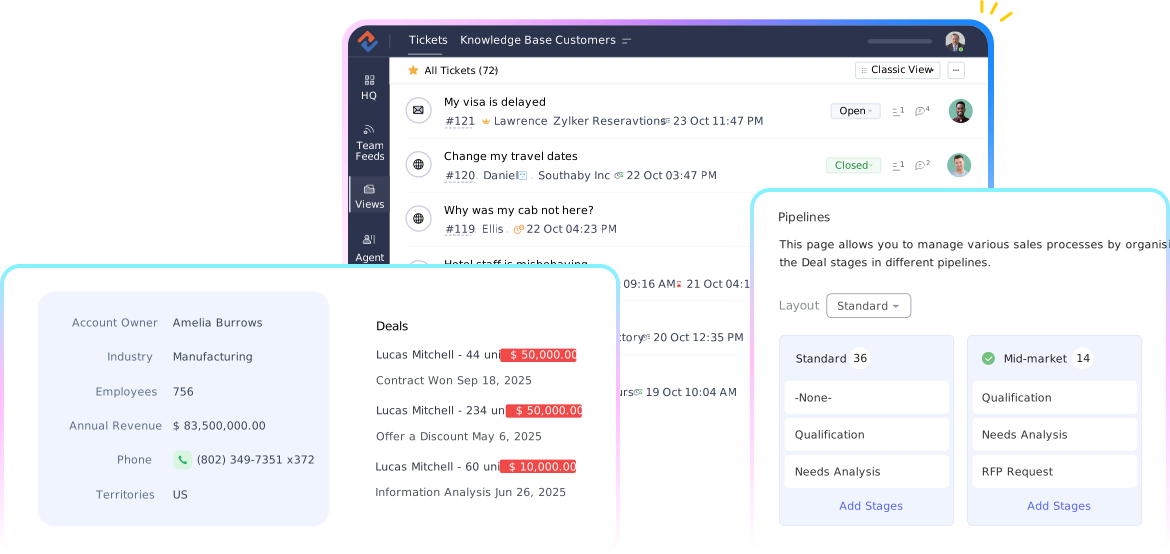
Qualify with agents, and convert with a human touch
Harness the power of SDR agents that can handle objections, schedule meetings, and nurture and qualify new leads through targeted emails. Focus on building customer relationships and trust while your SDR agent takes care of the busywork.
Deal Management
End-to-end deal management, redefined. Organized pipelines, advanced filters, efficient predictions - ultimately, smarter deals.
- Predictions
- Advanced filters
- Analytics
Multiple Pipelines, endless potential
Map distinct pipelines for diverse products, services, or geographies. With the multi-pipeline capability, accommodate unique sales processes. Model every pipeline to suit your operational requirements.

Predictions with precision
Focus on the deals that truly matter. Scour your pipeline to identify the deals with the greatest potential. Highlight the opportunities most likely to succeed, to redirect efforts efficiently. Track progress and discover pivotal information using simple voice commands.

Filters for finesse
See where every deal stands and hone in on what's next—in just moments. Our advanced filters render the complex simple and enable you to unearth truly significant deals. Whether you're chasing closing opportunities or combing for granular insights, each filter carves a clearer path toward success.

Insights that guide success
Leverage the power of dynamic reports and dashboards to monitor the health of your pipeline. Analyze trends, troubleshoot bottlenecks, and celebrate triumphs with cogent visual data.

Account management
Every account has a story. We bring it all together—people, deals, projects—so you see the bigger picture, not just the pixels.
- Parent-child accounts
- Inventory management
- ABM
See the bigger picture
Get a 360-degree view of every account. Contacts, deals, projects—they're all here, synced, and ready for collaboration.

Parenting done right
United we conquer, divided we focus. Streamline organizational complexities with parent-child account structures. Treat each department or team as its own distinct entity while uniting them under a shared parent account.

Effortless coordination, seamless transactions
Track invoices, payments, and sales orders with ease. Coordinate with vendors and integrate accounting tools in a comprehensive inventory management module that's devised for robust, fluid workflows.

Where marketing meets metrics ABM
Organize your accounts by region, industry, or behavior. Craft personalized journeys that resonate deeply. Backed by data, designed to convert.
Learn more
Contact management
No matter where your customers are, you're always ready to connect—without missing a beat. Contact management - enabled for you to be one step ahead, always.
- Omnichannel
- Help desk
Churn Prediction
Analyse transactions, usage patterns, and engagement data to predict churn - giving you the insights to retain customers before they leave.

Everything, everywhere, all At once
Provide personalized service across any platform with omnichannel integrations. Phone calls, emails, live chats, and social media mentions—every single touchpoint is rolled into a unified space, effortlessly.

Call, close, clone
Whether by phone, email, or social media, make sure you reach out at the right moments with our intelligent timing suggestions. Integrated help desk tools and the flexibility of one-click calling make every interaction meaningful and impactful.
