Create Action Item

This page is relevant for all report types except pivot chart and pivot table.
Create an action item
To create an action item:
- Navigate to Design page.
- Click the web, mobile, or tablet icon to create action item for the required mode.
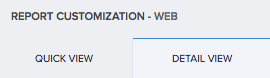
- Select Quick View or Detail View tab. Ignore this step for spreadsheet report.
- Select the Actions section.
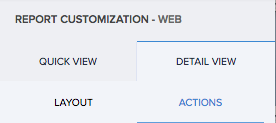
- Click the plus icon for one of the following:
- For single record
- For right click of record
- For Multiple Records
- Enter the name of your action item.
- Select the event at which the workflow must run.
- A pop-up will be shown to set condition, if you have selected On Condition option. Specify the criteria in the Set Condition popup and click Done.
- Select when to execute the workflow. If you want to execute the workflow directly after clicking the action, Select Once or Select After Confirmation, If you want to show the confirmation message as a pop-up when the user clicks the action item in the report.
- When you select After Confirmation, you will be shown a pop-up, where you need to enter the message to show in the confirmation popup to the user.
- Enter the name of the workflow.
- If you are creating an action For Multiple Records, you will be shown two options additionally to choose whether to execute the action for each record or for the collection of record.
- Click the Create Workflow button. The workflow builder appears
- Click Add New Action.
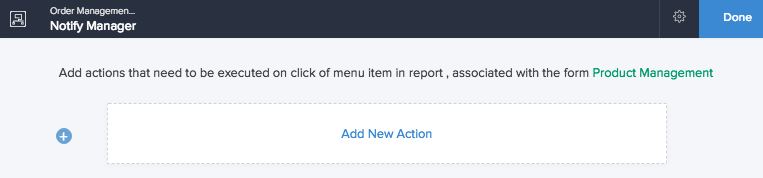
- Select when to run the action. If you have selected the On Condition option, additional fields will be shown to set criteria. Specify the criteria.
- Select the required Action Type.
 Note: For Multiple Records, if the action is selected to execute on the collection of records, the function selected in the deluge script action item must have a form object as argument.
- Define specifics pertaining to the action.
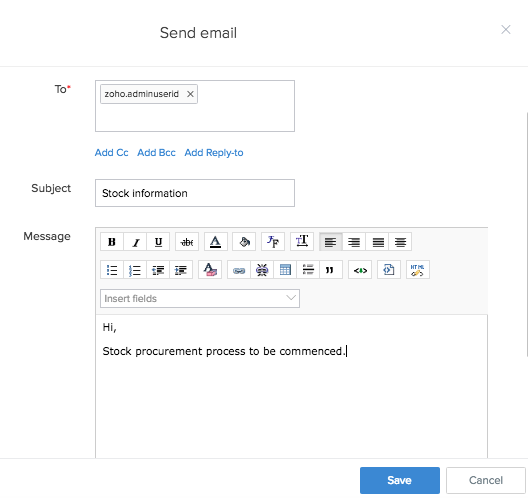
- Click Done.
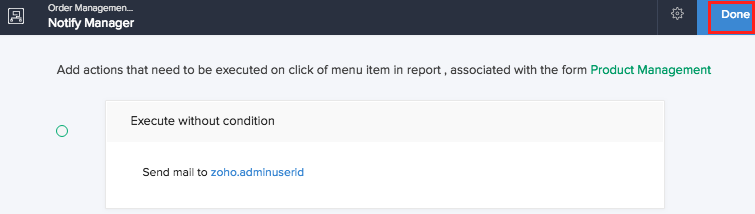
- Click Create button. The action will be included in the report.
- In live mode the action item will be displayed as shown below,
- For single record
- For right click of record
- For Multiple Records
 Execute Action for Each Record will repeat the workflow for every single record (Ex: If 3 Selected Records selected the workflow would run 3 times), whereas Execute Action for Collection of record will run the function only once regardless of the selection of multiple records.
Related Topics
- Understand quick view actions in list report
- Understand quick view actions in spreadsheet report
- Understand quick view actions in calendar report
- Understand quick view actions in timeline report
- Understand quick view actions in kanban report
- Understand quick view actions in map report
Zoho CRM Training Programs
Learn how to use the best tools for sales force automation and better customer engagement from Zoho's implementation specialists.
Zoho DataPrep Personalized Demo
If you'd like a personalized walk-through of our data preparation tool, please request a demo and we'll be happy to show you how to get the best out of Zoho DataPrep.
- Zoho Workerly Home
- Forums
- Connect With Us:


- Zoho Recruit Home
- Forums
- Connect With Us:
You are currently viewing the help pages of Qntrl’s earlier version. Click here to view our latest version—Qntrl 3.0's help articles.
New to Zoho Survey?





Zoho Sheet Resources
Zoho Forms Resources
New to Zoho Sign?
Zoho Sign Resources
Sign, Paperless!
New to Zoho TeamInbox?
Zoho TeamInbox Resources
New to Zoho ZeptoMail?
Zoho DataPrep Resources
Design. Discuss. Deliver.
New to Zoho Workerly?
New to Zoho Recruit?
New to Zoho CRM?
New to Zoho Projects?
New to Zoho Sprints?
New to Zoho Assist?
New to Bigin?
Related Articles
Display custom action button for specific records
Requirement The custom action button in a report should be visible only for certain records, based on a condition. Use Case An asset request app lets employees raise requests for gadgets or machines. While filling the form, employees can specify ...Update a form using custom action (from another form's report)
Requirement Update a form using a custom action configured in another form's report. Use Case In an engineering college student management application, a student may withdraw at any time of the academic year. Whenever a student applies for ...Update an existing record using stateless forms
Requirement Use details specified in a stateless form to modify records in the main form. Use Case In an order management system, a customer has placed an order and wants to cancel it. The administrators allow for cancellation by accepting the ...Understand delete record action
The Delete Record action in data access of workflows is a variant of the same action in deluge script. In the latter, you need to create the code for deleting a record in the script builder. Instead, you can use the predefined action available. When ...Understand update record action
The update record action in data access of workflow is similar to the the action of the same name in deluge script. In the latter, you need to create the code form the action. Instead, you can use the predefined action that is available under data ...
New to Zoho LandingPage?
Zoho LandingPage Resources