Overview
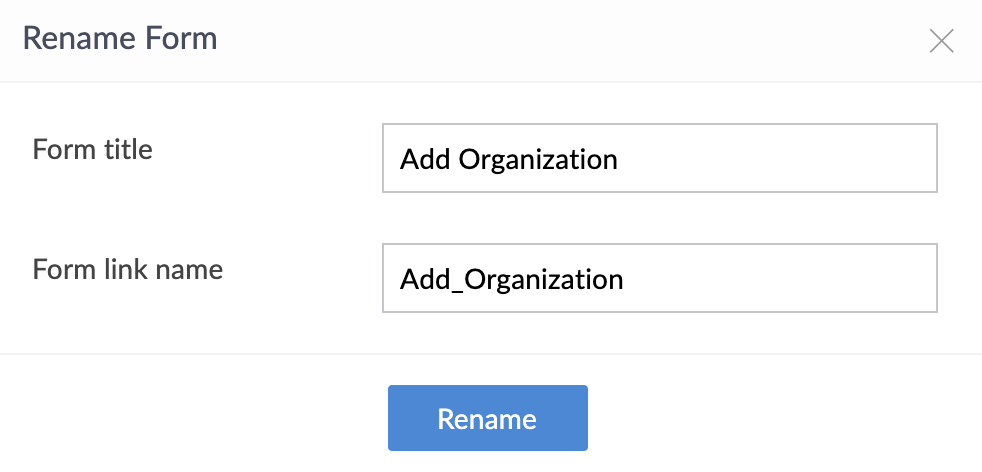
Zoho Creator offers the flexibility to change the form name or the form link name, anytime after you create your application. The Form Name is the name displayed in the form header (both in Edit mode and Live mode). The form link name is the name displayed in the URL while accessing the form, for example, http://creator.zoho.com/zchelp/employee-manager/#Form:<FormLinkName>. The link name is also used internally in Deluge Script.
Steps to change the Form name/Form link name
- Select the Form from the Forms Tab.
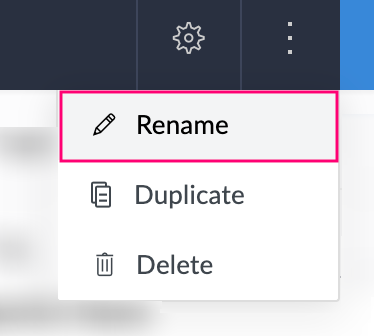
- Select More Actions -> Form Properties to view the Form properties as shown below.
- To change the form name, specify the new name in the Form Name text area, and click Done to update the changes.
- To change the form link name, specify the new name in the Form Link Name text area, and click Done to update the changes.

Note:
- Changing the form name will only change the display name of the form. The form link name will not be changed. To change the link name, specify the new link name in the Form Link Name text area.