Understand label placement for browser
Understand field label placement in forms for browser
Label placement for a form lets you define how field labels (or field names ) appear in relation to the field input areas. When a user accesses your Form from a web browser, the field labels appear on the left of the input areas by default. Learn how to change label placement in forms for browser .
Label placement is applied at the form level — you cannot apply different label placements to the fields in your form. In addition to Label placement , other factors contribute towards your form's appearance on a web browser. Learn more
Available layouts
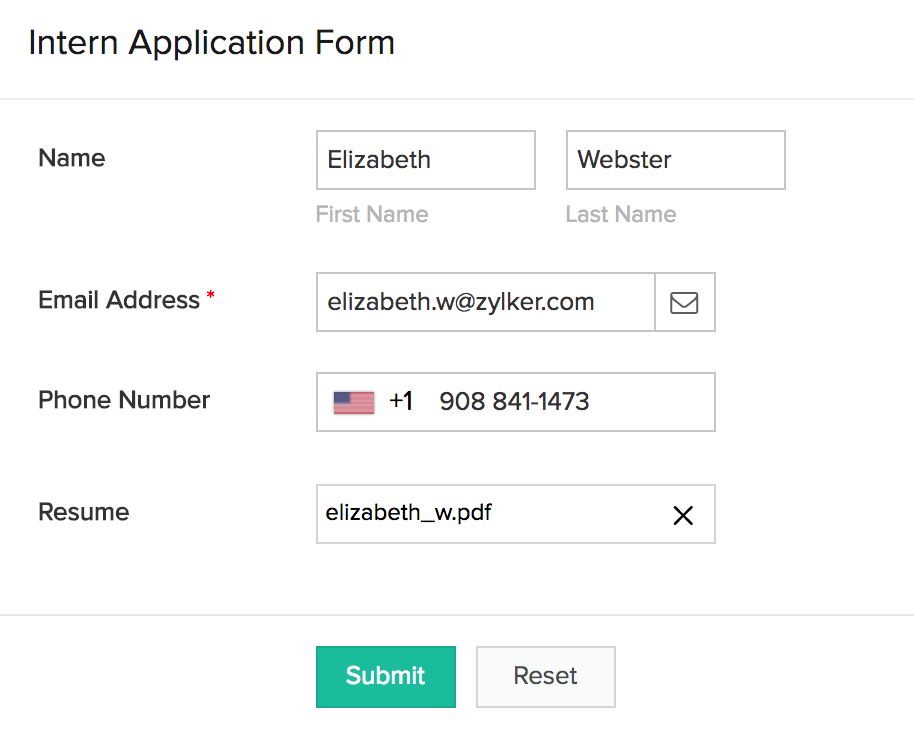
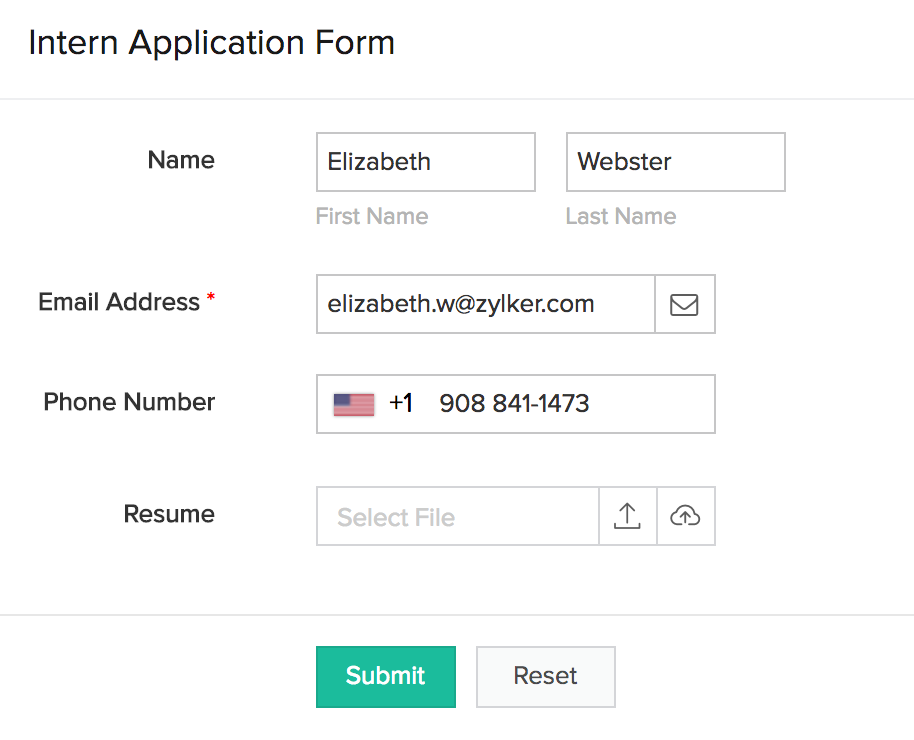
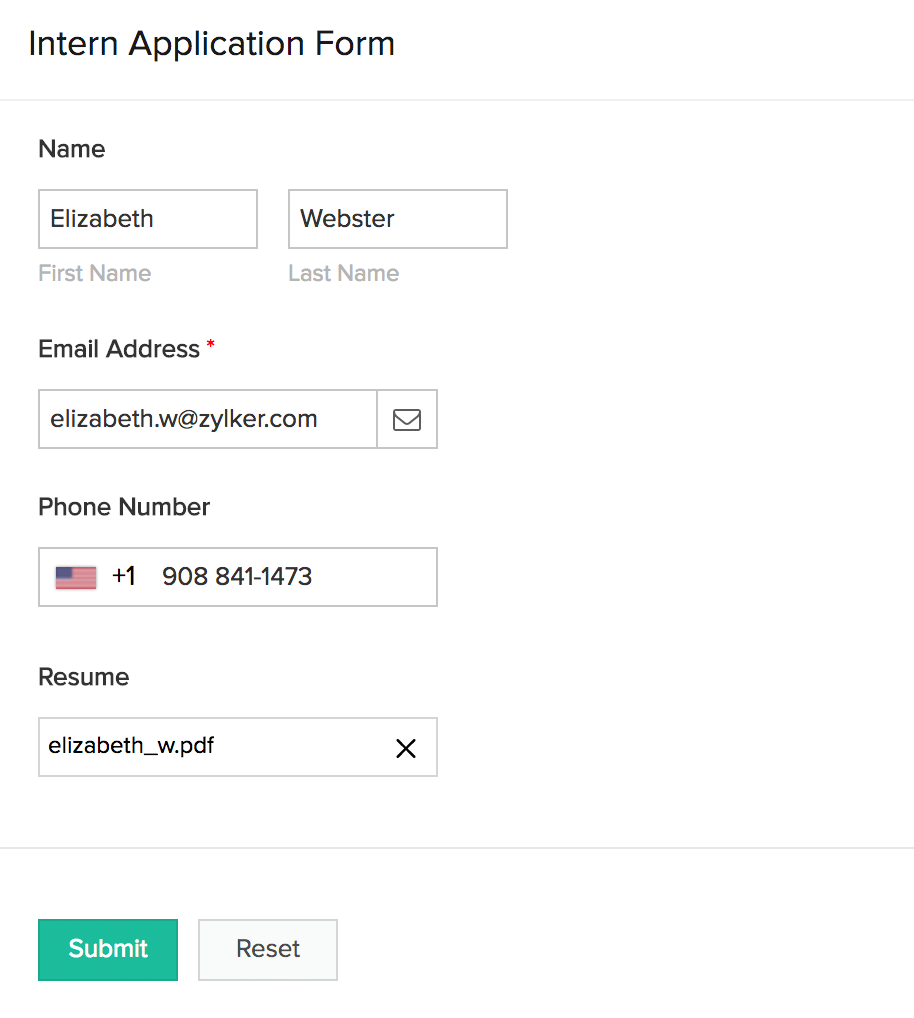
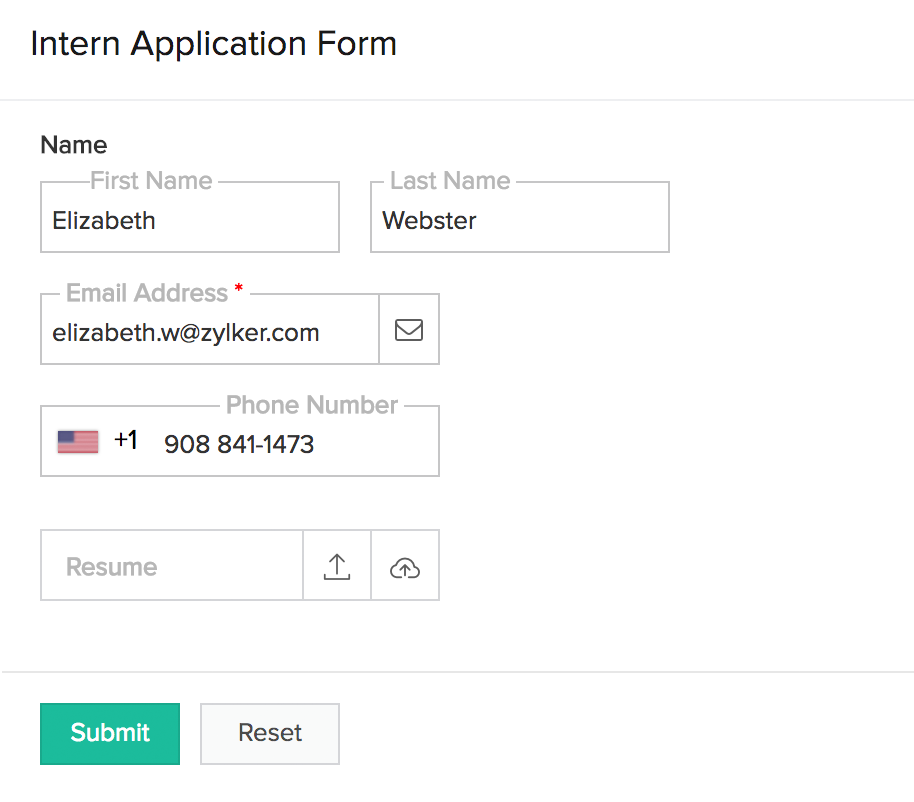
The following images show how an Intern Application Form looks when a user accesses from a web browser:
- Field names appear on the left, and are left-aligned. This is the default layout.
- Field names appear on the left, and are right-aligned:
- Field names are displayed above their input boxes:
- Field names are displayed inside their input boxes as tooltips (see the Resume field), and then move above the field when users input data.
Related topics
Zoho CRM Training Programs
Learn how to use the best tools for sales force automation and better customer engagement from Zoho's implementation specialists.
Zoho DataPrep Personalized Demo
If you'd like a personalized walk-through of our data preparation tool, please request a demo and we'll be happy to show you how to get the best out of Zoho DataPrep.
- Zoho Workerly Home
- Forums
- Connect With Us:


- Zoho Recruit Home
- Forums
- Connect With Us:
You are currently viewing the help pages of Qntrl’s earlier version. Click here to view our latest version—Qntrl 3.0's help articles.





Zoho Sheet Resources
Zoho Forms Resources
Zoho Sign Resources
Sign, Paperless!
Zoho TeamInbox Resources
Zoho DataPrep Resources
Design. Discuss. Deliver.
Related Articles
Understand label placement for tablet
Understand field label placement in forms for tablet Label placement for a Form lets you define how field labels (or field names ) appear in relation to the field input areas. A layout is applied by default for tablets. You can switch to any one of ...Understand label placement for phone
Understand field label placement in forms for phone Label placement for a Form lets you define how field labels (or field names ) appear in relation to the field input areas. A layout is applied by default. You can switch to any one of the available ...Change label placement for browser
Change field label placement in forms for browser Refer to this page to learn about field label placement in forms for browser. Open the component pane as shown below, then select the required form. Its Design page will appear. Click the Web icon ...Change label placement for phone
Change field label placement in forms for phone Refer to this page to learn about field label placement in forms for phone. Open the component pane as shown below, then select the required form. Its Design page will appear. Click the Phone icon in ...Change label placement for tablet
Change field label placement in forms for tablet Refer to this page to learn about field label placement in forms for tablet devices. Open the component pane as shown below, then select the required form. Its Design page will appear. Click the Tablet ...