Add Zoho CRM field
Add a Zoho CRM field to a form
- Open the form builder.
- Add an integration field to the form. (Refer to this page to see how to add a field to a form)
- Select Zoho CRM in the drop-down next to Service :
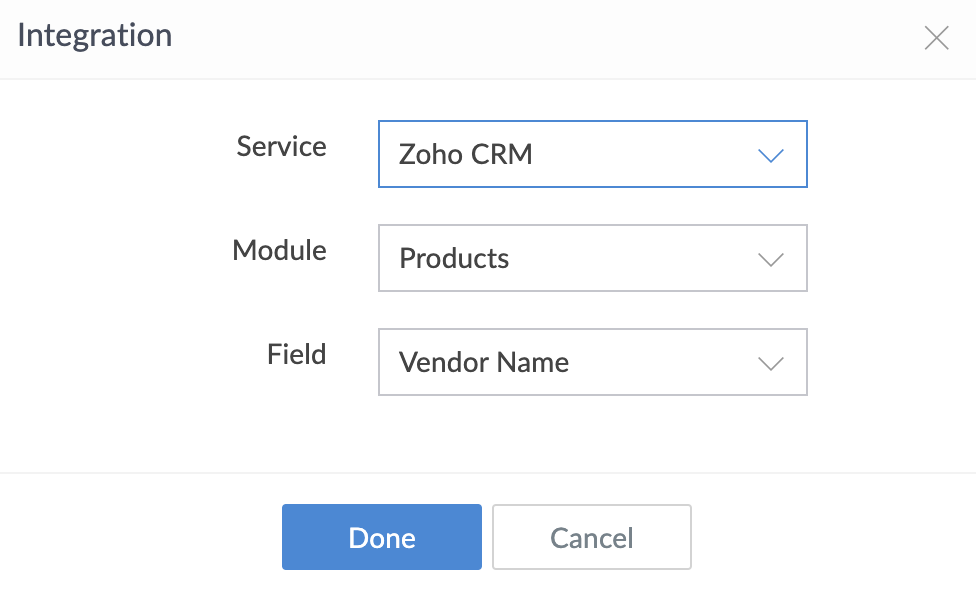
-
Select the required
Module
and
Field
, then click
Done
.
-
Once you add a Zoho CRM field, the selected module and field will appear in the
Field Properties > Appearance
section on the right.
Zoho CRM Training Programs
Learn how to use the best tools for sales force automation and better customer engagement from Zoho's implementation specialists.
Zoho DataPrep Personalized Demo
If you'd like a personalized walk-through of our data preparation tool, please request a demo and we'll be happy to show you how to get the best out of Zoho DataPrep.
- Zoho Workerly Home
- Forums
- Connect With Us:


- Zoho Recruit Home
- Forums
- Connect With Us:
You are currently viewing the help pages of Qntrl’s earlier version. Click here to view our latest version—Qntrl 3.0's help articles.
New to Zoho Survey?





Zoho Sheet Resources
Zoho Forms Resources
New to Zoho Sign?
Zoho Sign Resources
Sign, Paperless!
New to Zoho TeamInbox?
Zoho TeamInbox Resources
New to Zoho ZeptoMail?
Zoho DataPrep Resources
Design. Discuss. Deliver.
New to Zoho Workerly?
New to Zoho Recruit?
New to Zoho CRM?
New to Zoho Projects?
New to Zoho Sprints?
New to Zoho Assist?
New to Bigin?
Related Articles
Add Zoho Recruit field
Add a Zoho Recruit field to a form Open the form builder. Add an integration field to the form. (Refer to this page to see how to add a field to a form) Select Zoho Recruit in the drop-down next to Service . Select the required Module and Field , ...Add Zoho Projects field
Add a Zoho Projects field to a form Open the form builder. Add an integration field to the form. (Refer to this page to see how to add a field to a form) Select Zoho Projects in the drop-down next to Service. If there are no datasources added, click ...Autopopulate Zoho Creator field with Zoho People data
Requirement Autopopulate Zoho Creator field with employee information stored in Zoho People. Use case Let's assume an organization named Zylker has a private library. The regular users must purchase a membership in order to access the library, ...Add Salesforce field
Add a Salesforce field to a form Prerequisite : The Application Programming Interface (API) feature must be enabled for your Salesforce organization. Open the form builder. Add an integration field to the form. (Refer to this page to see how to add a ...Add QuickBooks field
Add a QuickBooks field to a form Open the form builder. Add an integration field to the form. (Refer to this page to see how to add a field to a form) Select Quickbooks in the dropdown next to Service . Select the required choice from the dropdown ...
New to Zoho LandingPage?
Zoho LandingPage Resources