Advantages of hosting your online database using Zoho Creator

Scales with your needs.
Integrates with other cloud services.
Safely hosted on the cloud.
No coding expertise required.
Accessible on Mobile.
Data collection made simple
Turn your paper-based processing to online processing. Zoho Creator makes it easy for you to organize and process data. Your online database is a centralized repository of information. Collecting and sharing of data is not burdensome when it's online.
Drag and drop builder
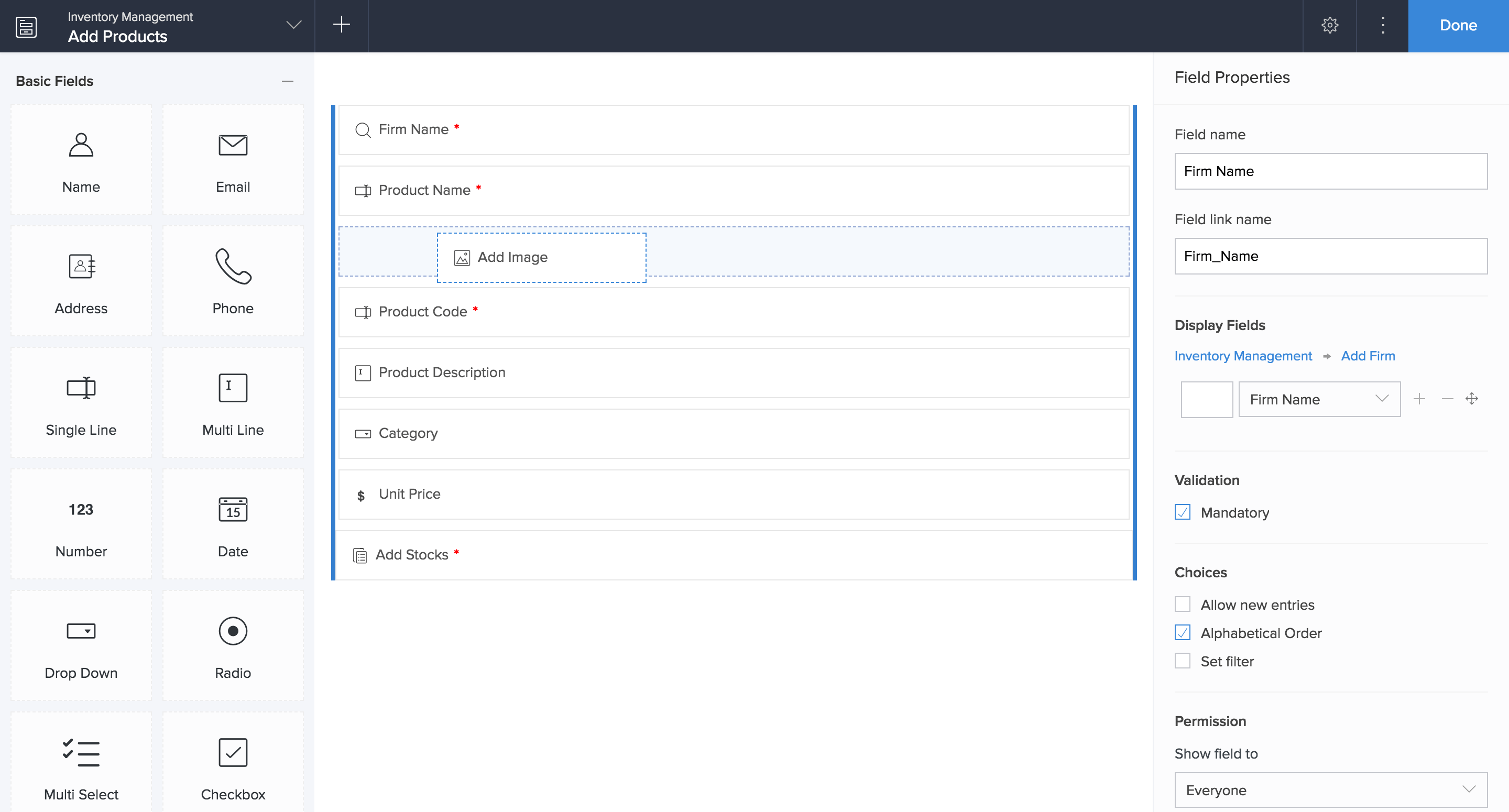
Zoho Creator is user-friendly and helps you build online databases from scratch. You can simply drag and drop fields to build forms or applications based on your need.
Integrate your existing data
Zoho Creator is highly flexible and helps you combine existing data in other external applications seamlessly. You can import data from your existing spreadsheet or MDB files into your Zoho Creator application in minutes.
Publish databases online
Build applications, create relationships between forms and get your database live in minutes. You can focus on real work without having to worry about performance and security.
Simplify business processes
Zoho Creator helps you gain more control of your business processes, increase efficiency, and save time with automated workflows.
Automate manual tasks
Let your teams complete tasks on time with automated alerts, notifications, and reminders. Stay connected with your data in real time.
Accelerate approval process
Configure rules to streamline approval processes and make information flow faster. You can select the approver based on roles and allow them to handle requests from anywhere.
Act on data, not on instincts
Create reports and dashboards to help you analyze details and make smarter business decisions. Make these reports or dashboards available to anyone online.
Design custom reports
Gain valuable insights from comprehensive reports. Select from a range of options, like pivot, list, kanban, calendar, timeline, and maps. Looking for something specific? Sort and filter your data to create custom reports.
Visualize data with dashboards
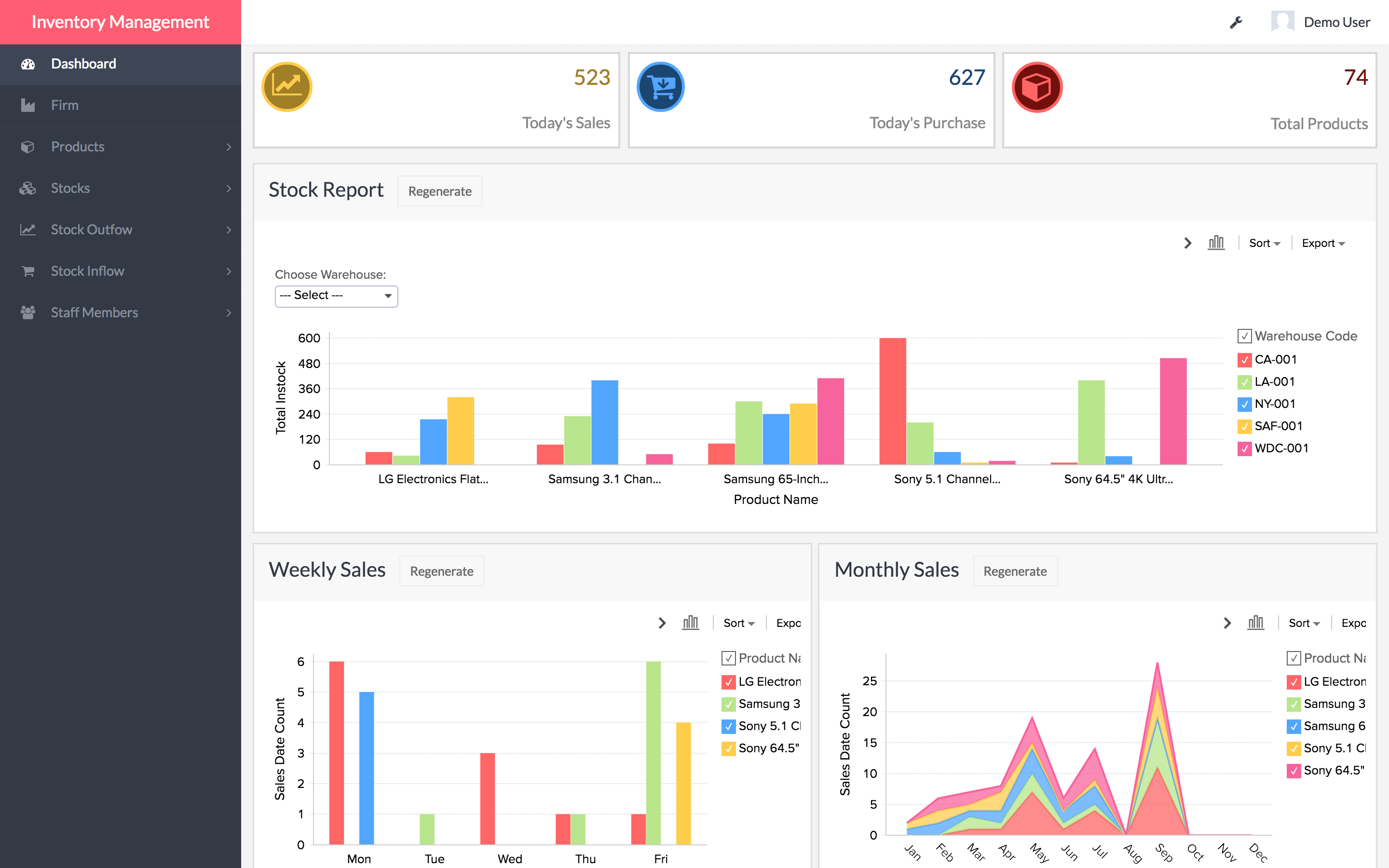
Put your business data into perspective. Create interactive dashboards with graphs and charts to share the information your collaborators need.
Build intuitive pages
Construct detailed pages in a matter of minutes. Just drag and drop elements like forms, reports, charts, and layout snippets from the builder panel to organize your data.
Share and collaborate
Bring your users and data together with a powerful online database on the cloud. Zoho Creator allows dynamic data sharing that enables collaboration in real-time.

Automation made easy
Automate your daily tasks and keep your team in the loop with triggered alerts, notifications, and email.

One-click collaboration
Share your database with individual users, or publish it online for anyone to see. You can give them access to the entire application, or to specific sections, forms, and reports.

Data at your fingertips
Stay connected to your business. Users can access or update database information, even while they're away from their desks.

Mobile focus
With Zoho Creator, apps you build or install from the AppDeck are automatically available on iOS and Android devices. You can even create native mobile apps with customizable layouts and gestures.